Apr 27, 2016
Comments
Welcome back to the fast-boot blog post series! Last week we covered the fast-boot demo that showed you a video of an i.MX6 board booting under 2 seconds. In this blog post we will cover how the Qt QML cluster application was optimized.
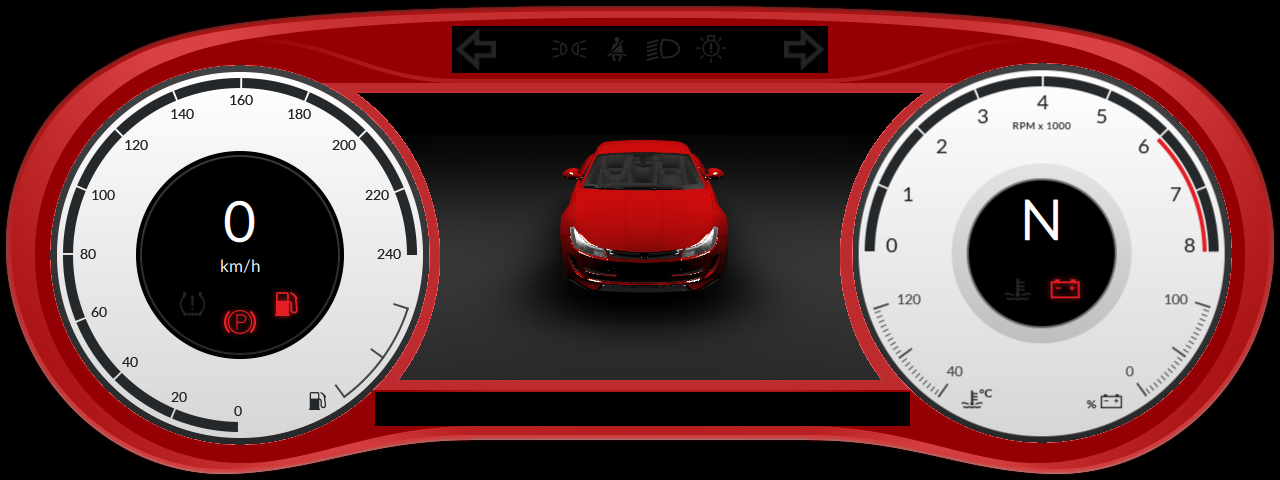
The original demo shown in Qt World Summit 2015 was designed in PC environment and the startup time was not addressed with the initial design. Design already incorporated usage of Loaders so that some parts of the UI were asynchronously loaded but the startup sequence was not thought at all. So, to begin the optimization for the startup we first needed to think of the use case: What is it that we want the user to see first? We selected that the first thing the user must see is the frame of the cluster after which we load and animate the rest of the objects to the screen.
In the cluster image below the red overlay marks the parts we decided that user must see when the application starts:
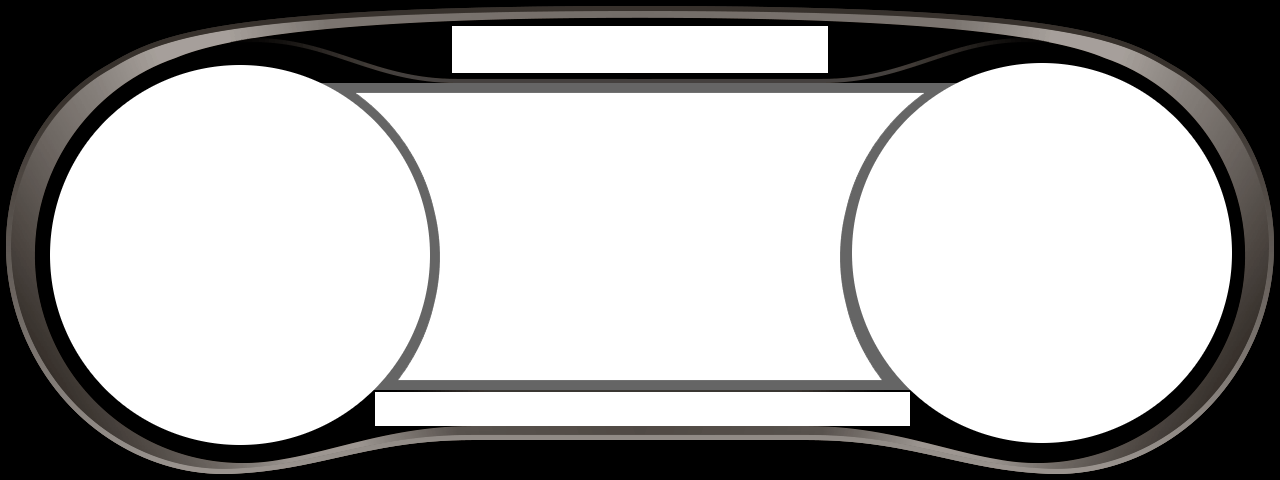
When looking at the application code we noticed that our dashboard was actually combination of multiple different mask images and some of these were fullscreen. So we combined all the visible parts into one single full screen image that gets loaded on top of the UI:
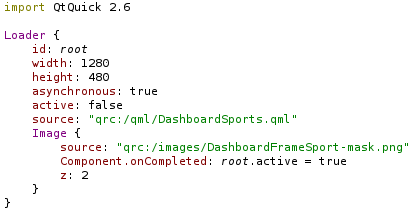
To make the startup of the application as fast as possible we adjusted the internal design of the application as well. We separated the dashboard frame into it's own QML file that gets loaded as a very first item. After cluster frame is loaded and drawn we enable the loader underneath to load rest of the UI.
We also used the QML profiler in Qt Creator to find out what was taking time. Initially the demo used the original Qt Quick Controls that were designed for desktop. This caused the creation of these gauges take some extra time (note that, Qt Quick Controls are being redesigned for embedded use cases for Qt 5.7!) To solve this part for now, we replaced the gauges with images and created a fragment shader to color the parts of gauges that needs animation.
As a final touch we added the flip animation to gauges and fade in to the car to make startup feel more natural:
After these optimizations we got the Qt application to show the first frame under 300 milliseconds on the target device (from the time operating system kernel is loaded).
Optimizing Your Application: 'Do's and 'Do not's!
Finally, based on our experience, here is a summary of tips'n'tricks for optimizing your Qt Quick applications. In case you feel like you could use additional help, feel free to contact us or any of our Qt Partners and we're happy to help you with your application!
Do:
- Design your application to start fast from the beginning. Think what is it that you want the user to see first.
- Make startup animations to allow parallel loading.
- Use chain loading. Run only as many loaders as you have cores in your CPU (e.g two cores: two loaders running at the same time).
- First loader should not be asynchronous. Trigger the rest of the loaders.
- Create QML plugins that are loaded when required.
- Connect to back-end services only when required.
- Let the QML plugins start up non-critical services and close those down when not required anymore.
- Optimize your png / jpg images.
- Optimize your 3d models by reducing the amount of vertices and removing parts that are not visible.
- Optimise the 3D model loading by using glTF.
- Use Qt Quick Controls 2.0. These are designed for embedded use and the creation times are a lot better than in Quick Controls 1.0 for embedded use cases.
- Limit the usage of clip & opacity.
- Measure GPU limitations and take those into account when designing the UI.
- Use Qt Quick Compiler to pre-compile the QML files.
- Investigate if static linking is possible for your architecture.
- Strive for declarative bindings instead of imperative signal handlers.
- Keep property bindings simple. In general, keep QML code simple, fun and readable. Good performance follows.
- When targeting multiple platforms and form factors, use file selectors instead of loaders and dynamic component instantiation. Don’t be shy to “duplicate” simple QML code and use file selectors to load tailored versions.
Do not:
- Go overboard with QML. Even if you use QML, you don’t need to do absolutely everything in QML.
- Initialize everything in your main.cpp.
- Create big singletons that contain all the require interfaces.
- Create complex delegates for Listviews.
- Use Qt Quick Controls 1.0 for embedded.
- Clip should be avoided altogether if possible. (98% of the use cases this should be possible).
- Fall into the common trap of overusing Loaders. Loader is great for lazy-loading larger things like application pages, but introduces too much overhead for loading simple things. It’s not black magic that speeds up anything and everything. It’s an extra item with an extra QML context.
- Overdo re-use. Maximum code re-use often leads to more bindings, more complexity, and less performance.
In the next part of the series, we will look more closely into the operating system side of the startup optimization. Stay tuned!
Blog Topics
Related Articles

Qt Creator 20.0.2 released
We are happy to announce the release of Qt Creator 20.0.2! The release..
Read Article
Qt 6.11.2 Released
Qt 6.11.2 is now available for download. As a patch release, Qt 6.11.2..
Read Article
Qt Creator 20.0.1 released
We are happy to announce the release of Qt Creator 20.0.1! The release..
Read Article