

Stay up to date with the latest marketing, sales and service tips and news.
We are getting close to releasing the Qt 3D Studio 2.0 and the first Beta is released today. First beta packages are now available through the Qt online installer & Qt download. Let’s have a quick summary of the changes & new features we are introducing. For detailed information about the Qt 3D Studio please visit our web pages at: https://www.qt.io/3d-studio
One of the biggest changes in the 2.0 release is the new Qt 3D Studio runtime which is built on top of the Qt 3D module. From user perspective this change is not directly visible, but a very important item under the hood. Using Qt 3D means deeper and easier integration to the Qt framework. It also makes it easier for us to introduce new features from both tooling and 3D engine perspective. First example of the new features is the Qt 3D Studio 2.0 Viewer Debugging and Profiling UI which shows the basic information about the rendering performance and structure of the 3D scene.
Deploying your UI project to the Viewer application in the target device with debugging and profiling enabled allows you to immediately see what the potential design performance bottlenecks are. You can also spot cases where you are using large textures or 3D models have a lot of parts which are not visible.
Data Inputs are a mechanism for integrating the user interface to the application logic. The Data Input functionality in the 1.1 release was somewhat limited and basically offered support only to control animation timelines and changing slides. With the 2.0 release we have introduced several new data types which can be now easily tied to different object properties in the 3D scene.
For more details on using Data Inputs please refer to documentation
Biggest change in the editor side is the new timeline view which has been totally rewritten. This rewrite makes it easier for us to introduce new features in the future and already in the 2.0 release we have already made several small usability improvements.
We have also made changes to the shortcut keys and mouse usage so that changing between different Camera Views (Perspective, Top, Scene Camera etc.) and panning and orbiting is easier, and the behavior is closer to the common practices in 3D design tools. For more details please refer to keyboard shortcuts documentation.
Qt 3D Studio 2.0 beta releases are available through Qt online installer under the Preview section. Qt online installer can be obtained from Qt Download page and commercial license holders can find the packages from Qt Account.
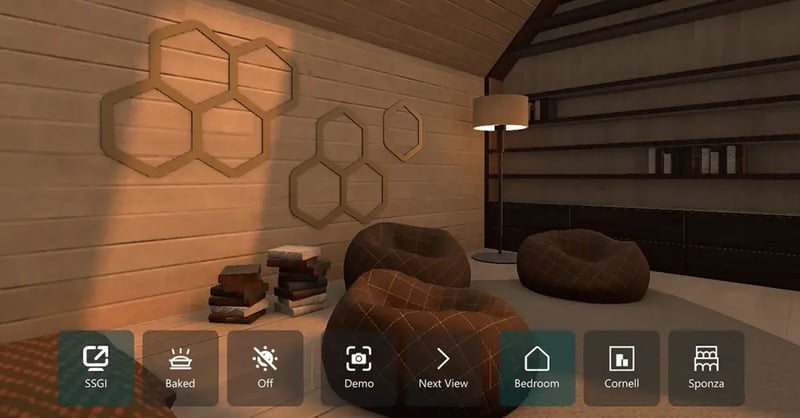
Some example projects can be found under examples folder in the installation directory. Additional examples and demo applications can be found from https://git.qt.io/public-demos/qt3dstudio repository. If you encounter issues with using Qt 3D Studio or you would like to suggest new feature, please use Qt3D Studio project in the https://bugreports.qt.io
Stay up to date with the latest marketing, sales and service tips and news.
Download the latest release here: www.qt.io/download.
Qt 5.12 was developed with a strong focus on quality and is a long-term-supported (LTS) release that will be supported for 3 years.
Find webinars, use cases, tutorials, videos & more at resources.qt.io
Check out all our open positions here and follow us on Instagram to see what it's like to be #QtPeople.
Näytä tämä julkaisu Instagramissa.Henkilön Qt (@theqtcompany) jakama julkaisu