2018年03月20日
コメント
この記事は The Qt Blog の Qt 3D Studio Remote Deployment on Android Devices を翻訳したものです。
執筆: Mats Honkamaa, 2018年01月11日
この記事では Qt 3D Studio の Qt 3D Viewer を用いた Android 端末へのリモートデプロイについて紹介します。この機能によりコンピューター上で行われた Qt 3D Studio のプレゼンテーションの変更をターゲットデバイス上で確認することが可能となります。
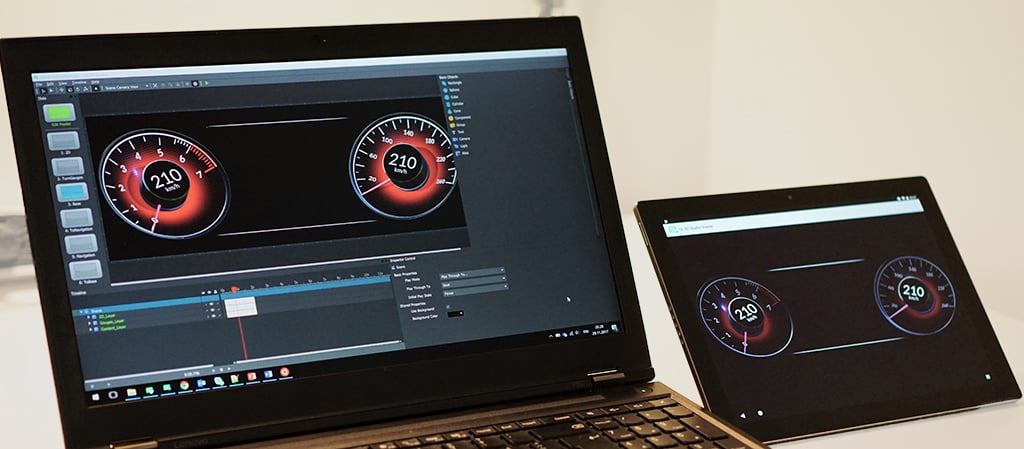 Qt 3D Studio エディタとビューアーのリモート接続機能
ターゲットデバイスの準備
リモートデプロイの準備として以下のステップが必要です。
- Google Play から Qt 3D Viewer をダウンロード し、ターゲットデバイスへインストール。
- ビューアーを起動
- メニューの File > Connect を選択。
- 任意のポート番号かデフォルトのポートを指定して OK をクリック。
- 接続情報、IP アドレス、ポートがビューアーに表示されるでしょう。
ターゲットデバイスへの接続
Qt 3D Studio からターゲットデバイスへの接続は以下のステップが必要です。
- メニューの File > Connect to Device をクリック。
- ターゲットデバイスのビューアーに表示されている情報を入力し、OK をクリック。
- 接続が完了するとターゲットデバイスのビューアーに「Remote Connected」と表示される。
プレゼンテーションのプレビュー
ターゲットデバイスでプレゼンテーションをプレビューするには、ツールバーの Preview ボタンを押してください。プレゼンテーションに変更をした際には、再度プレビューボタンを押すことで変更をターゲットデバイス上で確認することが可能です。
 Studio の Preview ボタン
ターゲットデバイスへの接続を解除
Studio 側の File > Connect to Device を再度クリックするか、ビューアーのメニューから File > Connect をクリックすることで接続を解除することが可能です。