
FIGMA TO Qt
The Most Reliable Way to Bring Your GUI Designs from Figma to Device
Your design should reach the product looking the way you crafted it. Figma to Qt converts your Figma designs directly to code. Every export is a working QML project you previewed, verified, and approved right in Figma. Stay in control of the user experience, from first screen to final product.
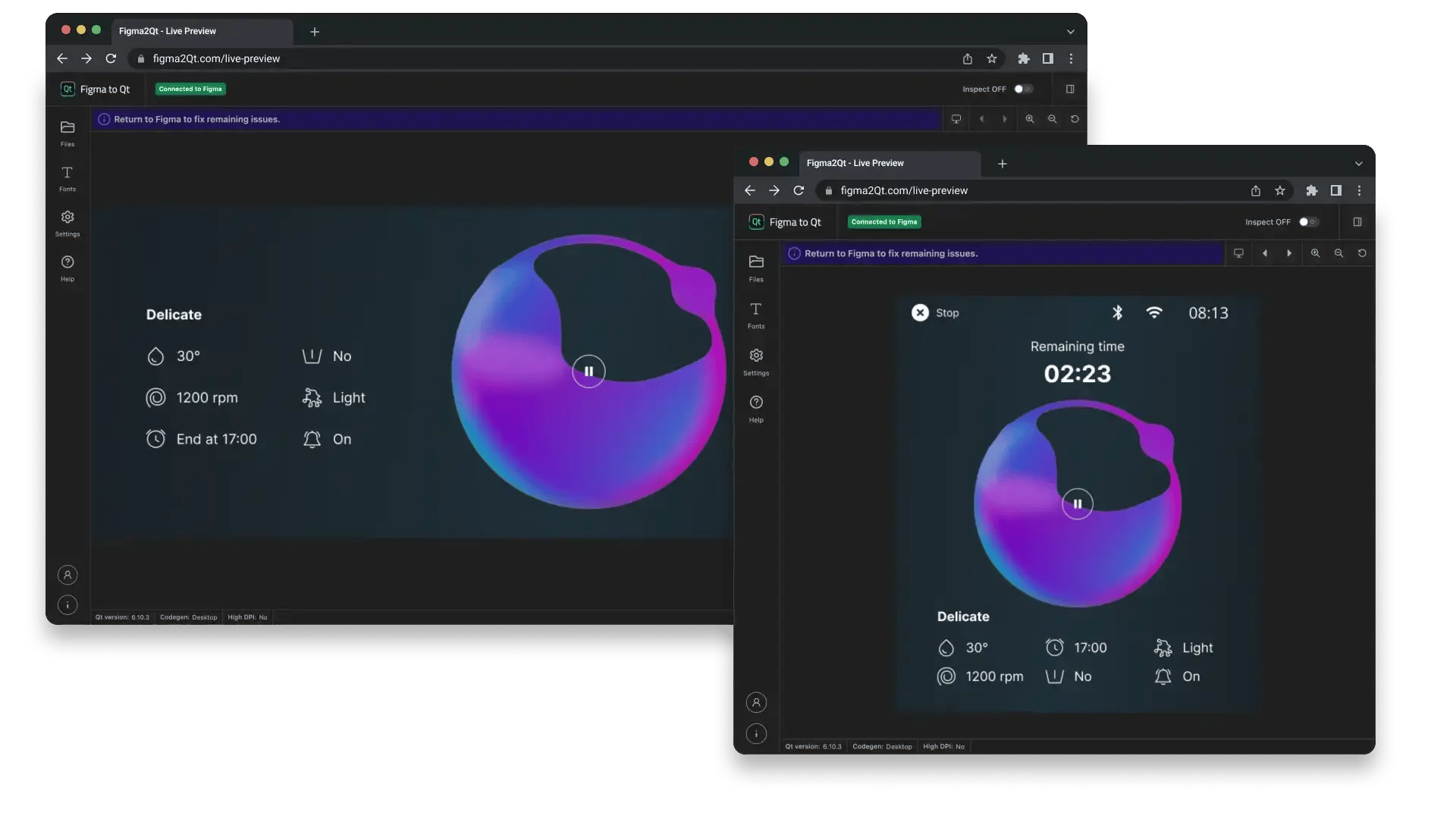
Your GUI Design, Live in the Browser Before It Leaves Figma
Figma to Qt previews your GUI design as a real, working interface in the browser. Not just a prototype, but the actual QML code that will run on the device.
Preview multiple screens, check them at your exact device resolution, and see how every design element maps to code. All from inside Figma, without switching tools or waiting for a developer.
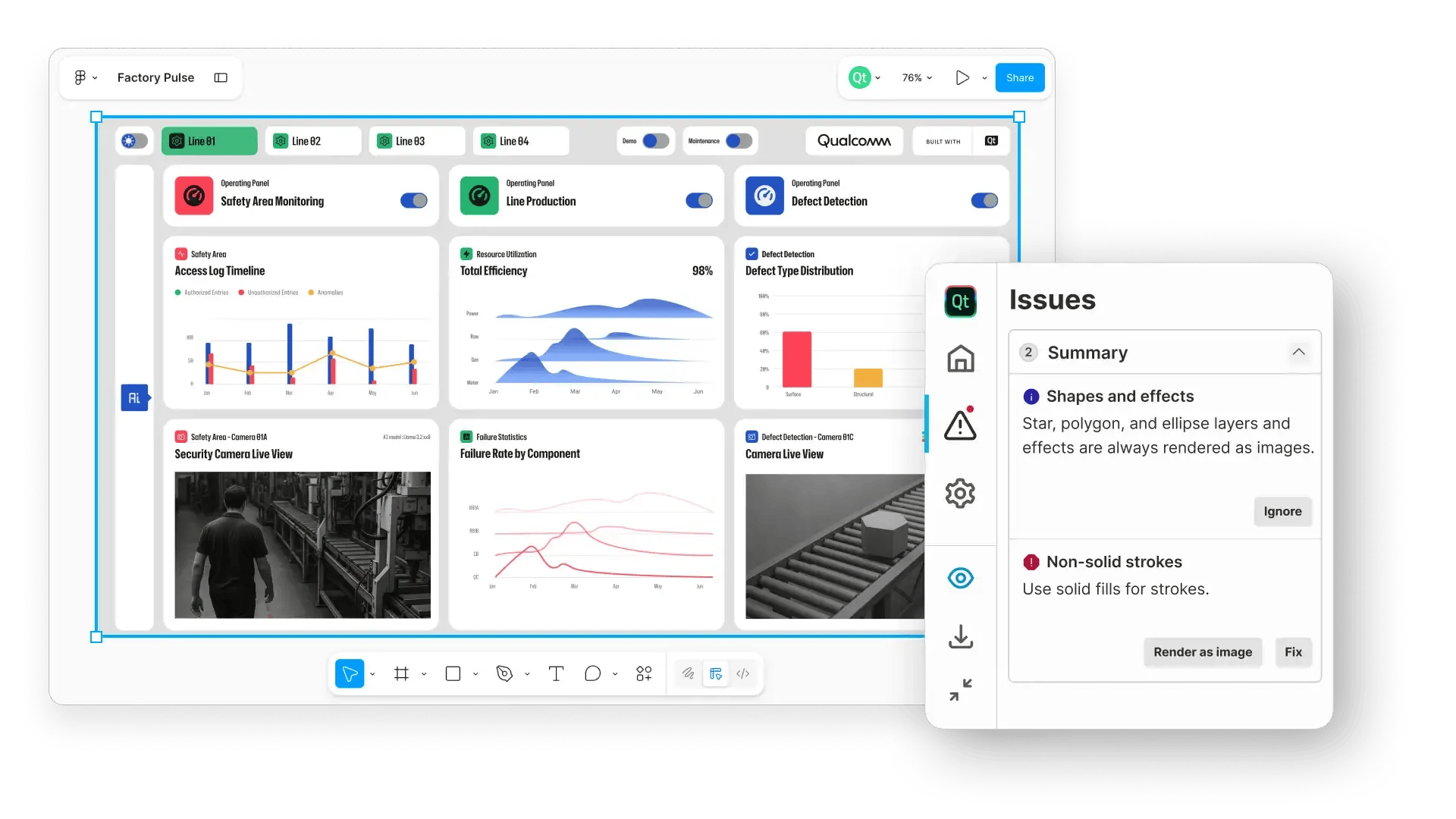
Design Your GUI Knowing What Will Run on the Device
As you build in Figma, the plugin checks your components and highlights anything that won’t translate smoothly to QML.
Potential problems show up early when they are still easy to fix, not after hours of work are already completed.
When something needs adjustment, you clearly see what it is and why. Often, you can fix it with just one click. You complete the design process with confidence and on time.
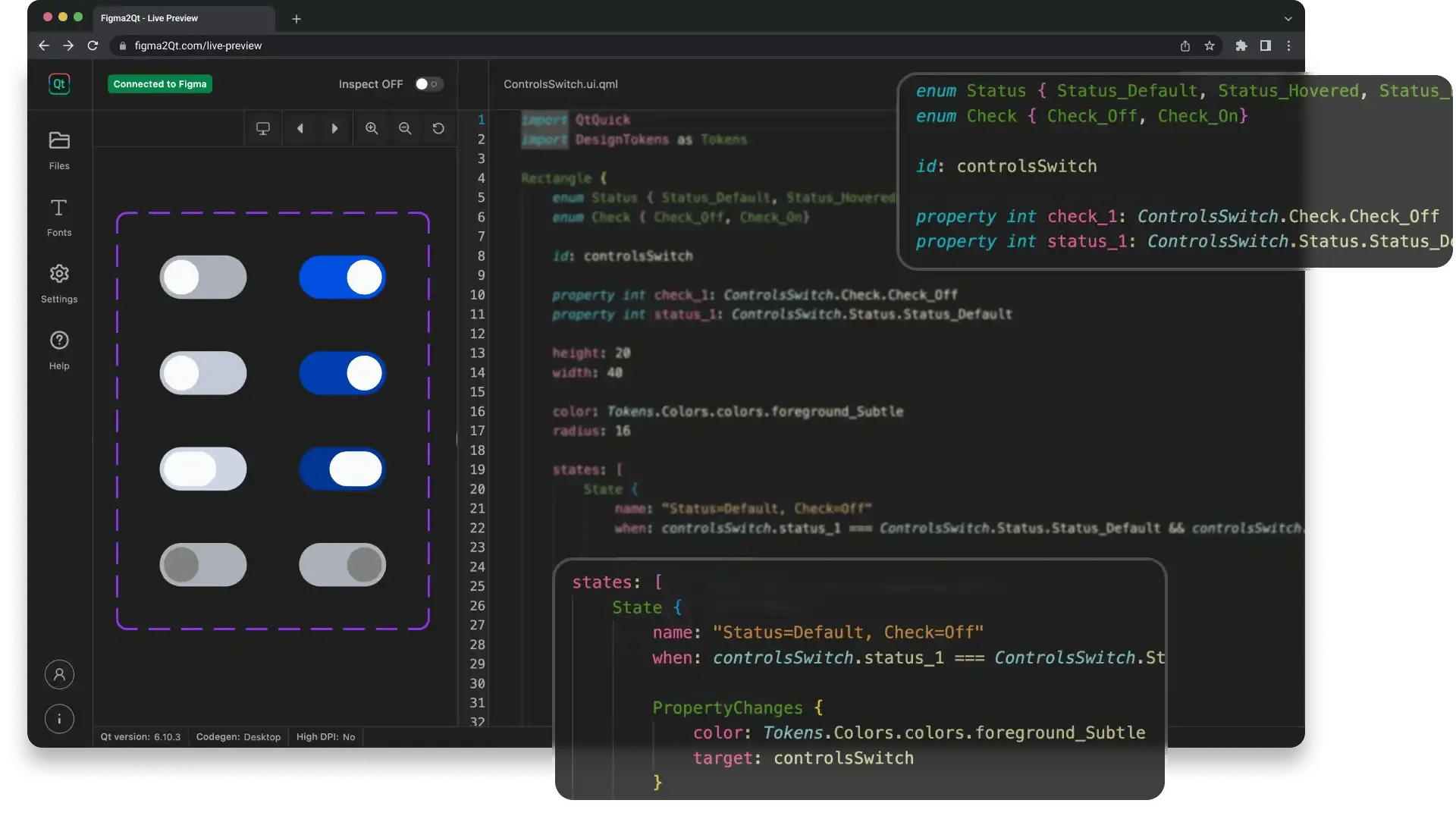
Real, Working Code. Not Just Shapes for a Developer to Interpret.
Figma to Qt converts your GUI design into clean QML code that developers can open directly in Qt Creator, Visual Studio Code, or Qt Design Studio. No PDFs, no prototype links, no room for interpretation.
Your interactive components export as functional Qt Quick Controls, stable and tested. Your color and style decisions carry over as design tokens, keeping the code in sync with your design system.
Whether a developer or an AI assistant picks it up next, what they get is what you already signed off on.
Latest News on GUI Design
From Figma to Qt: A Comparison Between Manual and Assisted Workflows
We know that one of the biggest challenges for embedded UI/UX designer...
Figma to Qt 1.1: Test Design Live, Ship It Anywhere
Click, drag, and tweak your design in Live Preview before a developer ...
Qt Design Studio 4.8.3 Released
Qt Design Studio 4.8.3 Is Here! Qt Design Studio 4.8.3 is a maintenanc...