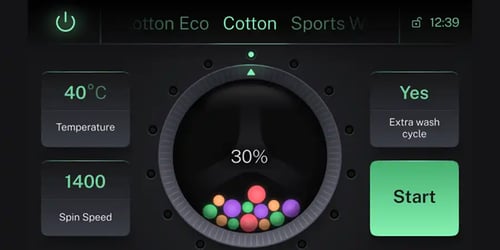
We've been steadily improving the vector graphics support in Qt Quick in the past few years, and this continues in Qt 6.10 with several new and useful features. The main focus of this blog will be the support for animated vector graphics, added to the existing components in Qt 6.
Check out this quick video on an SVG & Lottie animation example for highlights:
But First, a Recap
As demonstrated by Eirik Aavitsland's excellent talk in Qt World Summit earlier this year, 2D vector graphics has been a foundation of Qt since the very beginning. In the past few years, there has also been a concerted effort to improve on this further, filling in gaps that we have identified over the years. This started with Qt 6.6 when we added a shiny, new renderer for Qt Quick Shapes which does beautiful, anti-aliased rendering of curves directly on the GPU.
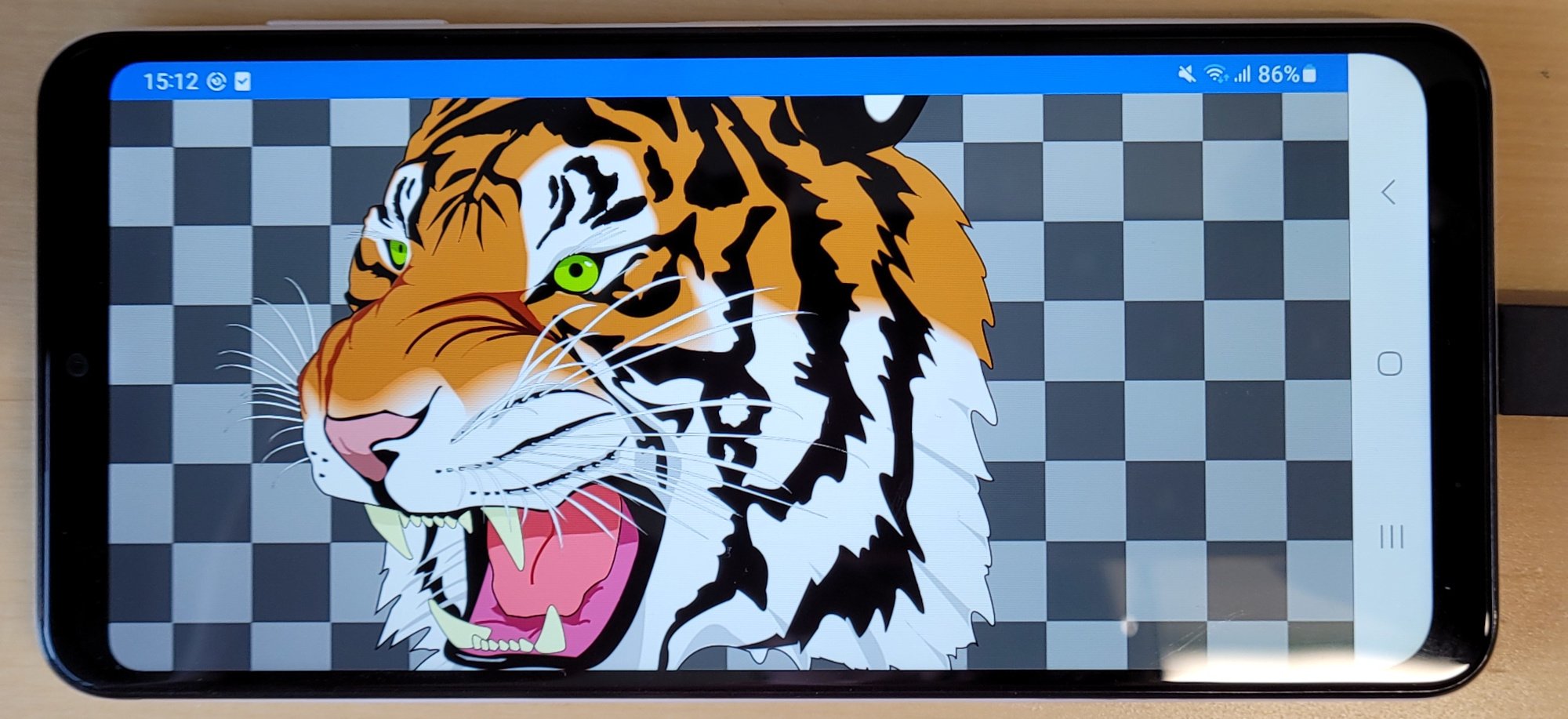
This gave Qt Quick Shapes a nice boost: You can now get rendering on par with the software renderer in QPainter and you can zoom in as far as you want without any loss of fidelity.
However, for complex shapes such as the Ghostscript tiger shown here, the Qt Quick Shapes API itself still remained a bit inconvenient to use. Essentially you would have to manually fill in the information for the shapes you wanted to draw. For primitive and/or programmatic shapes, this approach works well, but for complex artwork, it involves a lot of work.
So in Qt 6.8 we introduced the VectorImage type as well as the related svgtoqml tool, allowing you to translate .svg files directly into Qt Quick and Qt Quick Shapes code. And in Qt 6.10 we are continuing to add more value to these tools. One of the big topics has been animated vector graphics: both for .svg files, but also by expanding the VectorImage to also include support for the Lottie format.
Animated Vector Graphics in SVG

Historically, the Qt SVG module was primarily for static images and documented as such. Although it was not included in the documentation, it did actually support some animated vector graphics types from early on (specifically transforms and colors specified in SVG's SMIL format.) This support was used e.g. for the classic floating bubbles example in earlier versions of Qt SVG.
SMIL is a great format for writing animations by hand, but SVG animation tools tend to use the keyframes rule in CSS to make animations instead. In Qt 6.10, we have added support for SVGs that use CSS keyframes to animate transforms, colors and opacities.
This support is implemented in Qt SVG and is thus available through its core APIs such as QSvgRenderer. But since animations rely on frequently updating/redrawing the image, complicated or large animated vector graphics files can often be too expensive for Qt SVG's built-in software renderer. Happily, starting with Qt 6.10, the animations parsed by Qt SVG are also supported by VectorImage and svgtoqml.

When adapted to Qt Quick, the animations in the SVG will be converted to Qt Quick animation components. Demonstrated here by the Colleague Animation by Kishor A. (This Lottie animation was converted to an animated SVG for the purpose of demonstration.)
Rendering in Qt Quick is hardware-accelerated and only the parts of the scene that were actually changed needs to be updated (often just a shader uniform.) Therefore, the animations will be a lot more efficient this way, enabling your application to still run at full frame rate.
Animated Vector Graphics in Lottie
The Lottie format for After Effects is one of the standard file formats for making small UI animations, especially for the web. Since the Qt Lottie Animation module was first released, the format itself has evolved. Therefore, the percentage of animated vector graphics files that can be faithfully reproduced in Qt Lottie Animation has diminished over time.
In Qt 6.10, there have been numerous, impactful improvements to the Lottie Animation module itself (such as the introduction of precomposition layers). It will now support a much larger range of modern Lottie files.
In addition, we have added a tech preview Lottie backend to VectorImage. By including a plugin with your app and setting the assumeTrustedSource property to true, you can now render Lottie files using the same mechanism as with .svg files, scalable and hardware-accelerated, and therefore more performant than using the alternative LottieAnimation type.

Qt 6.10 also comes with a tool to pregenerate the QML for these Lottie files, called lottietoqml. This is the Lottie equivalent of svgtoqml and this is also in tech preview.
A new example has been added which shows QML files generated using lottietoqml and shown in a grid. Clicking on one of the images zooms it to fill the window, showing how the animations can be scaled without reduction of quality and without having to recreate or reupload the assets on the GPU.
Future Improvements
We still have a long laundry list of things we want to improve in Qt's vector graphics support to make it even better.
For one, we want to expand the VectorImage's scope to also include advanced post-processing features like masks and filters. In SVG, these are not strictly part of the SVG Tiny 1.2 profile, but given how useful they are, we still support them in the Qt SVG library. Also including this support in VectorImage is one of the logical next steps.
In addition, there are animatable properties in both SVG and Lottie which we still do not support. For instance, animating the individual control points of curves is a very powerful tool, but the full support in Qt for this is still pending.
Of course, we want the work we do to be as useful as possible. Therefore we are always trying to analyze how commonly used a feature is and prioritize our efforts based on that. This involves looking the animated vector graphics files we can find and enumerating the missing features they depend on - if any.
But nothing beats actual real world use cases: So if you have SVGs or Lottie files that do not work as expected with Qt right now, then please let us know by filing a suggestion. Or just reach out on Bluesky with some details and I will forward to the appropriate channels.
We do hope the new Qt 6.10 features will inspire you to make some colorful and vivid applications. In the coming time we will continue to fortify Qt as the main framework for high-end application development, whether the beautiful UI graphics are made in two or three dimensions .