Nov 25, 2025
Comments
We're happy to announce the release of version 1.10.0 of the Qt Extension for Visual Studio Code! This release introduces plenty of quality-of-life improvements to developing Qt solutions on Visual Studio Code.
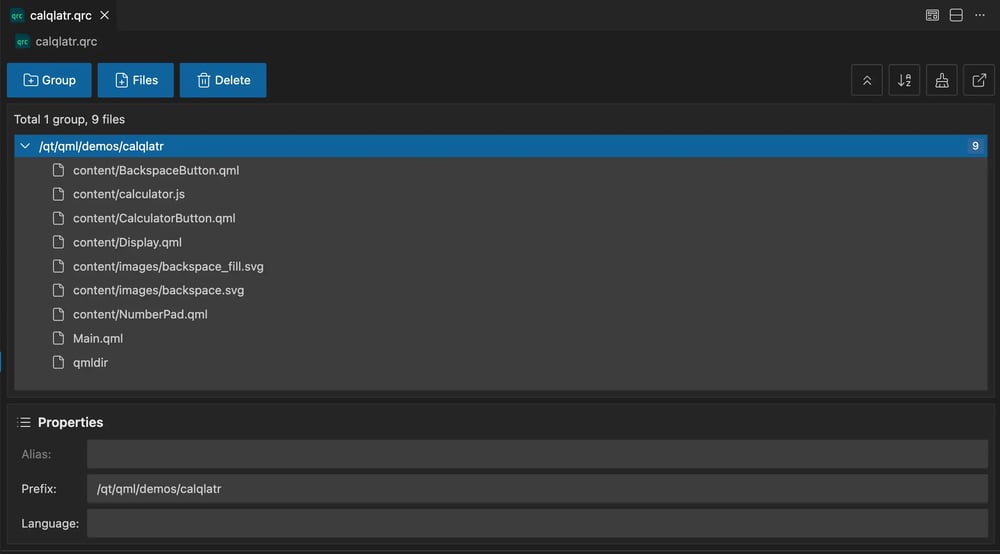
QRC Editor
Managing Qt Resource Collection files has never been easier. The new QRC editor provides a visual interface for modifying your .qrc files without manual XML editing.
Enhanced C++ Debugging Experience
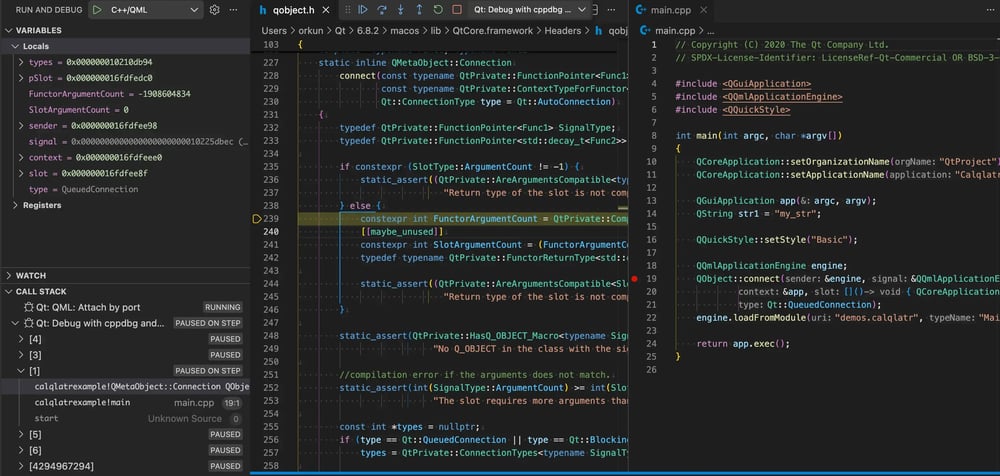
For C++ developers, we've added the ability to debug your application into Qt framework source code:
-
Source File Mapping: Launch configurations now include automatic
sourceFileMapentries, allowing you to step into the Qt framework code during debugging sessions -
Qt Source Directory Command: New
qt-cpp.sourceDirectorycommand helps you locate and configure Qt source paths -
Configurable Warnings: Use the
qt-cpp.doNotWarnMissingSourceDirsetting to suppress warnings if you prefer not to use this feature
Variable Substitution in Configuration Paths
All extensions now support variable substitution in configuration paths, making your workspace configurations more portable and shareable across teams:
-
${workspaceFolder}: resolves to your workspace root directory.
-
${userHome}: resolves to your home directory
This feature works across all path-based settings in the Qt extensions, whether you're configuring Qt installation paths, custom tool locations, or build directories
QML Debugging Improvements
We've enhanced the QML debugger to improve reliability:
-
Fixed broken watch expressions when invalid expressions are provided
-
Improved error handling and user feedback
Looking Ahead
We continue to work on bringing more Qt development features to VS Code. Stay tuned for upcoming releases featuring enhanced workflow improvements.
If you encounter any bugs or have feedback on usability, please report them via our bug tracker. If there's a feature you'd like to see, feel free to submit a suggestion there as well.
The full changelog details can be found on the marketplace pages:
For more information about using Qt extensions, go to Qt Extension for VS Code documentation.
Blog Topics
Related Articles
Updated Qt Code Review Skills Reduce Token Costs by Up To 75%
Whether you are reviewing Qt Quick or Qt Widget code with Qt’s agentic..
Read Article
Qt Creator 21 - CMake Changes
Here are the new CMake changes in Qt Creator 21: Editor Qt Creator 21..
Read Article
Qt Creator 21 Beta2 released
We are happy to announce the release of Qt Creator 21 Beta2. Please head..
Read Article