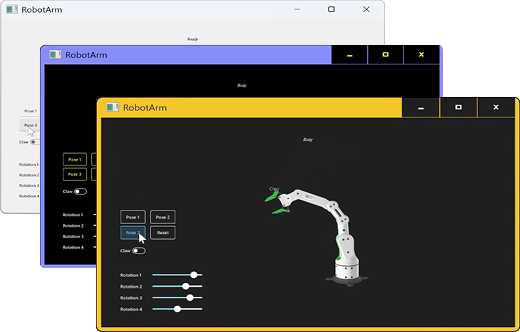
Accessibility in Software Development
Accessibility in software development is rising in importance both from regulatory and user experience perspectives. It brings creating products that are accessible to all users regardless of ability or environment to the center of product design, development and quality assurance.
Improved User Experience
Incorporating accessibility in software development improves the user experience and results in more intuitive products for all users, not just those with disabilities. For example, accessibility can dramatically improve the user experience in bright sunlight or extreme heat, in noisy environments, or when wearing gloves.
Adhering to Regulations
Regulators globally are becoming more active, with many countries increasingly incorporating the Web Content Accessibility Guidelines (WCAG) into their laws and applying them to a range of digital products and user interfaces. The regulation often requires equal access for all users, with added obligations such as publishing accessibility statements, maintaining technical documentation, and enabling users to report accessibility barriers. Non-compliance can lead not only to fines, but also to increased legal costs, significant reputational harm, and even market removal.
Accessibility Regulations to Be Aware of
Web Content Accessibility Guidelines (WCAG)
A benchmark for overall digital accessibility, the WCAG are international standards developed by the W3C to make web content accessible regardless of visual, auditory, and cognitive ability. The guidelines are structured around four core principles; Perceivable, Operable, Understandable, and Robust.
EU Accessibility Act (EAA)
The EAA sets common rules on accessibility within the EU on using products without or with limited vision, hearing, vocal capability, strength or cognition. The legislation affects a range of products and services placed on the market after 28 June 2025. Failing to comply could result in penalties. There are a series of guidelines for getting started.
Americans with Disabilities Act (ADA)
ADA covers both digital and physical built environments. For digital environments, ADA requires software that works for everyone, regardless of ability on vision, hearing, mobility, speech, cognition, learning, attention, communication, or memory.
Qt Framework Highlights
Qt Framework provides cross-platform capabilities that make creating accessible products easy and help comply to various regulations.
Out-of-the-Box Accessibility Features
Make your product accessible effortlessly with default functionality such as the high-contrast mode, scaling, keyboard navigation, and screen reader support.
Enriched Custom Styles
When using custom styles, amplify your setup easily. Use Qt's defaults where suitable, and when needed, flexibly edit or set your own control names, descriptions, styles, etc.
Next Steps at Qt
Qt Framework: Improve accessibility support on mobile platforms
Qt Framework: Improve support on WebAssembly for a duplicate structure tree
The information contained on this page and this website does not constitute legal advice. It is provided for informational purposes and discussion of the subject matter only. Content is subject to change and The Qt Group does not guarantee the accuracy or currentness of the contents of this page nor is The Qt Group responsible for the content or operation of any external website that these pages link to—or that may link to—these pages. The information contained here is not, and should not be used as, a substitute for legal advice.