Feb 5, 2026
Comments
With the new canvas rendering module, Qt Canvas Painter, we have the ambition to create the best modern C++ painting API achievable. This blog post goes through some of the new innovative canvas rendering features it brings to Qt users, explaining what they are and how to use them.
Before reading this post, please check the previous one introducing the Qt Canvas Painter. After understanding the basics of what Qt Canvas Painter is, you can proceed here to get details of the new canvas rendering features it offers.
Qt Canvas Painter is basically an HTML Canvas 2D context API ported to Qt C++, with some reductions and additions. In the previous blog post, we went through the main missing canvas rendering features compared to 2D context, so in this blog post, we talk more about the additions. These additions aim to fulfill the main target of this API: combining the performance and the productivity as effectively as possible, on a hardware-accelerated imperative painter.
We can then start going through the new features one by one, but first, the mandatory warning:
Qt Canvas Painter is a tech preview in Qt 6.11. This means that we don't guarantee API or ABI stability yet.
Canvas Rendering Highlights
The canvas rendering features covered in more detail are:
-
Adjustable Antialiasing: Freely adjustable antialiasing for path fills and strokes, for example, to render shadows and glows.
-
Box Gradient: Novel gradient type for rounded rectangle gradients with only a few triangles.
-
Box Shadows: High-performance dynamic shadows with the SDF approach.
-
Grid Patterns: Brush for dynamic grids and bars, with very good performance even when animated.
-
Custom Shader Brush: Tailor-made brushes with custom fragment and vertex shaders.
-
Color Effects: Adjust the opacity, brightness, contrast, and saturation of fills and strokes.
At the end of the blog, there are also a couple of other additional features briefly mentioned.
Adjustable Antialiasing
Antialiasing as a feature is an important part of modern user interfaces, also in 2D canvas rendering. QPainter with the default Raster backend supports antialiasing, while the method to achieve it increases CPU usage. QPainter OpenGL backend, on the other hand, supports antialiasing using the multisampling (MSAA) technique. This requires GL_EXT_framebuffer_multisample and GL_EXT_framebuffer_blit extensions, which are commonly supported on desktops but not always available on embedded devices.
Based on feedback over the years from many of our users, only having the option of MSAA to do antialiasing is not ideal due to multiple reasons. Opting in to MSAA for the entire render target is not suitable for some due to performance or resource usage concerns, while for others, turning MSAA on for the entirety of the drawing is not a good fit visually. Qt Canvas Painter supports both MSAA and vertex antialiasing methods, enabling smooth rendering without jagged edges and without having to enable MSAA.
One thing that makes vertex antialiasing powerful is that the antialiasing amount can be freely adjusted. Instead of using the common one-pixel antialiasing, designers can prefer, for example, 1.5 pixels or 3 pixels to make the painting smoother. And this amount can be adjusted so that different paths use different antialiasing amounts.
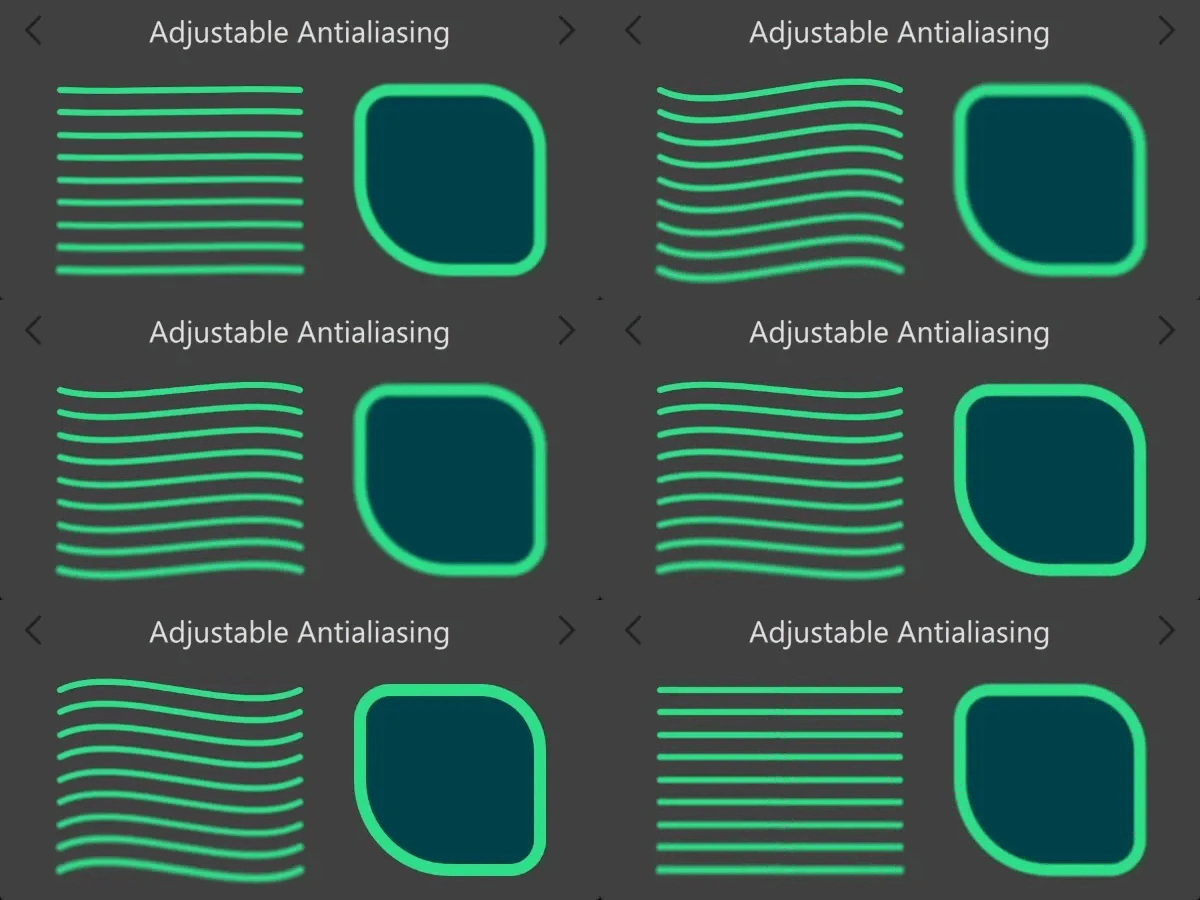
This freely adjustable antialiasing can be used creatively, for example, to render shadows and glows.
With texts, the approach is a little different. For text rendering, Canvas Painter uses the signed distance field (SDF) approach. Basically, the font glyphs are rendered as blurry small textures, and the fragment shader smoothstep() is used to create sharp, scalable text. But SDF also allows using some of that blurriness to optionally make texts smoother. Due to the resolution of the SDF font textures, this smoothing is somewhat limited, but it can still be useful to achieve smoother texts with this technique.
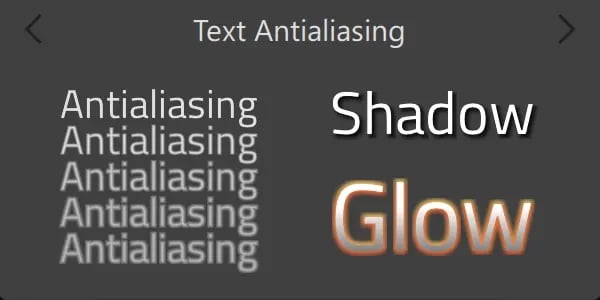
To learn more about these features, see QCanvasPainter setAntialias() and setTextAntialias() methods.
Box Gradient
Qt Canvas Painter supports all the common gradient types: linear, radial, and conical. The features of these match to 2D context ones, with an API that is a bit more natural for QPainter & C++ users than create*Gradient() methods with many parameters.
But Qt Canvas Painter also supports one additional gradient, QCanvasBoxGradient. Modern UIs often contain rectangles with more or less rounded corners. These are easy to create using the roundRect() methods, but what if you want smoother edges, or coloring the round rect with multiple colors? In these cases, you can use the QCanvasBoxGradient brush and paint just a non-round rectangle with it.
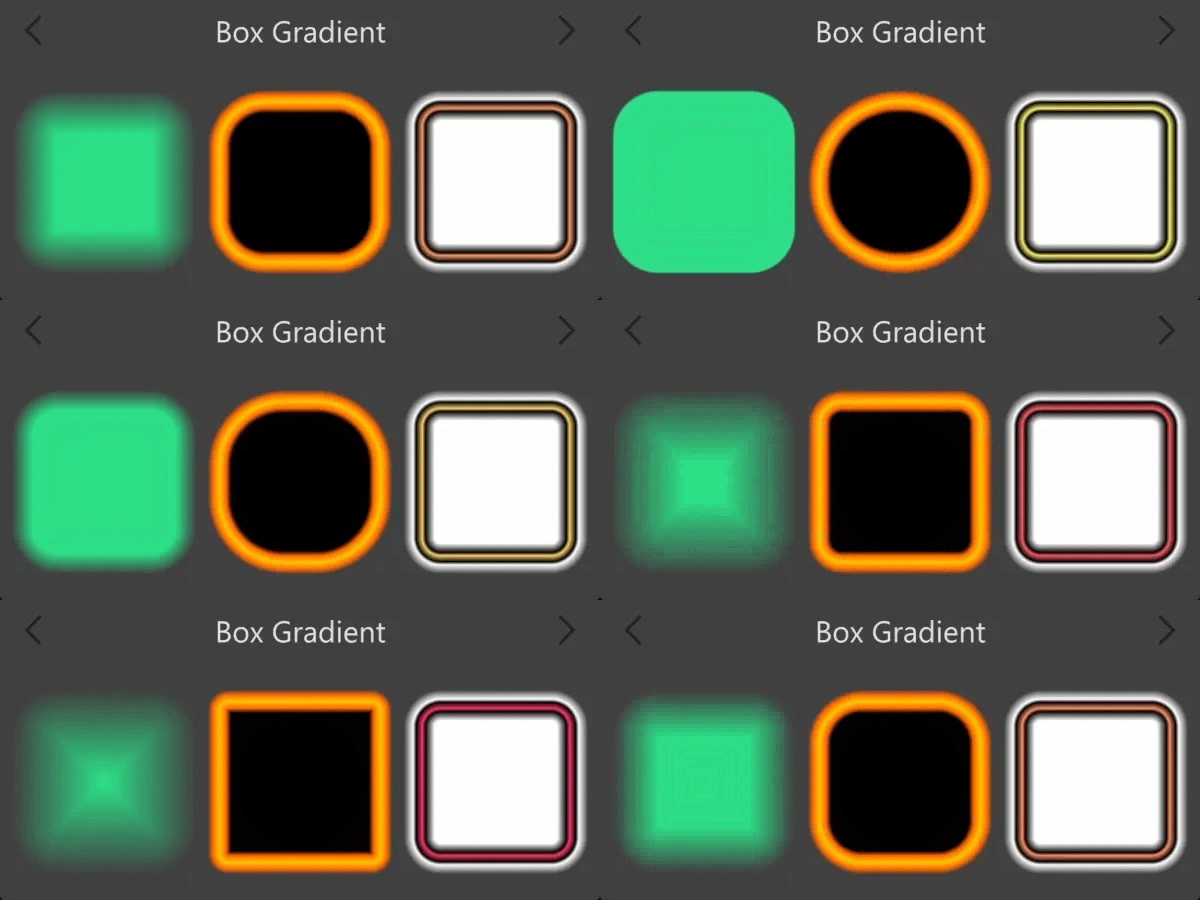
The ability to adjust the radius and feather separately makes it suitable for different use cases with sharper or softer corners.
Benchmarks and performance are part of the next blog post, but let's briefly touch on that with the box gradient. Initially, one might think that the image below shows two similarly painted round rectangles, right?
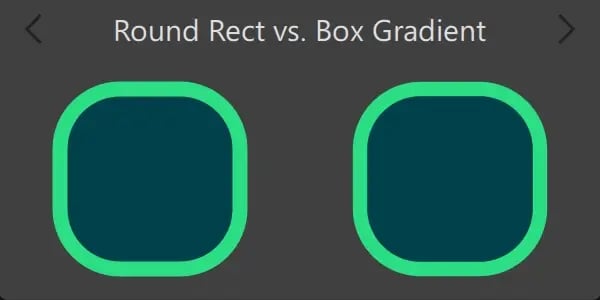
But it doesn't. On the left is a roundRect() with fill and stroke, and on the right box gradient with fill. The output looks very similar, but behind the scenes, they operate differently. The left one, with this resolution, uses 202 triangles for fill and 280 triangles for stroke, so a total of 484. The right one uses only 10 triangles for antialiased fill, making its triangulation much faster. So if the triangulation or the vertex side causes a bottleneck on a specific target hardware, while the fragment shading would have free capacity left, consider utilizing box gradients for round rectangles.
Box Shadows
Canvas Painter QCanvasBoxShadow is a close relative of the above box gradient and has a matching API to CSS box-shadow. But instead of using the slow Gaussian blur method, it uses high performance SDF approach on the fragment shader. This can also be considered as an imperative version of the Qt Quick RectangularShadow element.
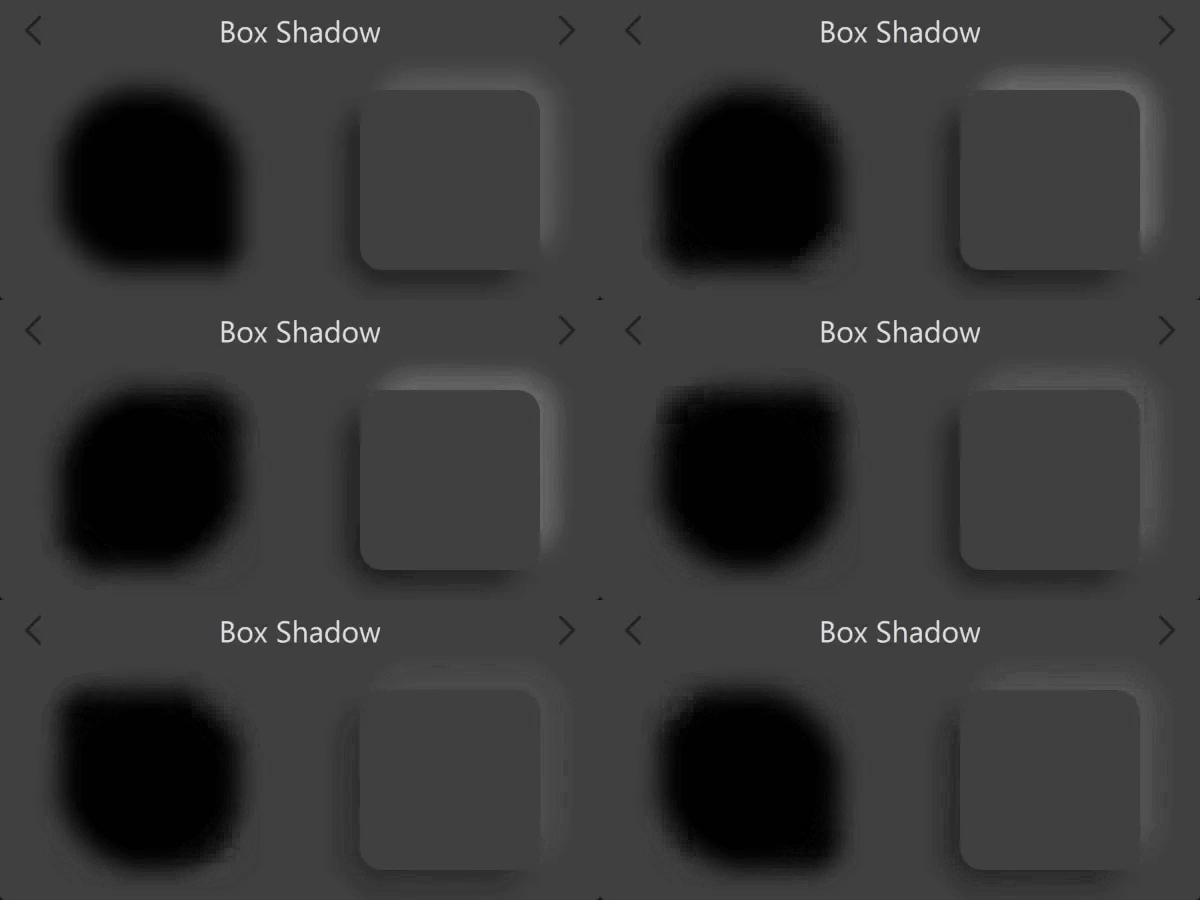
As these box shadows are calculated with quite simple math, they only support round rectangle-shaped shadows and don't fully match to rendering output of Gaussian blur shadows. But if the decision is between not having shadows at all because of the performance or using fast box shadows, the latter are worth it as they are very fast to render and animate.
Grid Patterns
Those of you who know QPainter may also know that QBrush contains Qt::BrushStyle with few different pattern styles for bars and grids. These are hard-coded to a specific pattern and are, these days, quite rarely used outside the examples, as designers often want to be more specific with the patterns. To cover this need and offer a more modern approach to grid and bar patterns, Qt Canvas Painter offers QCanvasGridPattern brush.
This class allows more freedom compared to QBrush styles, by effortlessly defining the line widths, positions, rotations, feather amount, etc. The rendering is done with a rather simple fragment shader code, so the performance is very good even when the pattern values animate.
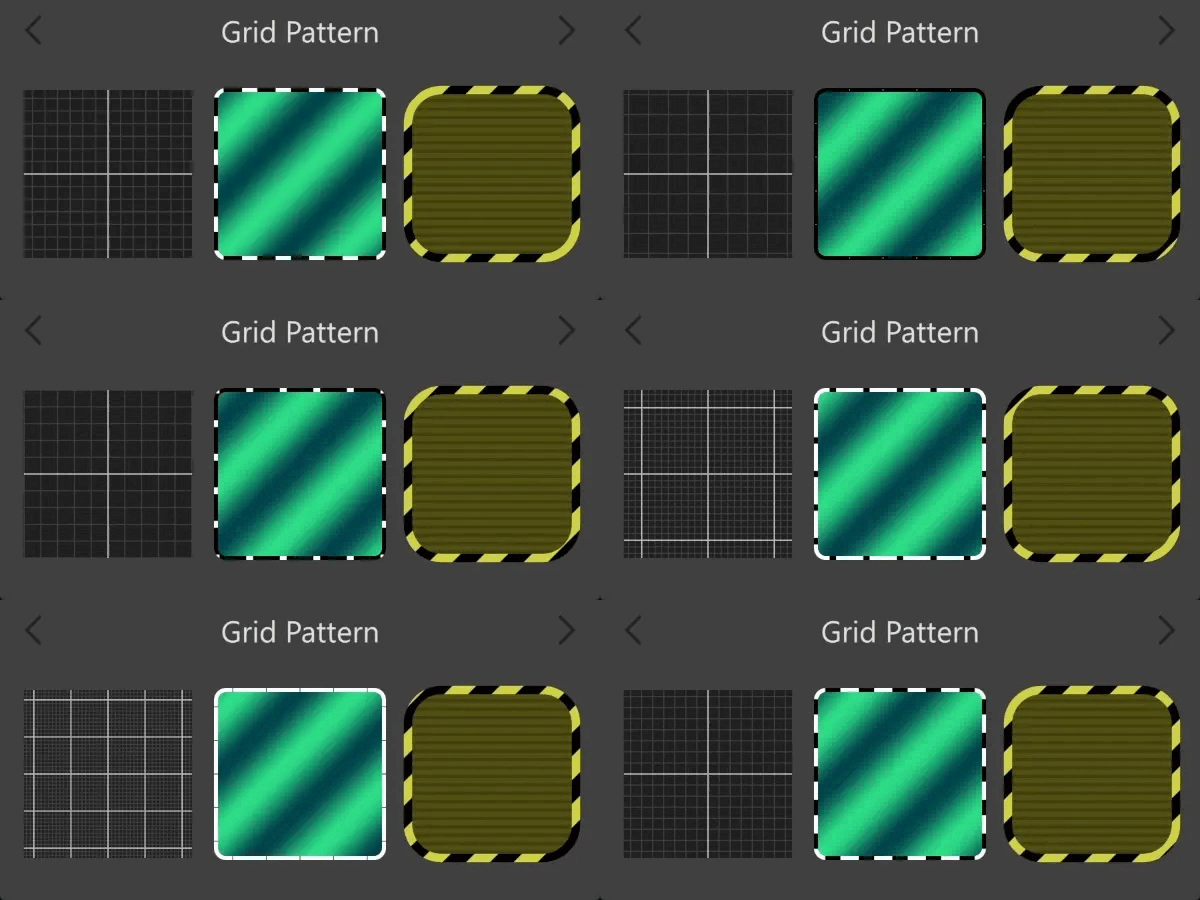
Of course, grids can also be painted by stroking lines. But the difference is that with Grid Patterns, the performance remains exactly the same, no matter if the grid contains 10 or 1000 lines.
Custom Shader Brush
By now, it has become evident that Qt Canvas Painter offers quite a rich set of brush materials for strokes and fills. But there's one more thing: Custom shader brushes.
As the Qt Canvas Painter is built on top of QRhi and thus practically requires a GPU, we can also build the API to require shaders. This way, filling and stroking are not limited by the built-in brushes and can be widely customized. Here is an example using a couple of custom brushes.
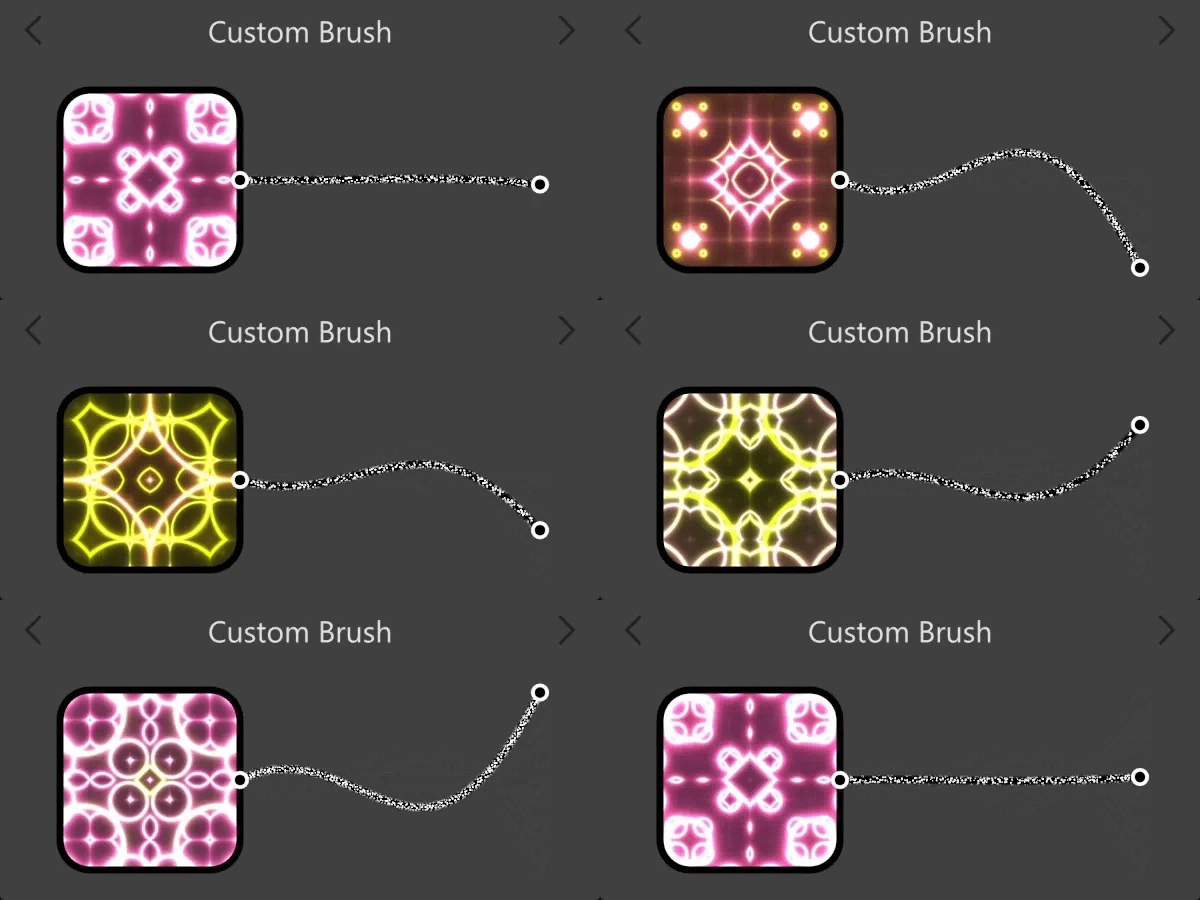
The custom brushes can also, of course, be used with texts. With those, the custom vertex shader can be useful, for example, to animate the glyphs' positions.
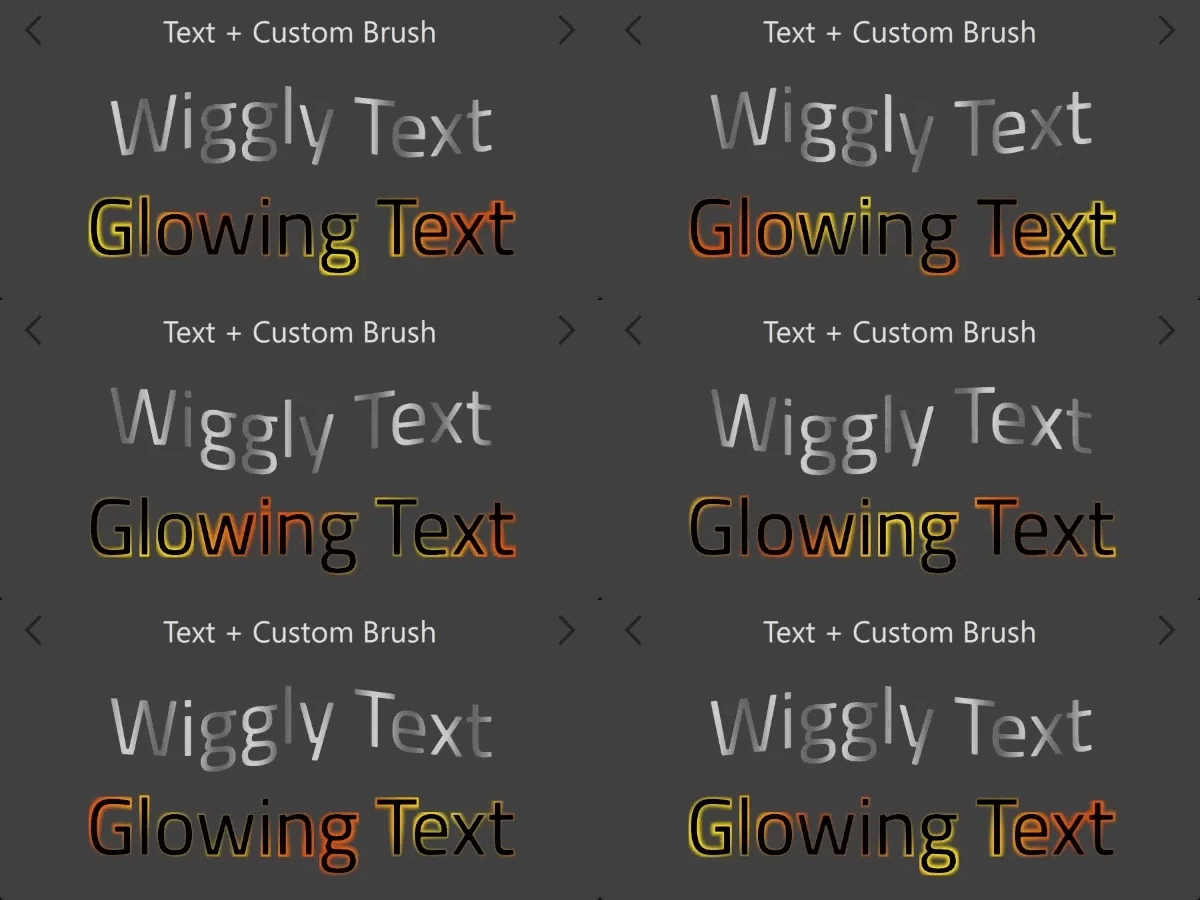
QCanvasCustomBrush is one of the classes that will surely change a bit during the tech preview, as we want to make it powerful to cover various usage cases.
Color Effects
HTML 2D context has a property called globalAlpha to set the current opacity of the fill/stroke. In QPainter, the same thing is called setOpacity(). Likewise, Canvas Painter allows setting the global alpha, but it also supports additional color effects: brightness, contrast and saturation. Here is an example combining all of the above effects to turn the background painting plain & dark so that the pop-up on top becomes more prominent for users to notice.
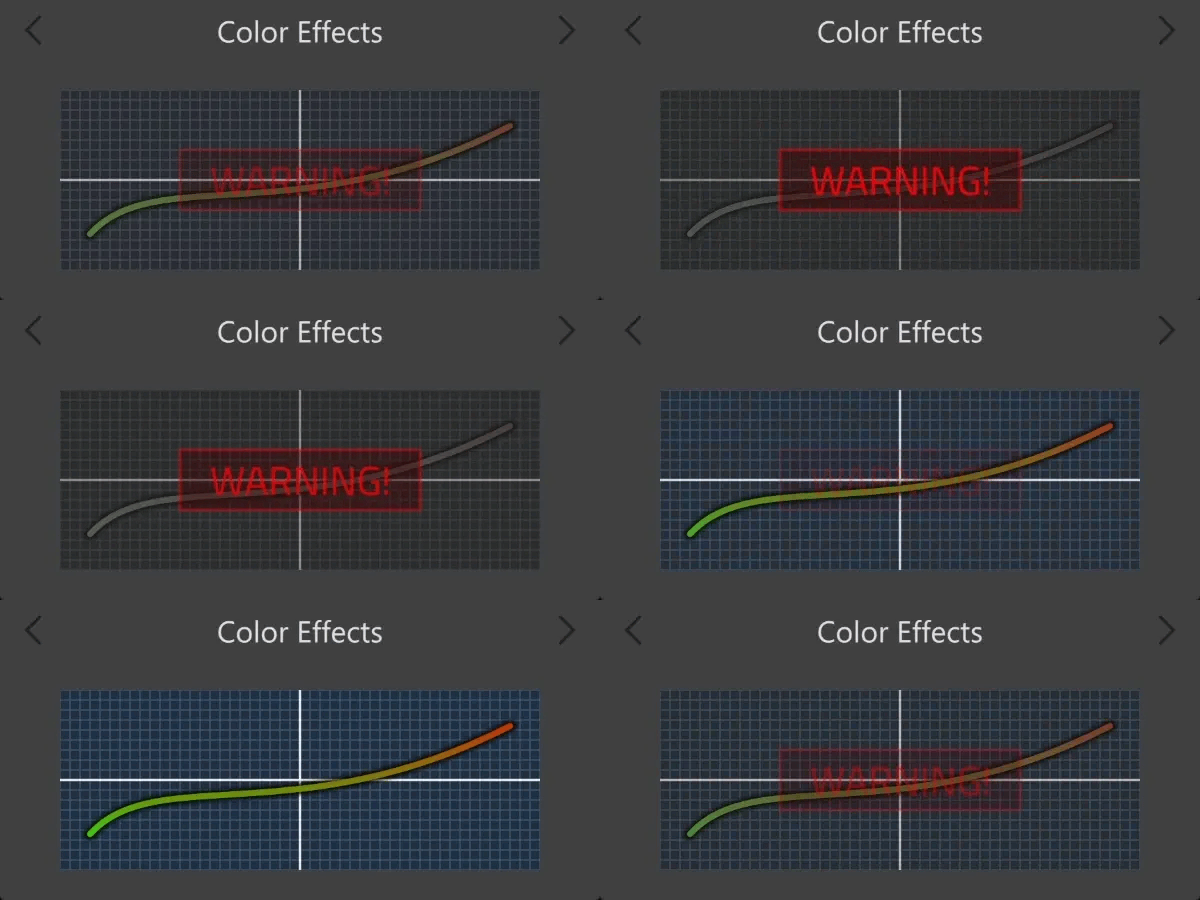
By using these, it is easy to apply color effects for individual paths or the whole canvas and animate them. As the effects are applied as the last step in the canvas renderer fragment shader and don't require rendering into an offscreen buffer, there is practically no overhead from using these effects.
Other Canvas Rendering Features
There are also other additional canvas rendering features compared to HTML 2D context that are a bit more minor, but could be briefly mentioned here:
-
Canvas Painter texts support line wrapping and aligning the wrapped text into a rectangle. (2D context only supports single-line texts).
-
Tint color for images and image patterns. (2D context doesn't support this. Closest solution would probably be blending with a suitable composite mode).
-
Simple method to add circles to a path. (2D context API requires using arc() from 0 to 2 * PI to draw circles).
-
Simple winding approach to add hole paths into the solid paths.
-
The offscreen canvas class, which allows rendering into a buffer, for caching or to be used, for example, together with the image pattern. Usage is similar to HTML canvas 2D context OffscreenCanvas, but uses the same QCanvasPainter instead of a separate rendering context.
-
Individual transform for brush with setBrushTransform(). Both brush and path are affected by the state transformation (transform, rotate, scale, etc.). Canvas Painter also has an additional matrix for brush material to transform it independently from the path.
Conclusions
The above examples were just some of the additional canvas rendering features that Qt Canvas Painter offers on top of the HTML 2D context API. While the Canvas Painter is evolving, we will be fine-tuning these and adding more features.
To be part of this exciting development, please install Qt 6.11 pre-releases or build Qt from sources and give Canvas Painter a try. And please create bug and suggestion tickets. Getting real user feedback is the best way for us to improve and get it out of tech preview as a fully supported part of Qt solutions. Questions about this blog post and Canvas Painter in general can also be asked in the related Qt Forum thread.
I hope to see you back in the next blog post, which will tell more about the unparalleled performance of the new Canvas Painter!
Blog Topics
Related Articles
Canvas2D: WatchUI Demo
In the previous blog post I introduced Canvas2D, the new QML item in Qt..
Read Article
Canvas2D: New QML canvas element using Qt Canvas Painter
In the earlier blog posts about Qt Canvas Painter we have looked at what..
Read Article
A Cross-Platform C# UI Framework via Qt’s Bridging Technology
Every C# UI framework comes with a familiar pattern: Windows-first, Linux..
Read Article