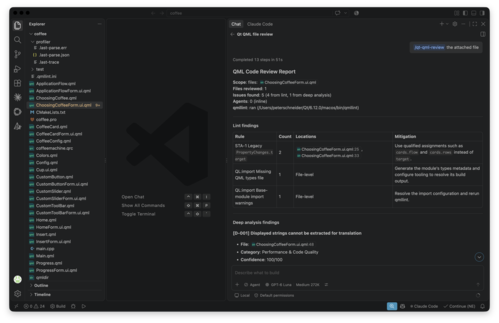
We're happy to announce the release of version 1.12.0 of the Qt Extension for Visual Studio Code! This is our biggest release yet, featuring PySide6 support, full CMake Presets integration, Qt translation file support, and many other improvements across the board.
PySide6 Support
The most significant addition in this release is the new Qt Python extension, bringing first-class PySide6 development support to VS Code. This is our initial release, and we are looking forward to your feedback.
The extension recognizes pyproject.toml files for PySide6 projects and provides built-in tasks for common workflows: run, build, clean, and deploy. Debugging sessions are supported via debugpy, allowing you to debug your PySide6 applications directly from VS Code.
Installing PySide6 is streamlined through the Install PySide6 command, which supports installation from PyPI or from a local Qt installation under <Qt installation root>/QtForPython. Commercial PySide6 installations are also supported. The extension also supports the pysidedeploy.spec file for deployment configuration.
Virtual environment management is handled automatically. The extension monitors virtual environment changes, detects removal of an active virtual environment, and auto-detects creation of a .venv/ virtual environment in your workspace.
PySide6 integration extends across multiple Qt extensions. The QML Language Server now works with PySide projects, enabling code completion and diagnostics for QML files in Python-based projects. Qt Widgets Designer and Qt Linguist can both be launched directly from PySide6 installations. You can also open the Qt for Python documentation from .py files.
CMake Presets Support
We have introduced full CMake Presets support in the Qt C++ extension. The extension now automatically detects whether your project uses kit-based or presets-based configuration and adapts accordingly. It supports custom vendor parameters in CMakePresets and mixed workspace configurations where different folders can use different configuration types.
The extension also checks the installed CMake Tools extension version and prompts you to update if it is older than 1.22.16. You can suppress this warning with the qt-cpp.doNotWarnOutdatedCMakeTools setting.
Qt Translation File Support
This release introduces new language support for Qt translation (.ts) files. The extension provides auto-detection of Qt translation files along with custom icons for both light and dark themes. An editor title button lets you open translation files directly in Qt Linguist.
QML Debugger Improvements
The QML debugger received several practical improvements. A new PySide debug configuration snippet enables integrated debugging for Python-based QML applications. The debugger now supports user-supplied QRC files, which means it works with non-CMake projects such as PySide or custom C++ projects, and is compatible with the qt_add_resources() CMake command. We also fixed file resolution issues in the QML/JS debugger on Windows.
QRC Editor Improvements
Based on user feedback, we have added the qt-core.enableQrcEditor setting, allowing you to disable the QRC editor if you prefer working with the XML directly. We fixed an issue where .qrc files were not using a text editor in Git, Copilot, and other extensions. The QRC editor output has also been aligned with Qt Creator for consistency.
New Item Wizard
The New Item Wizard now lets you choose where to open newly created projects, giving you more control over your workspace organization.
Looking Ahead
We continue to work on bringing more Qt development features to VS Code. Stay tuned for upcoming releases featuring enhanced workflow improvements.
If you encounter any bugs or have feedback on usability, please report them via our bug tracker. If there's a feature you'd like to see, feel free to submit a suggestion there as well.
Have feedback or questions? Join the discussion on the Qt Forum.
The full changelog details can be found on the marketplace pages:
For more information about using Qt extensions, go to Qt Extension for VS Code documentation.