Feb 16, 2026
Comments
Here is an overview on the new features added to the Quick3D.Particles module for Qt 6.10 and 6.11. The goal was to support effects that look like they are interacting with the scene and to do this without expensive simulations/calculations. Specifically we'll be using rain effect as an example when going trough the new features.
The rain effect consists of the rain particles hitting the scene and a splash particle effect after they hitting the scene models.
So how are we going to get the particles to hit a model without expensive ray-model intersection calculations? Well there is a type called ParticleModelShape3D, which emits particles in a shape of the specified model. It can emit them to a specific direction by setting the velocity in the emitter. If one then set the velocity towards the sky and runs the particle system time in reverse, it appears as if the particles are hitting the model.
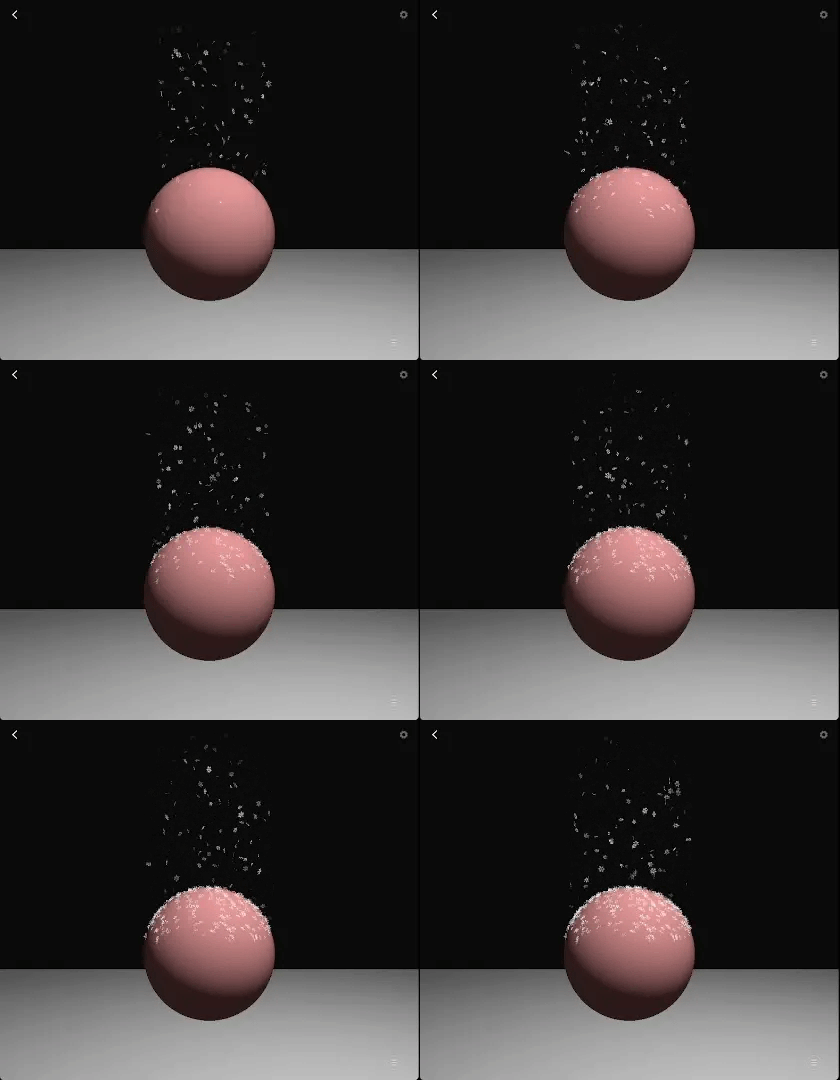
Snow accumulation using trail emitter with zero velocity.
ParticleEmitter3D.reversed property
Running the whole system in reverse makes it cumbersome to add other particle effects to the same system so we added a new property to the emitter: reversed. This allows only this one emitter to run in reverse, while the other particle emitters can run forward in time.
Here is how we implement the rain with line particles, model shape and trail emitter to implement the splash effect.
So now we can have rain that can hit a model and create splashes to a specific direction, but wouldn't it be nice if the splash would follow the shape of the model i.e. when the rain particle hits a surface with a certain angle, it would then splash towards the reflected angle.
ParticleEmitter3D.EmitMode
The emit mode of the emitter allows more fine grained control of the emitted particles. It adds two modes of controlling the direction based on the model shape(in addition to the default).
ParticleEmitter3D.SurfaceNormal changes the emit direction to follow the surface normal. When the emit velocity is towards the z-axis, the particles are emitted to the direction of the surface normal.
ParticleEmitter3D.SurfaceReflected is used with trail emitters and the emit directions is towards the reflected vector calculated from surface normal and the velocity of the followed particle.
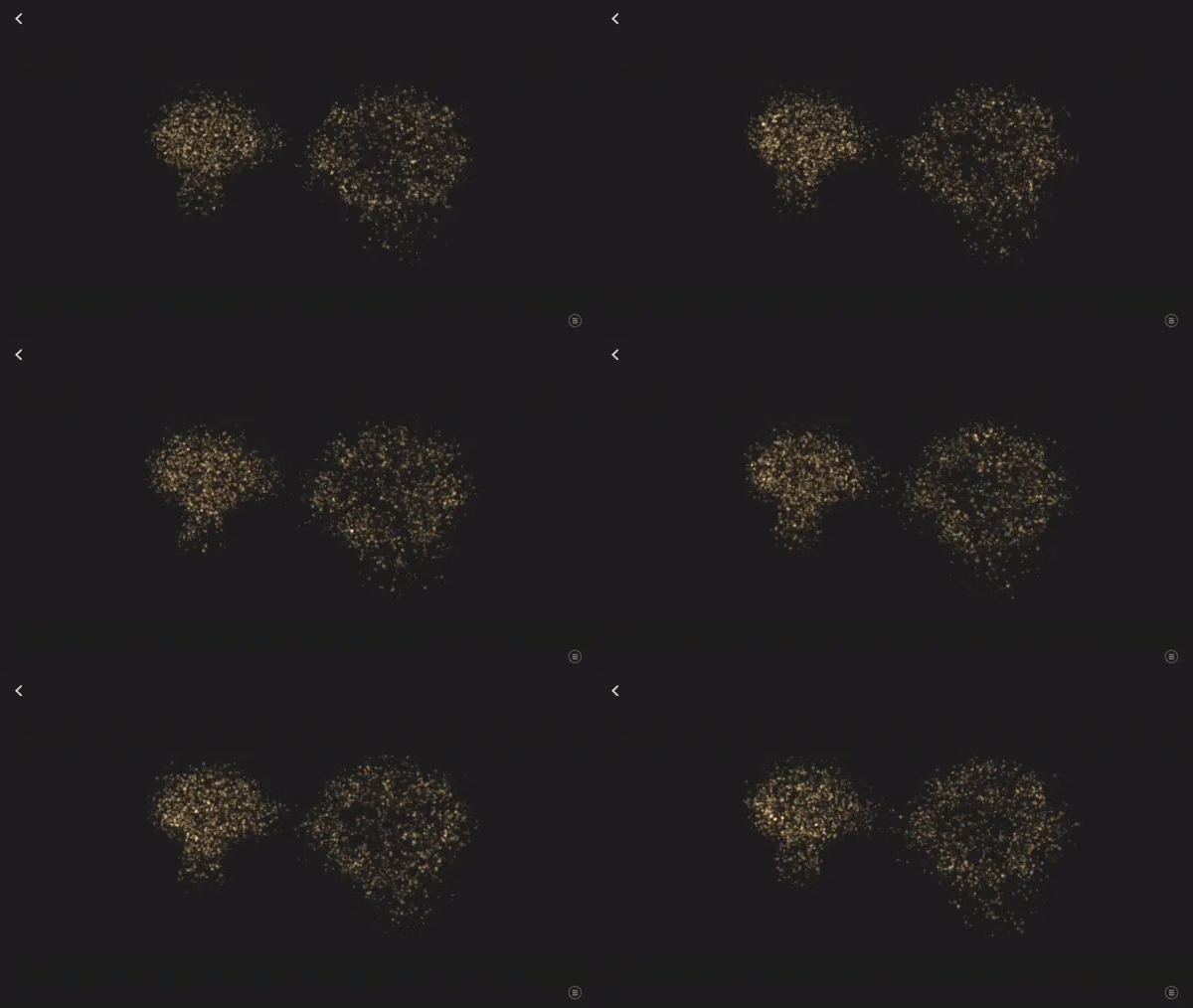
Default and SurfaceNormal emit modes on suzanne mesh.
Setting the emit mode of the trail emitter to ParticleEmitter3D.SurfaceReflected, the splash particles are now reflected from the surface.
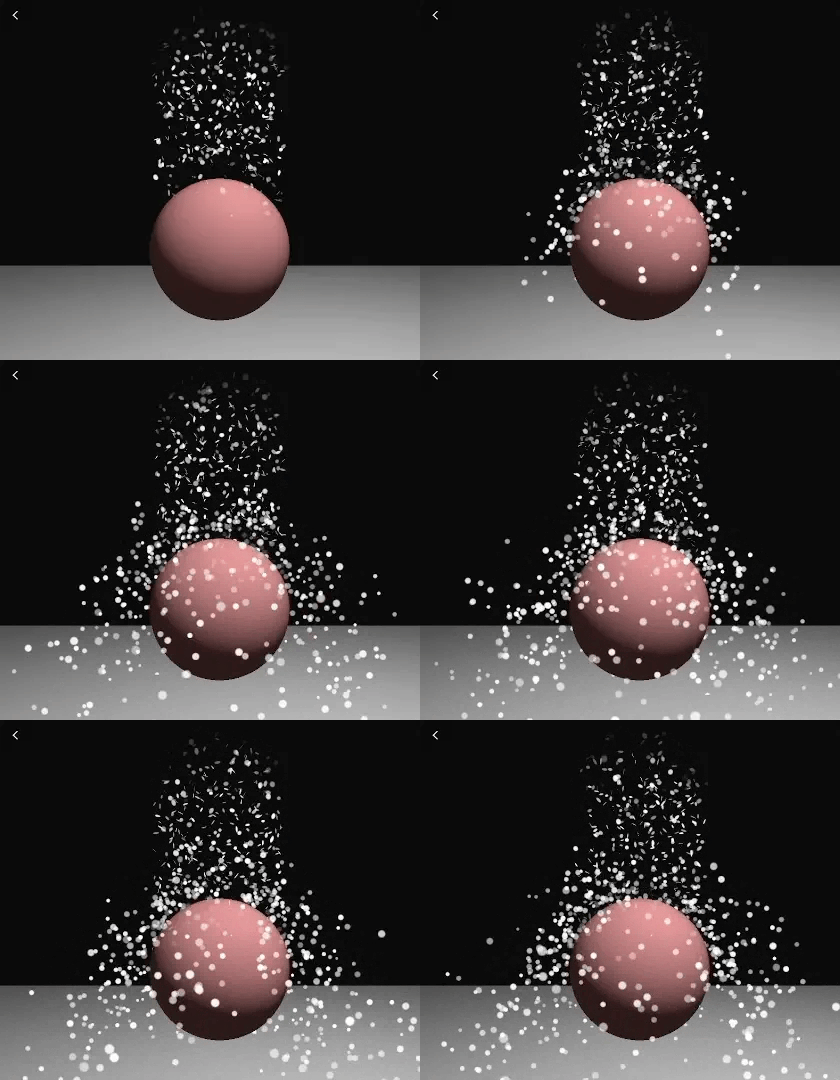
Particles bouncing off of a sphere using SurfaceReflected mode.
So now we have building blocks for the rain effect for one model, how do we add it for the scene with multiple models. If we add it separately for each model, this would have side effects: the models that have rain effect would have their own rain density so the scene wouldn't have uniform rain. The rain would also pass trough models that are above each other e.g. ground would have rain underneath a model on top of it. To workaround there issues one could precalculate a mesh for the whole scene, but this would be static mesh so models couldn't move in the scene.
ParticleSceneShape3D
The scene shape dynamically calculates a shape for the whole scene based on the models in the scene.
The shape is calculated as a grid placed on top of the scene, where each vertex in the grid is on the top-most point on it's models polygons. Holes are created to the grid when the height between neighboring vertices is too great or if there are no model polygons below the grid vertex.
The shape is recalculated when models move in the scene so it can also be used with dynamic scenes. One can set the resolution of the grid, the extents of the grid to set the size of the shape, it's center and also specify nodes that should be excluded in the calculation of the shape. One can also get the geometry as a property to use e.g. for debugging purposes.
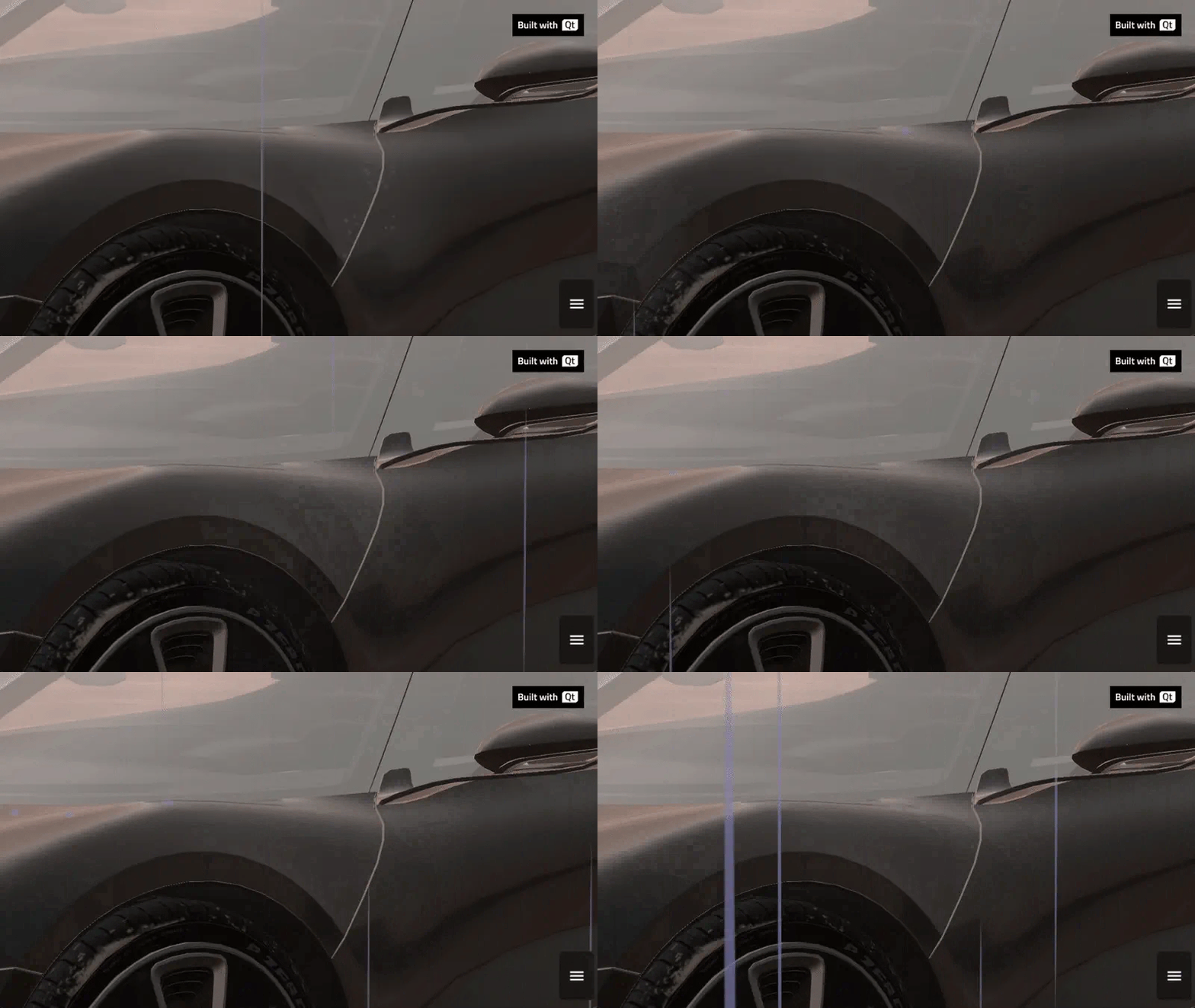
Rain effect in car-configurator demo.
The rain effect has been added to the car-configurator demo in Qt 6.11 along with a snow effect.
Blog Topics
Related Articles

Qt Creator 21 - CMake Changes
Here are the new CMake changes in Qt Creator 21: Editor Qt Creator 21..
Read Article
Qt Creator 21 Beta2 released
We are happy to announce the release of Qt Creator 21 Beta2. Please head..
Read Article
Qt for Python Release: 6.12 is here!
Qt for Python 6.12 is here, alongside the Qt 6.12 LTS release. This is the..
Read Article