본문 바로 가기
Video Thumbnail

Squish AI 기반 UI 테스팅

Squish의 AI 기능을 통해 GUI 테스트 워크플로우를 어떻게 개선할 수 있는지 직접 체험해보세요.

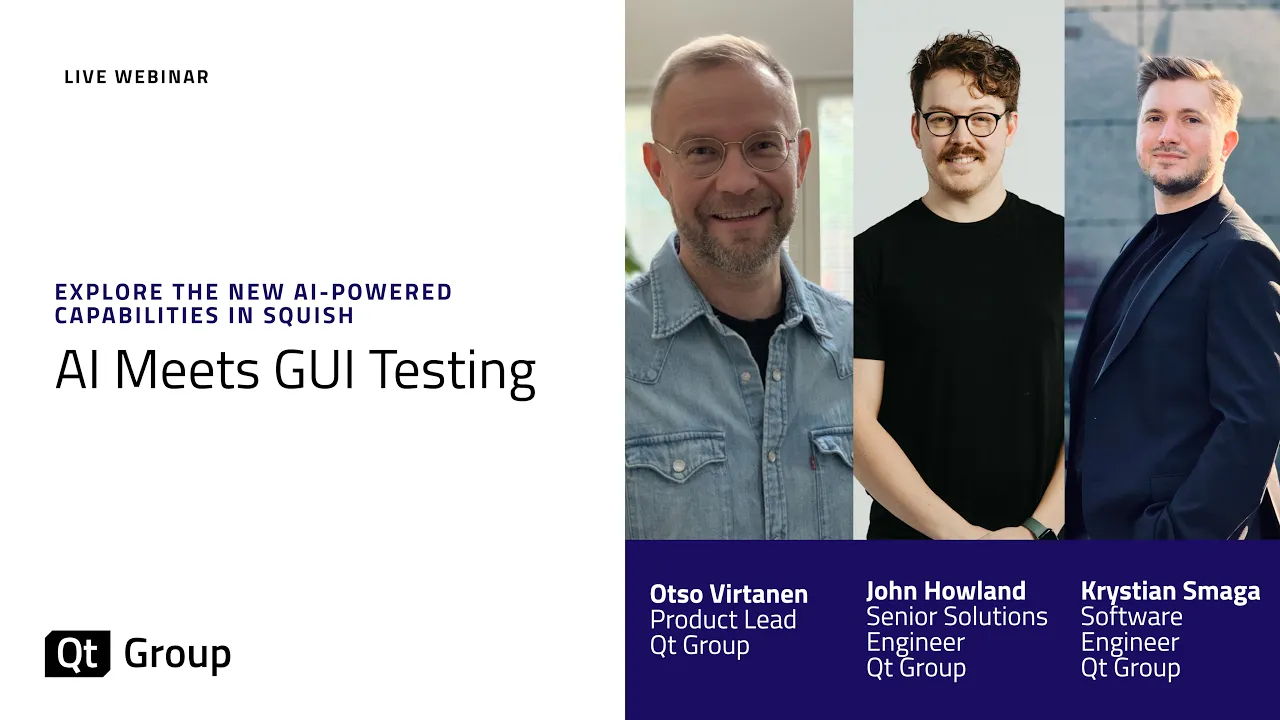
Qt Group의 "AI와 GUI 테스트의 만남" 웨비나에서는, GUI 테스트 자동화 도구인 Squish를 사용할 때 생산성을 최대로 높일 수 있는 다양한 AI 기반 활용 방법을 소개합니다. 또한 Squish IDE 내에서 Squish AI Assistant를 활성화하는 방법과, Squish MCP 서버를 활용하는 방법을 시연하며, Squish의 기능 중 하나로 새롭게 출시 예정인 컴퓨터 비전 기술 기반의 완전히 새로운 GUI 테스팅 방식인 Squish Vision을 공개합니다. 

아래 버튼을 클릭하여 웨비나를 시청하시고, AI 기반 테스트 워크플로우를 단계별로 확인해보세요. AI를 위한 셋업을 시작하는 데 필요한 모든 정보를 확인하실 수 있습니다.
Squish를 처음 사용하시는 분이라면 지금 바로 무료 체험을 시작해 보세요.

Squish AI Assistant 기본 탑재

Squish AI assistant는 Squish IDE에 기본 기능으로 내장되어 있습니다. 이 기능을 통해 현재 작업 중인 환경에서 바로 테스트 스크립트를 작성하고, 오류 메세지를 파악하며, 즉시 오류를 수정할 수 있습니다. 다른 도구로 전환할 필요도, 로그를 채팅 창에 복사하여 붙여넣을 필요도 없습니다. 아래 동영상을 통해 Squish AI Assistant의 작동 방식을 확인해보세요.


Squish AI Assistant 시작하기

아직 Squish를 사용하고 있지 않으시다면, Squish 투어를 통해 Squish를 체험하고 Squish 평가판을 통해 직접 사용해 보세요.

신규 및 기존 Squish 사용자 모두 Qt 유저 포털에서 무료로 Squish AI Assistant 확장 프로그램을 다운로드하실 수 있습니다. 

도움이 필요하시다면, Squish AI Assistant 확장 프로그램 다운로드 및 설치 문서를 참조해 주세요.

원하는 LLM을 사용하여 Squish AI Assistant를 설정하는 방법에 대한 자세한 내용은 Squish AI Assistant 문서에서 확인하실 수 있습니다.

AI 기반 GUI 테스트 스크립트 생성

이미 Cursor, GitHub Copilot, Windsurf와 같은 도구를 사용하고 있다면, Squish MCP 서버는 바로 여러분을 위한 솔루션입니다. 아래 동영상에서는 다양한 도구들이 Squish MCP 서버를 통해 Squish 테스트 스크립트를 작성, 실행 및 반복하는 방법을 보여드리며, 이를 통해 AI 기반의 테스트가 기존 워크플로우에 자연스럽게 통합되는 과정을 확인하실 수 있습니다.


Squish MCP 서버 시작하기

Squish MCP 데모를 확인하여 테스트 스크립트 생성을 시작하는 방법을 자세히 알아보세요.

데모에 표시된 설정은 다음과 같이 구성됩니다.

  • Qt Creator 19: 여기에서 무료로 다운로드할 수 있습니다.

  • 위성 정보 표시 데모 앱: Qt Creator와 함께 제공되는 예제 애플리케이션입니다. 자세한 내용은 Qt Creator Tutorial: Build & Run을 참조하세요.

  • Squish 9.2: 기존 사용자는 여기에서 Squish 9.2를 다운로드할 수 있습니다. Squish를 사용해보신적이 없다면, 모든 기능을 갖춘 평가판을 다운로드하여 지금 바로 시작해 보세요. 

  • Squish MCP 리포지토리: 생성된 요구사항 및 생성된 스냅샷 테스트 스크립트와 같은 데모에 표시된 설정은 이곳에서 확인하실 수 있습니다.

참고: Squish MCP 서버는 아직 기술 미리보기 단계이며, 계속해서 개발이 진행되고 있는 상태입니다. 이 예제는 MCP를 통해 AI 코드 어시스턴트를 Squish의 GUI 테스트 기능과 연결하여 구현할 수 있는 결과 중 하나의 사례만을 보여주고 있다는 점을 참고하세요.

출시 예정 - Squish Vision

완전히 새로운 컴퓨터 비전 기반 GUI 테스트

많은 회사에서 UI 테스트 자동화에 막대한 투자를 하지만, 결국 테스트를 작성하는 것보다 수정하는 데 더 많은 시간을 소비하고 있습니다. Squish Vision은 프로그래밍 방식이 아닌 시각적인 방식으로 UI 테스트를 실행하여, UI에 변경사항이 생기더라도 테스트의 안정성을 유지할 수 있습니다. 즉, 유지보수 부담이 줄어들고 릴리스 속도가 빨라지며, 진정한 확장성을 갖춘 소프트웨어 테스팅 프로세스를 구현할 수 있습니다. 

Squish Vision에 대해 더 자세히 알고 싶으신가요? 향후 로드맵에 대해 알아보시려면 Qt Group에 문의해주세요.

Squish와 함께 AI 기반 UI 테스트를 시작해보세요.

Step 1: Squish 평가판 신청하기

Step 2: 평가판 다운로드 및 설치하기

Step 3: "시작 가이드"를 읽거나 관련 문서를 확인하기

Step 4: 이 페이지에 적힌 안내를 따라 AI 기능을 직접 체험해 보기

Step 5: 직접 애플리케이션을 테스트하기 

자주 묻는 질문

Does using AI for UI testing work in regulated industries such as automotive, medical, or aerospace?

Yes, and the design of Squish's AI features (AI Assistant, Squish MCP, Squish Vision) specifically accounts for the constraints of regulated environments. All three capabilities can run entirely on-premise with no data leaving your environment. The AI Assistant is human-in-the-loop: it suggests changes but never modifies test scripts without your review and approval, preserving the auditability required under standards such as ISO 26262, IEC 62304, and DO-178C. For teams subject to tool qualification requirements, Squish's Tool Qualification Kit is available separately and covers the core Squish framework.

Can I use the AI features without sending data to a cloud provider?

Yes. All three capabilities can run entirely on-premise. Configure the AI Assistant with Ollama or PrivateGPT for local inference. The MCP Server works with any locally hosted model. Squish Vision runs entirely on your machine and no screenshots or UI data ever leave your environment. This was a design requirement from the outset, not an afterthought, reflecting the needs of teams in automotive, medical, and aerospace development.

Is Squish Vision the same as image-based GUI testing?

No, and the distinction is significant. Traditional image-based testing works by matching pixel patterns against stored reference screenshots. It is brittle: change the theme, adjust font scaling, or switch platforms and the references break. Squish Vision uses purpose-trained computer vision models to detect UI elements by their visual structure and surrounding context, the way a human recognises a button regardless of whether it is in light mode or dark mode, scaled, or rendered in a different framework. Tests written with Squish Vision do not store pixel references and do not require updates when the visual design changes.

Does Squish Vision require a GPU, and what are the hardware requirements?

Squish Vision runs on CPU-only hardware, which covers most CI environments. For significantly faster inference, an NVIDIA GPU with CUDA support is recommended. Apple Silicon Macs are supported via Core ML acceleration. The minimum tested configuration is an Intel Core i5 with 16 GB of RAM.

What is the Squish MCP Server and how does it work?

The Squish MCP Server is an open-source implementation of the Model Context Protocol that exposes Squish's test execution capabilities as callable tools for AI coding agents. When connected to an agent in Cursor, VS Code with Copilot, Claude Code, or Windsurf, the agent can generate a Squish test script, run it via squishrunner, read back the full pass/fail results and error logs, and then iterate on failures automatically. The result is a workflow that goes from a product specification to a verified, passing test script with minimal human intervention. The server is currently in technology preview with ongoing development.

Which AI models does the Squish AI Assistant support?

The assistant is model-agnostic. It supports OpenAI (GPT-4 series, o4-mini, and GPT-5 series), Mistral AI (Small 3.2, Magistral Small, and Devstral Small), and any model served via an OpenAI-compatible local endpoint such as Ollama or PrivateGPT, enabling fully offline, air-gapped setups. The exact list of available models is shown in IDE Preferences.

Can AI generate Squish test scripts automatically from requirements?

Yes. With the Squish MCP Server connected to an AI coding agent, you provide product requirements sourced from JAMA, Jira, Confluence, or a plain text document, and the agent generates test scripts, executes them, reads the results, fixes failures, and repeats until the tests pass. A human reviews and approves the final scripts before they enter the test suite. The critical difference from generic AI code generation is that the agent receives the actual squishrunner output, not just a compile check, which is what enables grounded iteration rather than guesswork.

What happens to the AI Assistant suggestions? Are they applied automatically?

No. The assistant is human-in-the-loop by design. Suggestions appear in the AI pane inside the Squish IDE, and you review them before clicking Insert Snippet to apply. Nothing is modified in your test code without an explicit action on your part. This matters particularly in regulated industries where auditability is required.

How does the Squish AI Assistant help with test failure analysis?

When a test fails, the Squish AI Assistant reads the full test result log and runner output directly inside the IDE, with no copy-pasting into an external chat window. It explains the root cause in plain language, identifying common causes such as stale object references, version mismatches between the application and object map, broken verifications, and timing issues. It can also suggest corrected script code, which you review and apply with a single click. All context is gathered and sent to the model automatically.

Do the AI features work with my existing test suites and object maps, or do I need to start over?

Your existing test suites, object maps, scripts, and test history are precisely what makes the AI useful. They provide the context that general-purpose AI tools lack. You do not need to migrate or rewrite anything. In fact, the more history you have in Squish, the better the AI output becomes.

What UI frameworks and platforms does the Squish MCP Server support for test generation?

The MCP Server works across all Squish-supported frameworks: Qt/QML, Java, .NET/WinForms, Web, Android, iOS, and embedded targets. Object map snapshot generation is currently optimised for Qt/QML, with broader framework support actively in development.

Can I try the AI features before buying a full Squish license?

Yes. The Squish 30-day evaluation trial includes access to the AI Assistant. The Squish MCP Server is open source and available immediately with no signup required. To explore Squish Vision, contact Qt to discuss the pre-release beta programme.

소프트웨어 품질 프로세스의 모든 단계를 강화하세요

코드 분석부터 테스트 실행 및 리포트에 이르기까지, Qt Group의 소프트웨어 품질 도구는 서로 연동되어 QA팀이 테스트 커버리지를 개선하고, 문제를 조기에 탐지하며, 지속적으로 소프트웨어 품질을 유지할 수 있도록 지원합니다