May 18, 2026
Comments
Writing reference documentation for Qt/C++ and QML code has traditionally meant either maintaining hand-written Markdown files that drift out of sync with the source or running toolchains that require annotated comment blocks throughout the codebase. The Qt documentation skills give developers a third option for higher productivity: point an AI agent at your source files and get structured, developer-ready Markdown reference docs in seconds.
Agentic Code Documentation with Accurate, Structured Results
As a part of Qt's AI-powered development tools, there are two documentation skills, qt-cpp-docs and qt-qml-doc, each operate on Qt-specific source files and produce standalone Markdown reference documents.
The skills read the actual source code rather than relying on comments, infer behavior and intent from the implementation, and write output that reads like authoritative API documentation. This makes the output immediately usable in any documentation pipeline that accepts Markdown, including GitHub wikis, static site generators, and internal developer portals.
Both skills are focused on Qt-specific code. They understand Qt idioms - signals and slots, Q_PROPERTY declarations, QML bindings, Qt module dependencies, QML type registration, and the Qt model/view contract - and their documentation output reflects that depth. The analysis and the document structure are tailored to Qt projects and will produce the most accurate results on Qt Widgets, Qt Quick, Qt Quick Controls, and Qt/C++ backend code.
Video: Qt C++ code documentation in GitHub Copilot (some sequences are shortened and accelerated)
Automating Qt Code Documentation with AI Agents
The qt-cpp-docs skill operates on Qt/C++ source files (.h, .hpp, and .cpp). It handles the full spectrum of C++ files in a Qt project: Qt classes with Q_OBJECT and signals/slots, plain C++ classes and structs, free-function headers and utility APIs, and application entry points like main.cpp.
The qt-qml-doc skill operates on .qml files and produces reference documentation for QML components, Qt Quick modules, and Qt Quick applications. Both skills are designed to work on one file at a time - they do not currently batch-process entire projects in a single run. For multi-file projects, the skills are invoked once per file or a small group of related files.
When are the Code Documentation Skills Triggered?
The Qt documentation skills are triggered whenever a developer asks to document, write docs, or create reference documentation for a Qt/C++ or QML source file. Phrases such as "document this class", "write docs for my QML component", "create API docs for this header", "document my Qt app", or simply pasting a source file and asking for documentation are all sufficient to kick them off.
The skills also detect whether the target is a reusable component - a widget, a data model, a service class, a QML building block - or a top-level application entry point, and they adjust the document structure accordingly. A reusable class or component gets a full API reference, including a usage example. An application entry point, such as main.cpp, receives a startup sequence description that covers Qt application setup, command-line handling, top-level object creation, and event loop startup.
How do the AI Code Documentation Skills Work?
Once triggered, the skills take over a documentation workflow that would otherwise require a developer to read through the source, manually extract every property, signal, method, and enum, write prose descriptions for each one, and keep it all in sync as the code evolves. Here is what happens at each step.
Step 1 - Pre-flight: Check for Existing Documentation
Before reading any source file, both skills check whether documentation already exists for the target. The expected output location is a doc/ subdirectory next to the source files. If documentation is found, the skill asks the developer whether to update the existing docs, skip already-documented files, regenerate everything from scratch, or cancel.
Step 2 - Source Parsing
The skill reads the source file carefully, extracting the complete public API surface. For Qt/C++ files, the skill distinguishes between public API (fully documented), protected API (documented in a separate subclassing section), and private members (skipped). The header file is treated as the authoritative API surface; the implementation file provides context about behavior, side effects, and intent.
For QML files, the skill identifies the root element and its base type, every declared property, every custom signal, and every JavaScript function.
Step 3 - Context and Dependency Analysis
A single source file rarely tells the whole story. Both skills read related files alongside the primary source to build a complete picture of how the file fits into the project.
This context feeds directly into the documentation: the Project Structure and Dependencies section describes which Qt modules the class requires as build dependencies, which files import or instantiate the component, and what project-internal types it relies on.
Step 4 - Document Generation
With the API surface and context in hand, the skill generates a structured Markdown reference document. The document structure is determined by the type of file being documented.
For a Qt/C++ class the document contains:
- Class Overview and Project Structure
- Class Hierarchy and Role (inheritance chain with explanations)
- Q_PROPERTY Declarations (Markdown table with READ, WRITE, NOTIFY columns)
- Enumerations (Q_ENUM / Q_FLAG values with descriptions)
- Signals, Public Slots, Q_INVOKABLE Methods, and Public Methods (each as a sub-section)
- Protected Virtual Methods and Event Handlers
- Ownership and Lifecycle, Thread Safety
- QML Exposure (only if the class is registered for use in QML)
- Inter-Class Interactions and External Communication (network, IPC, serial)
- Usage Example (for reusable classes only)
For a QML component the document contains:
- Component Overview and Project Structure
- Component Hierarchy and Role
- Properties (Markdown table with Type, Default, Required, and Description columns)
- Signals and Methods (each as a sub-section)
- Inter-Component Interactions
- Usage Example (for reusable components only)
Step 5 - Quality Check and Output
Before saving, each skill performs a silent quality check.
Documentation is written to a doc/ subdirectory next to the source files. For a single file Foo.h, the output is doc/Foo.md; for a single QML component Button.qml, the output is doc/Button.md. An index.md listing all components is generated only when two or more files are documented in the same run.
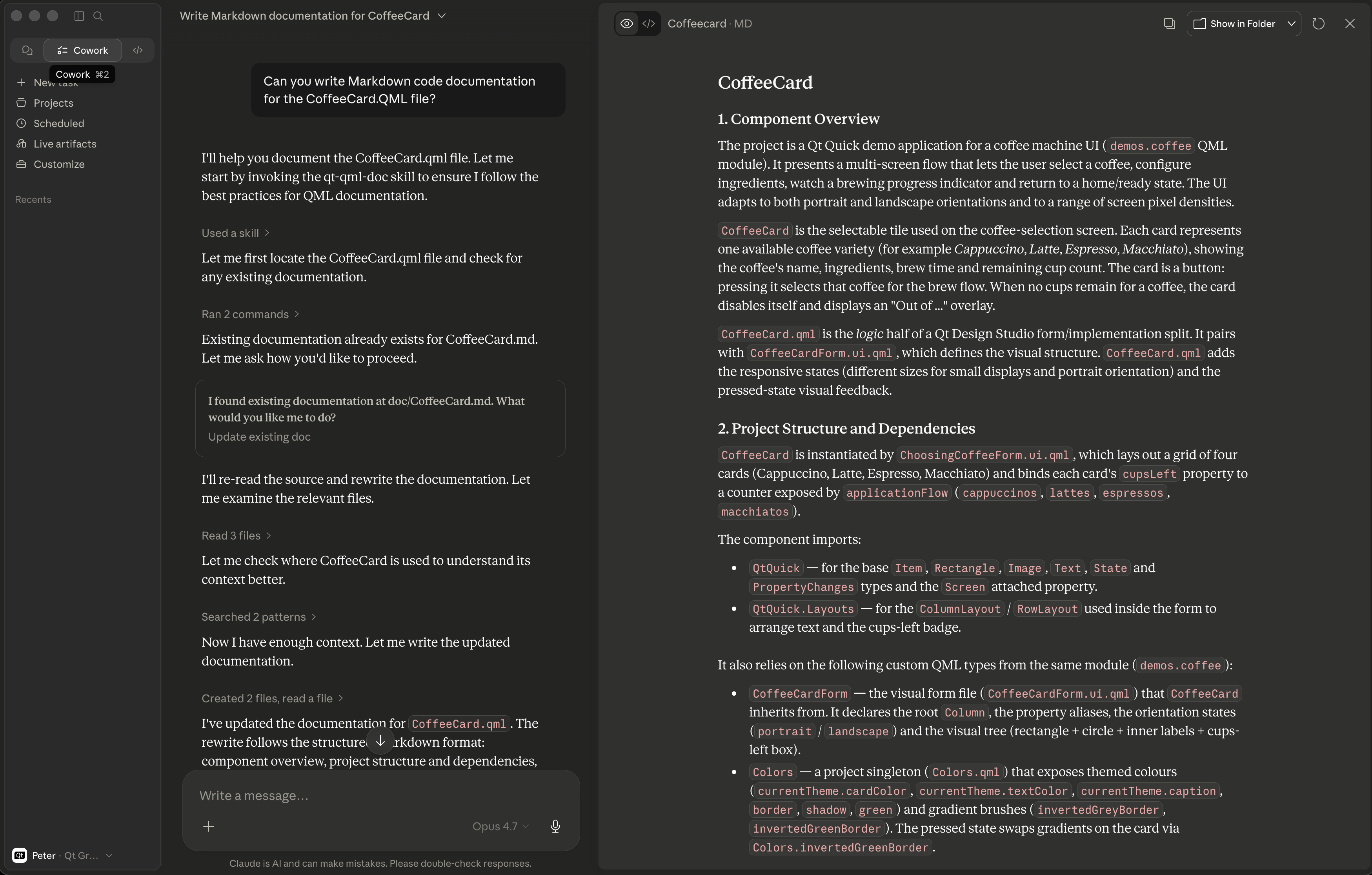
Image: Screen capture of QML code documentation in Claude Desktop
Limitations of the Code Documentation Skills
Both skills are focused on Qt-specific code. The qt-cpp-docs skill is designed for Qt projects and understands Qt class hierarchies, the meta-object system, Qt module dependencies, and QML integration patterns. It is not a general-purpose C++ documentation tool; files that make no use of Qt idioms will be documented as plain C++ classes, without the richer Qt-specific sections.
Similarly, qt-qml-doc is designed for Qt Quick and Qt QML components and is not intended for documenting non-Qt JavaScript or generic web front-end code.
Both skills produce Markdown output only. They do not generate QDoc format, HTML, PDF, or any other documentation format.
The skills are designed to operate on a single C++ or QML file at a time. Whole-project batch documentation across dozens of files in a single command is not currently supported; for larger projects, the skills should be invoked once per file or per module.
The accuracy of the generated documentation is bounded by what the skill can read in the source file and its immediate context. Cross-repository dependencies, generated code (uic, moc), and third-party headers that are not present in the source tree will not be fully analyzed. Documentation inferred from a header alone - without the corresponding implementation file - will describe the public API accurately but may lack detail about side effects, preconditions, and thread-safety behavior that are only visible in the implementation.
Both skills write documentation that describes behavior as inferred from the code. When source comments are absent or ambiguous, the skill makes a reasonable inference based on naming conventions, types, and usage context. Developers working on safety-critical or specification-driven codebases should treat the generated documentation as a starting point and review it against formal specifications before publishing.
Tested With
The skills have been tested with Claude Code CLI, Claude Desktop, and GitHub Copilot in VS Code. Claude Sonnet 4.6, GPT 5.4, and Gemini 3.1 Pro deliver good results. For in-depth documentation tasks, frontier models are always recommended.
Getting the Skills
You can get your Qt agent skills from the Qt GitHub repository: https://github.com/TheQtCompanyRnD/agent-skills.
Alternatively, you can install the official Qt documentation skills directly from the Claude marketplace as a plugin (search for "qt-development").
Blog Topics
Related Articles
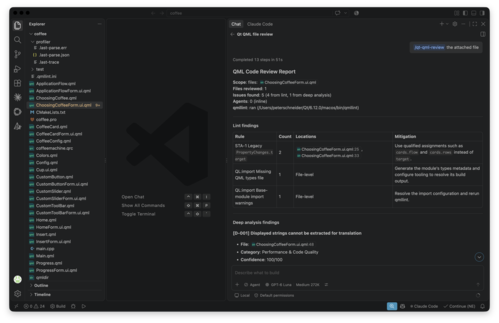
Updated Qt Code Review Skills Reduce Token Costs by Up To 75%
Whether you are reviewing Qt Quick or Qt Widget code with Qt’s agentic..
Read Article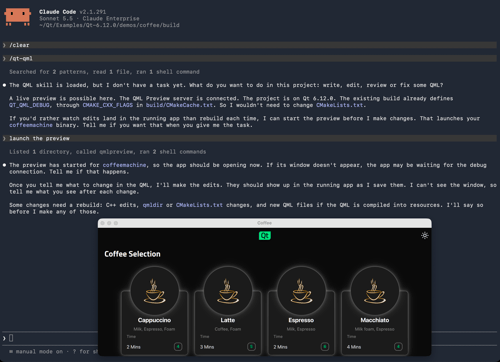
Introducing the QML Live Preview MCP Tool for Agentic Development of Embedded Devices
Agents Edit QML, But Don’t See the Result Without Building, Compiling, and..
Read Article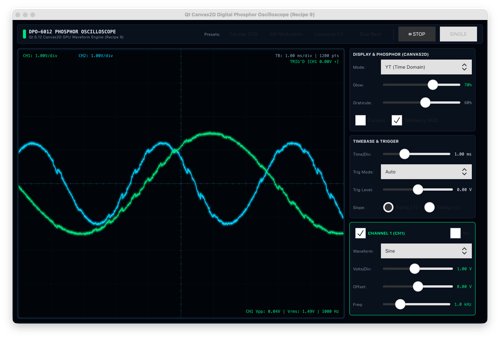
Introducing the Canvas2D Coding Skill for Agentic Development of Embedded Device UIs
The Challenge: Getting AI Agents to Draw Correct Canvas2D Qt 6.12..
Read Article