
The First Design Tool for Real-World Experiences
Download for macOS|Download for Linux
Clate is a desktop app for Windows, macOS and Linux. Open this page on your computer to install it.

Design That Runs on Real Devices
Clate is the first AI-native UX design tool for crafting the full user experience of embedded and HMI applications, without writing code. Designers who have never touched Qt will feel at home, confident that what they hand off is working QML for developers to build around.
Design for Real-World Devices
Built by Designers for Designers
AI is Built Into the Workspace

Download for macOS|Download for Linux
Clate is a desktop app for Windows, macOS and Linux. Open this page on your computer to install it.
Real Code Behind Every Design
As you craft the experience of your HMI applications, in the background, Clate matches your design to QML code - Qt’s own declarative programming language that powers more than one billion devices worldwide.
When you're ready to share your design with developers, just export it. They can pick it up in code format, review it, and start building around it, instead of having to figure out design choices from a static mock-up or PDF file.
Clate AI Assistant for UI Design
With the AI Assistant, you create elements and screens directly on the infinity canvas or within the chat window, so you can continue editing them before moving them to the project files.
Choose your AI model and start crafting designs for your next embedded project. At launch, Clate supports Claude, yet more LLM service options will be added soon.
In addition, Clate also has an in-built MCP server, so you can connect your agents from any MCP-operated applications.
An Intuitive UX Design Tool for Embedded HMI Projects
Popular design tools are easy to use, but they’re for web and mobile design. Embedded UX tools are for devices, but they force designers into a code editor.
Clate combines the simplicity of the first with the focus of the second.
Built by designers who have worked on embedded HMI applications for years, Clate gives you the intuitive controls and panels you need to craft and edit a user interface for an embedded device.
Components, Assets, and Project Files
Coming in 2026
In Clate, you can create components from scratch and reuse them as instances across your projects. Select and edit shapes, pick a color, set paddings, anchors, and opacity.
Save the components to your local library, where you can also upload and store visual assets. You can create, edit, and delete different project files simultaneously, and move objects between them.
Variables and Data Bindings for Real Device Behavior
Coming in 2026
A real-world experience is more than a pretty user interface. It’s functional. As a designer, you want to define which values the UI elements are associated with and how they behave under different conditions.
For example, the temperature meter ranges from 10 to 35 degrees and turns red when it is above 27. Instead of storing this information in a text box in your design files, Clate lets you associate values and behaviors with UI elements, so developers can pick them up directly in the code.
Design System Management
Coming in Spring 2027
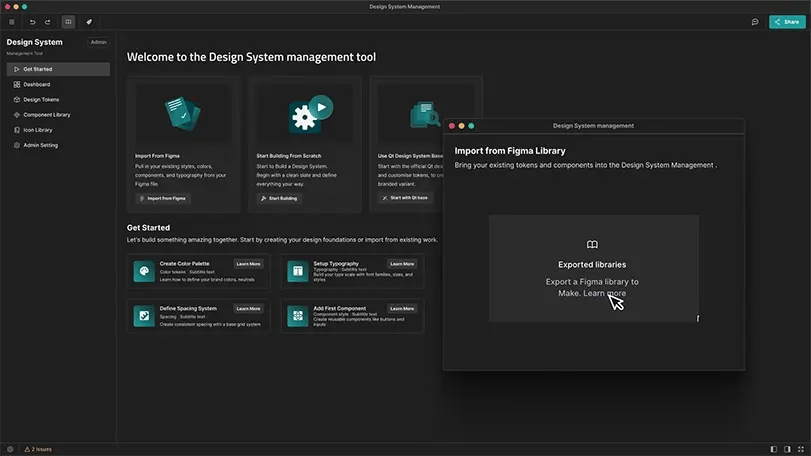
A change to a component's color shouldn't send you and your team on a scavenger hunt through every design file and line of code it touches.
Clate will have true design system management, on top of component and assets: tokens for color, spacing, and typography, and base components, defined once and reused everywhere in your projects.
Motion and Interaction Without Code
Coming in Spring 2027
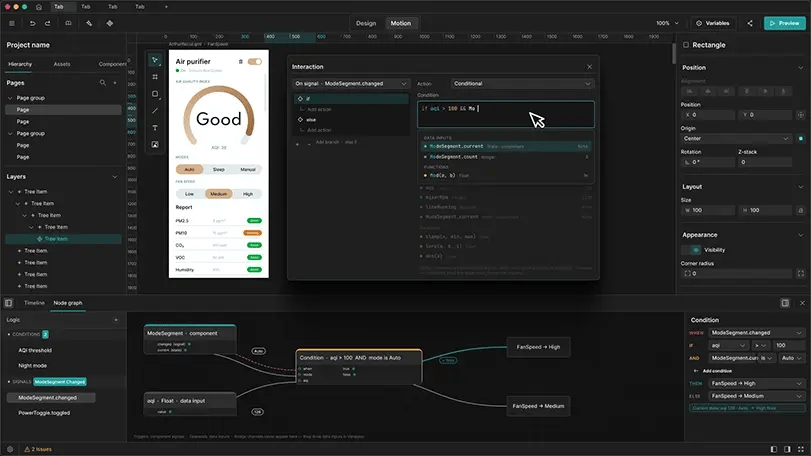
Real-world experiences aren’t static, so Clate treats motion and interaction as part of the design. Screens, states, components, and signals connect visually on a single node graph, without ever writing code.
Animations are built by moving things, not by right-clicking menus: adjust a property while the playhead moves, and the keyframe is added automatically; or hit “record”, interact with objects, and let Clate convert that into keyframes. Developers don't get specs they have to reinterpret, but animations that match the build.
Real-Time Collaboration
Coming in Spring 2027
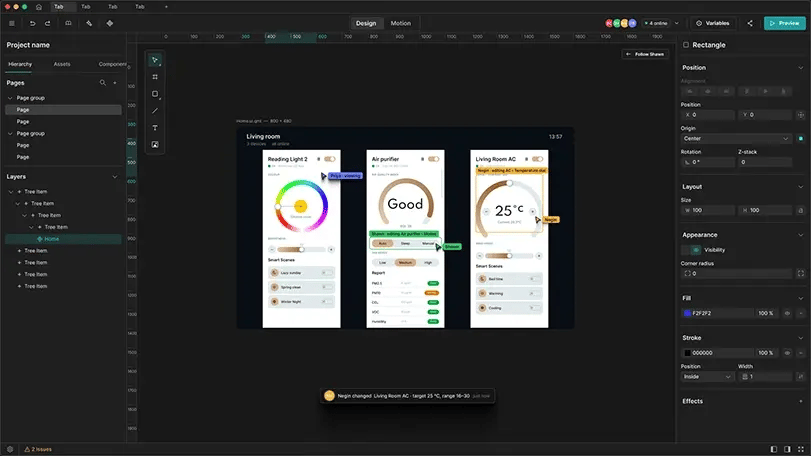
Embedded projects are collaborative by nature, so Clate brings your team into the same workspace. See who’s online and what they’re editing in real time. Pin comments directly to the canvas, mention the person who needs to act, and resolve once they do.
Every decision stays attached to the work itself, turning scattered feedback into a clear, searchable record instead of a conversation outside the canvas that you have to piece back together.
Latest News on UX for Embedded & HMI Applications

Meet Clate: the First Design Tool for Real-World Experiences
Clate Beta is out today, free for everyone. It's a no-code, AI-native ...
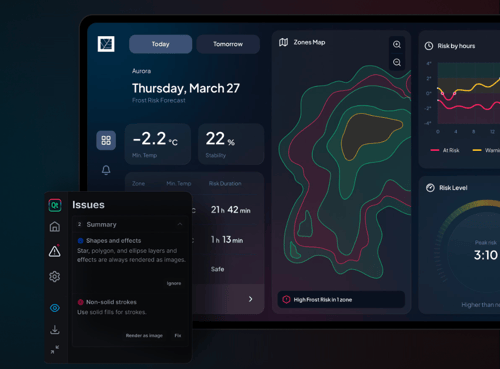
From Figma to Qt: A Comparison Between Manual and Assisted Workflows
We know that one of the biggest challenges for embedded UI/UX designer...
Figma to Qt 1.1: Test Design Live, Ship It Anywhere
Click, drag, and tweak your design in Live Preview before a developer ...
Clate's Frequently Asked Questions
What is Clate?
Who is Clate for?
Do I need to know code to use Clate?
Which platforms does Clate run on?
Is Clate free during the beta?
Does Clate only support QML code and Qt?
How do I select between Clate, Figma to Qt, and Qt Design Studio?
Why should I consider Clate and not another design tool?
Download Beta Now
Download for macOS|Download for Linux
Clate is a desktop app for Windows, macOS and Linux. Open this page on your computer to install it.