We are happy to announce the release of Squish Squish MCP v0.2.0 (technology preview), today.
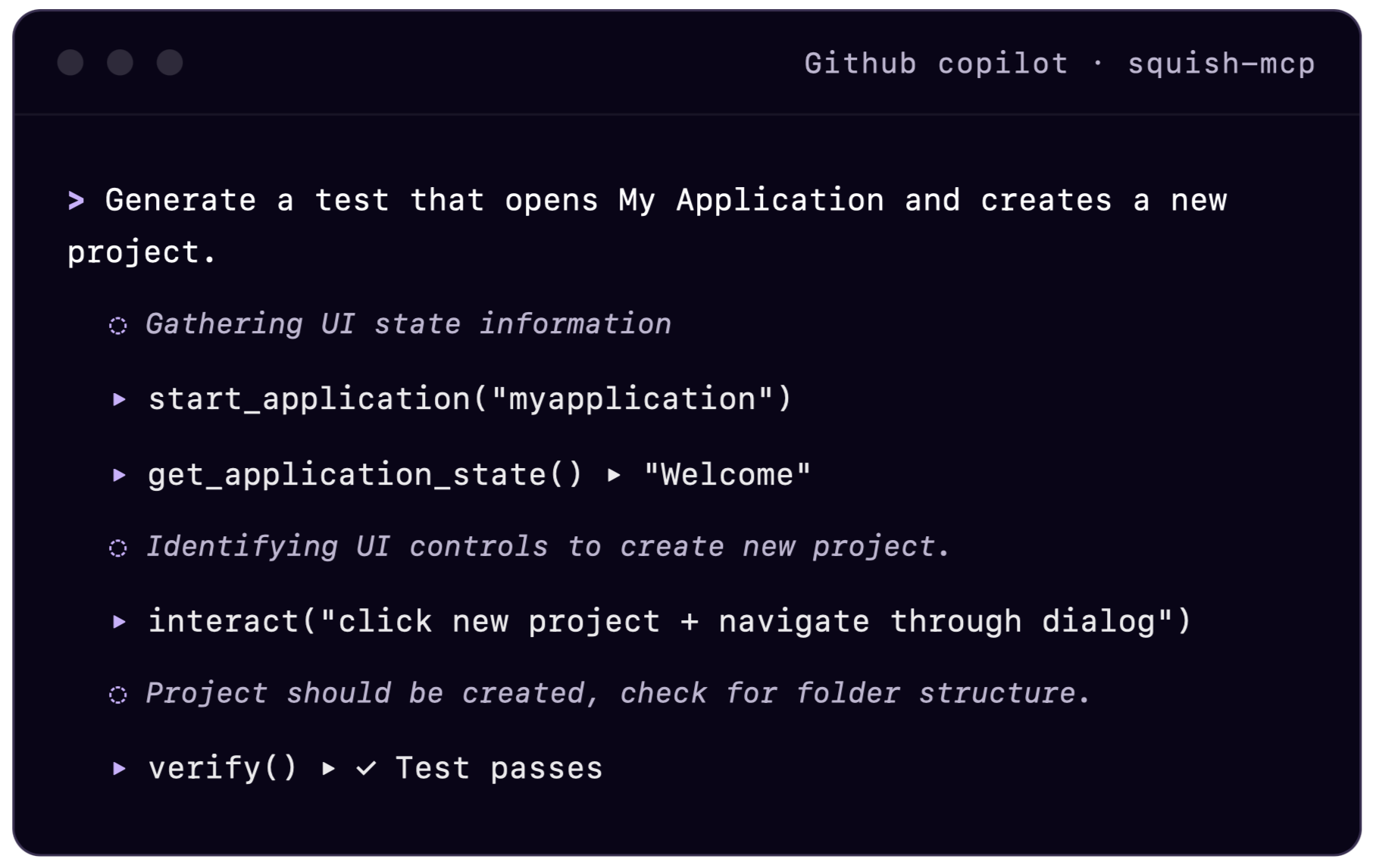
The new version of Squish MCP makes AI agents significantly more efficient, faster, and performant in test development. They can now explore and control an application completely on their own. This is achieved by providing information about the current state of your application, and tools for performing UI interactions to the agent using Squish in the background. It allows the agent to understand how your application works without looking at the source code by exploring it just as a human would. Now you can express your testing intent and get sensible results like:
- "Try to crash the application"
- "Is there a UI workflow with a dead end, where the user cannot get out of again?"
- "Can I cancel the wizard in each step?"
Improvements in test case generation
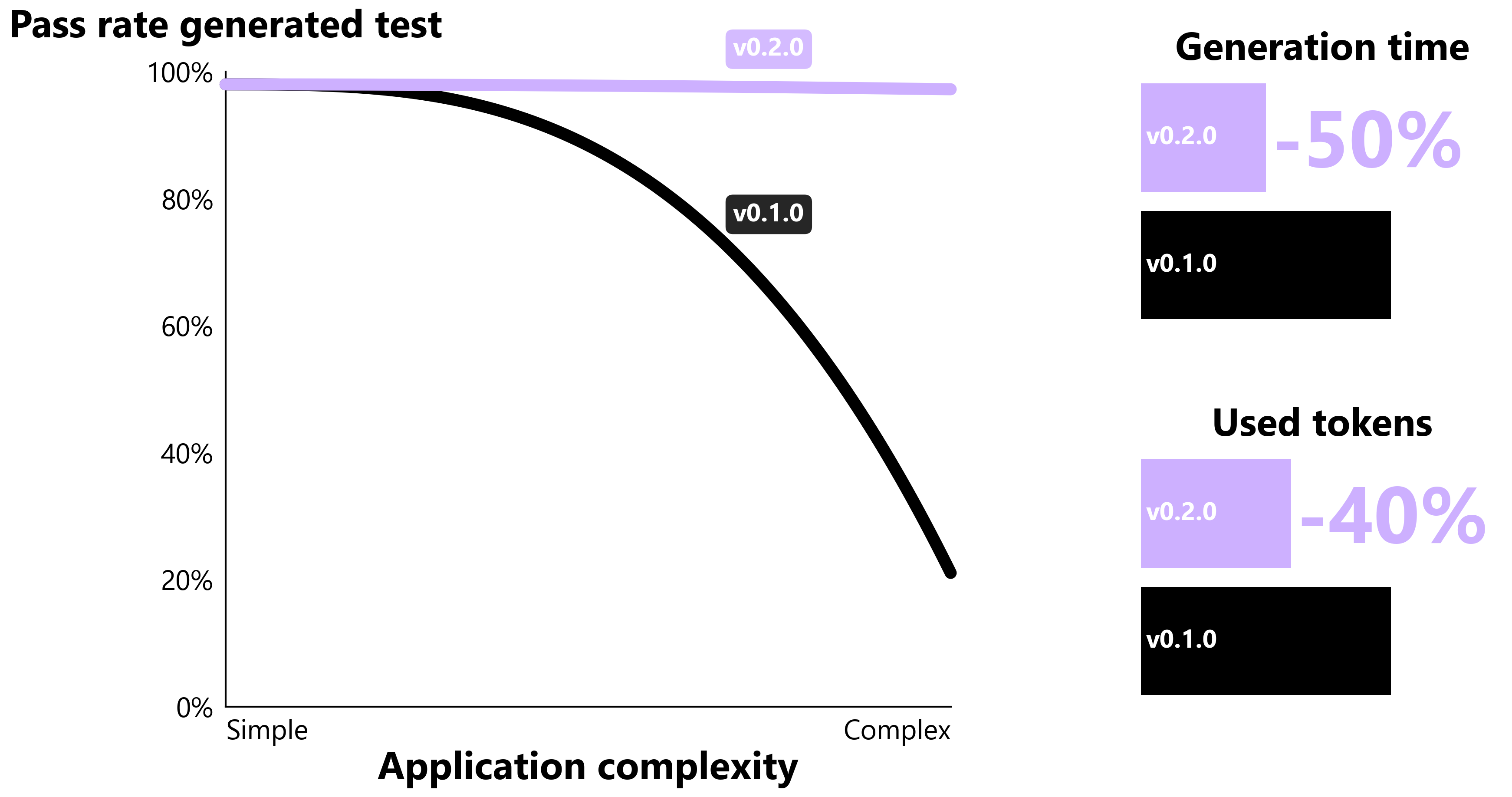
Complex applications like Qt Creator have well over 1000 UI elements, which could cause the former Squish MCP version to struggle. With the current version we see much better performance. For example, prompting the agent to generate a test case that opens Qt Creator and navigates through the "New Project" dialog to create a project would previously fail to produce a usable result. This happened because the agent could not react dynamically to changes in the UI state. Instead, it relied on generating and analyzing large Squish object snapshots, which quickly filled the context window. By providing access to a running application, Squish MCP enables AI agents to work with a compact state representation focused only on the information they actually need. This expands applicability to more complex applications and scenarios, while reducing test case generation time by 52% and token consumption by 41% on average.
How to best utilize the AI agent's understanding of the GUI
In addition to the generation example you can use your AI agent in combination with the new Squish MCP to boost your test development by finding answer to questions like:
- "The test suites XYZ cover which functional requirements"
- "Test case XYZ produces an error. Is the application buggy or the test?"
- "Which test cases in the current folder are duplicates and why?"
Squish MCP has evolved from offering a viable assistant to a true addition that can take over whole work packages, letting you focus on more general and high-level tasks or ensuring a higher coverage and throughput in your testing workflow.
Getting started
Instructions to setup with examples using GitHub Copilot can be downloaded in the Customer Portal. We welcome your feedback and questions to help us continue improving Squish MCP.
Limitations & future work
Using a third‑party LLM with the AI agent raises legitimate security and compliance concerns about what data is shared; however, local model usage is technically possible for example, with GitHub Copilot, see instructions.
Prior work
This work extends the earlier version of Squish MCP (Go to GitHub) and builds on previous blog posts: