

The insights in this guide come from Karim Boussema, Solutions Engineer at Qt Group.. Through his experience across desktop, web, mobile, and embedded projects, Karim has seen consistent patterns where open‑source GUI testing tools succeed, where they struggle, and when teams recognize it’s time to evolve.
His practical observations form the foundation of this blog: a clear, experience‑based look at the real pain points, scaling challenges, and transition paths teams encounter when moving beyond open‑source tooling toward more sustainable GUI testing practices.
When do you Start Outgrowing Your OSS Testing Stack?
For many teams, the idea of switching from open-source testing tools to a commercial solution feels daunting. There’s a sense of loyalty to the tools they’ve built around, the scripts they’ve maintained, and the workflows they’ve optimized over time.
And there’s the ever-present question: “Is it really worth paying for something we already do for free?”
But here’s the truth: free isn’t always free.
The cost of maintaining brittle selectors, debugging flaky tests, and manually triaging regressions adds up. Quietly, invisibly, and relentlessly. And when those tests fail to catch a critical bug before release, the cost becomes very visible.
So how do you Begin the Transition without Disrupting Everything?
Step 1: Acknowledge the Pain Points
Begin with an open, fact-based discussion within your team. What is working well? Where are the biggest inefficiencies? Are your tests providing real confidence in product quality, or are they fragile and prone to false positives?
Common indicators include:
-
Tests that break with every UI change
-
Extended triage cycles — significant time spent analyzing test failures to determine whether they are genuine defects, flaky tests, or environment issues
-
Manual testing bottlenecks
-
Challenges in automating consistently across platforms (desktop, embedded, web)
-
Limited traceability or audit readiness
These are your signals. Recognizing them is the first step toward evolving your testing strategy.
Step 2: Use a Structured Evaluation Framework
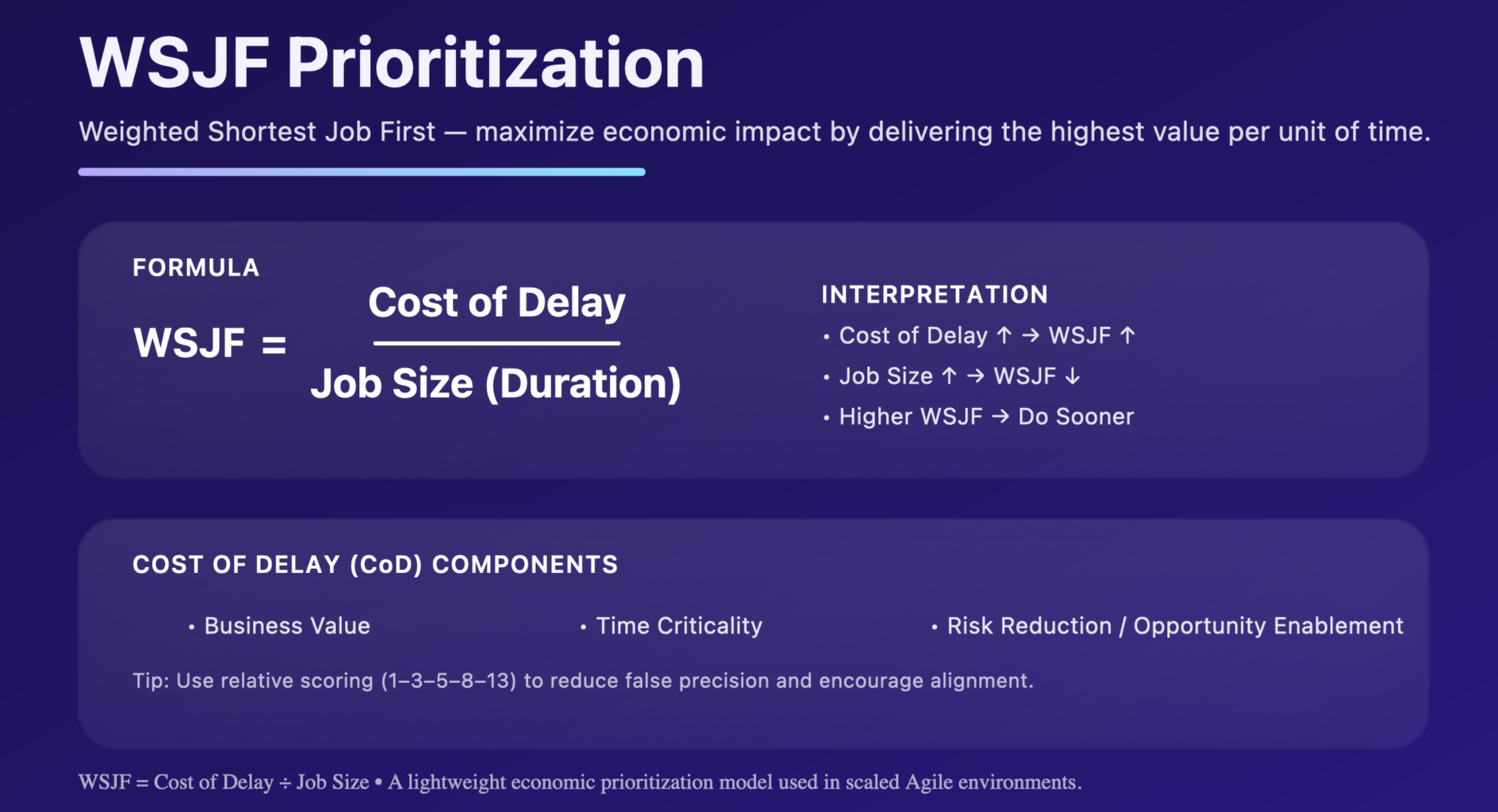
Don’t jump into a full migration. Instead, use a framework like WSJF (Weighted Shortest Job First) to prioritize where automation will have the biggest impact.
WSJF (Weighted Shortest Job First) is a prioritization method used in Agile frameworks, especially SAFe (Scaled Agile Framework), to decide which work items (features, epics, jobs) should be done first in order to deliver the maximum economic benefit.
WSJF = (Business Value + Risk Reduction + Defect Frequency + Cycle-Time Impact) / Effort
Start with:
-
High-risk, high-frequency GUI flows
-
Manual tests that are repetitive and error-prone
-
Areas with the most flakiness or maintenance overhead
This helps you focus on value, not just volume.
Step 3: Run a Pilot, Not a Revolution
Choose 15–20 critical test cases. Run them in parallel using a commercial test automation tool and your current tool. Compare:
-
Flakiness
-
First-pass success rate
-
Time to triage
-
Developer/tester feedback
This phase is about demonstrating how a new tool integrates into your real workflow. Let developers store tests in Git, run them locally and in CI, and use a centralized test management system to keep results visible and consistent.
Use the Automation & Testing Strategy Canvas to guide your pilot
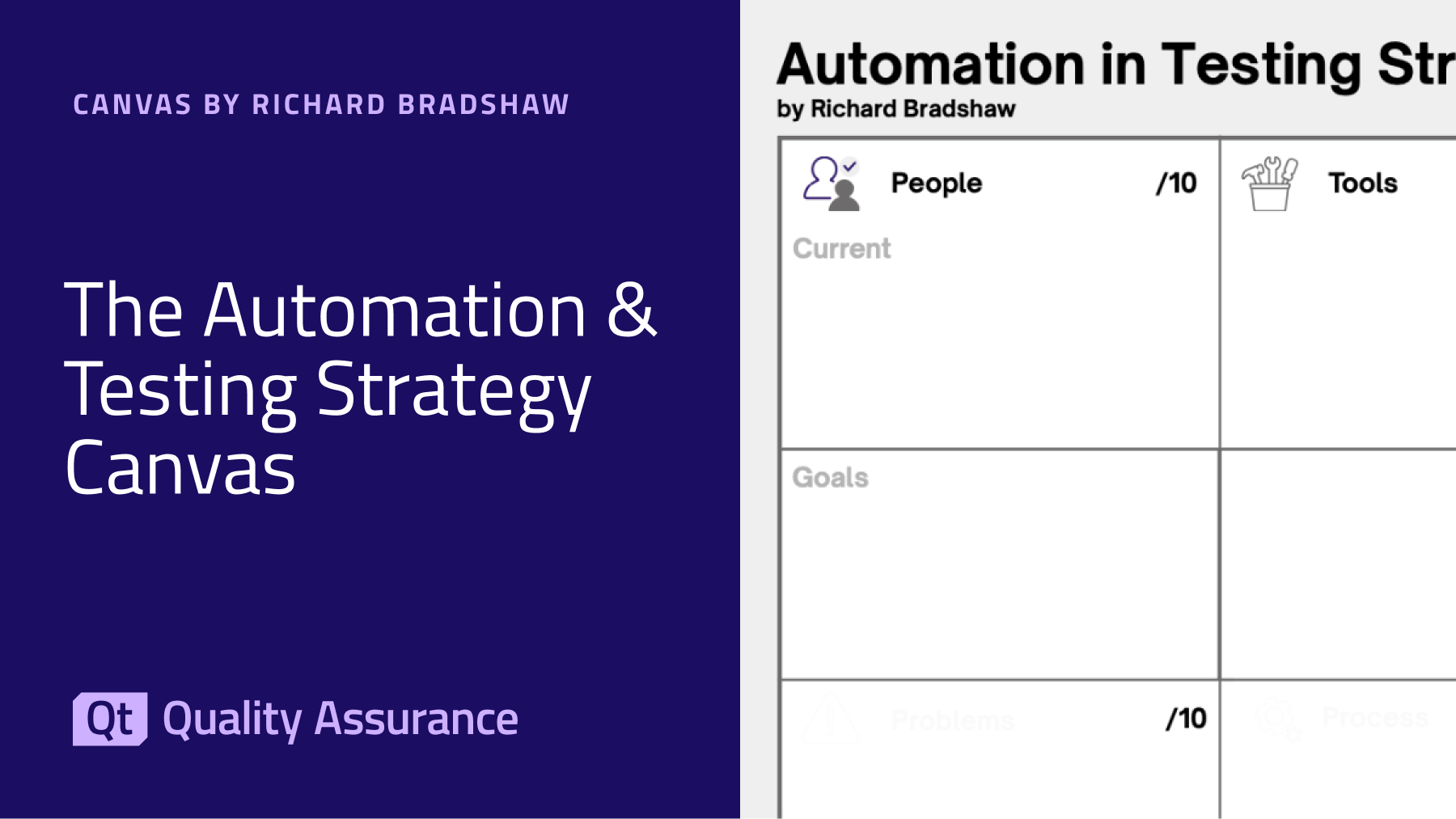
To ensure your pilot is structured, rather than a loose experiment, use The Automation & Testing Strategy Canvas, a visual framework designed to bring clarity and focus to automation efforts. The canvas provides ten guided sections that help teams evaluate people, processes, tooling, quality, and speed, offering a shared language to understand current maturity and priorities. It also enables data‑driven self‑assessment, allowing teams to score where they stand today and identify gaps before expanding automation further.
Teams use the canvas to:
- Map out their automation context and goals
- Highlight strengths, bottlenecks, and improvement areas
- Align stakeholders before making tool decisions
- Turn pilot findings into a simple, actionable roadmap
Step 4: Empower Champions and Train Smart
Identify one or two team members to act as champions: individuals who are curious, collaborative, and open to learning. Provide them with concise, role-specific training and opportunities to gain practical experience by shadowing others or pairing with developers and manual testers.
For the broader team, focus on clarity and accessibility. Instead of extensive documentation, begin with quick reference guides, practical examples, and short, hands-on sessions. The objective is to build confidence and capability without adding unnecessary complexity.
Step 5: Migrate Gradually, Not Line-by-Line
You don’t need to rewrite every test. Instead:
-
Migrate scenarios, not scripts
-
Archive or deprecate legacy tests that no longer add value
-
Use Squish’s object maps and stable locators to reduce maintenance
-
Move trivial GUI checks to API tests where possible
Keep the old system running for 1–2 sprints, then sunset it. This avoids double maintenance and builds trust in the new stack.
Step 6: Measure and Communicate Impact
Build a before/after TCO model to show leadership how much time, effort, and risk you’ve reduced. Frame it in terms of confidence gained, not just bugs caught.
Track KPIs like:
-
Flakiness rate
-
First-pass green rate
-
Mean time to triage
-
Escaped defects
-
Cost per passing test
How to Balance Open-Source and Commercial Testing Tools
Open-source frameworks such as Selenium, Playwright, or custom wrappers are widely used and often deliver good value, especially for straightforward web or application testing. They can be effective starting points. But as projects grow in scale or complexity, their limitations tend to surface.
Common Challenges with Open-Source Tools:
-
Flaky tests: Reliance on image recognition or coordinate-based clicks makes tests brittle as UIs evolve.
-
High maintenance overhead: Teams may spend more time fixing broken tests than creating new coverage.
-
Fragmented workflows: CI/CD integration is inconsistent, particularly when multiple platforms are involved.
-
Limited embedded support: Most OSS tools are not designed to reliably test microcontrollers or embedded targets.
-
Lack of audit trail: In regulated industries, the absence of traceability and reporting creates compliance gaps.
These challenges don’t mean open source is the wrong choice. Rather, they highlight where it reaches its limits.
The reality is that most organizations benefit from a hybrid approach, retaining OSS where it works best and introducing commercial tools where they add clear value.
How to Build a Hybrid Testing Stack: Moving from Fragmented Effort to Unified Confidence
The journey from open-source testing to more advanced approaches is not about abandoning what already works. Instead, it is about evolving toward practices that can scale. By aligning tooling decisions with the complexity of your product and the maturity of your processes, you avoid the trap of over-investing in maintenance while ensuring that quality, compliance, and efficiency keep pace with business needs.
When to Expand with Commercial Tools:
-
OSS tests remain flaky or consume excessive maintenance time
-
Your testing scope includes desktop, embedded, or Qt-based applications
-
Compliance, SLAs, or audit readiness are business requirements
When to Retain OSS:
-
Test flows are low-risk, stable, and inexpensive to maintain
-
Open-source frameworks integrate more seamlessly with niche or specialized systems
In both situations, the shift is not only technical but also cultural. It involves moving from reactive testing toward proactive quality assurance. It also means progressing from uncertainty to confidence and from scattered efforts to a unified strategy.
What Defines a Successful Transition
To ensure a smooth transition, the team that success follow the following steps:
- They begin with shortlisting solutions for small pilots, measuring results, and scaling thoughtfully.
- They empower champions, invest in targeted training, and build team-wide buy-in.
- They retain what continues to work, such as OSS tools for niche flows or manual testing for edge cases, while introducing new solutions that enable growth.
Ultimately, these teams transform QA from a cost center into a cornerstone of product excellence. The path forward is clear: start small, measure what matters, and evolve with purpose.
The key insight
Move beyond "free versus paid" thinking to evaluate total value: team productivity, product quality, risk reduction, and long-term maintainability.
Start with focused pilots on your most challenging scenarios. Real implementation data will guide decisions better than theoretical comparisons.The question isn't whether commercial tools are universally worth the investment. It's whether they're worth it for your specific situation, team capabilities, and strategic goals.
- Audit your current testing pain points: Document time spent on maintenance, test reliability issues, and coverage gaps
- Identify your highest-priority testing challenges: Use the prioritization formula above
- Build the shortlist of top tools and request focused demonstrations: Ask vendors to show solutions for your specific problems, not general feature tours
- Run targeted pilots with free evaluation licenses or trials: Test the tools on your most challenging scenarios first before committing to a commercial investment
- Gather feedback from your team: Collect input from both testers and developers after the pilot
- Measure results objectively: Track test reliability, maintenance time, and team productivity
Ready to explore your options? Begin with an honest assessment of your current testing challenges, then evaluate solutions based on their ability to solve your specific problems rather than their price tags.
How to Get Started with Automated Testing Handbook will help you to get started. It is a 5-step journey to implementing automated testing for your applications.
When organizations evaluate test automation solutions for their applications, they often focus on creating a comprehensive implementation plan that describes their goals and strategy for successfully adopting automated testing.
Implementation teams define objectives for each phase from initial assessment to full-scale automation deployment. However, we have seen too many automation projects fizzle out. Why? Because success is not just “have tests that run automatically.” True success means:
- Measurable impact — you can see how much time, bugs, or risk you’ve eliminated
- Sustained adoption — the team trusts and maintains the tests
- Scalability — your framework grows with new features and platforms
- Integration with development flow — tests run as part of CI, not as an
- afterthought

Continue Reading