Qt 6 Overview

The current Qt Major release, Qt 6, takes your productivity to the next level. It enables building modern and powerful software products and full product lines, topped with consistent, fluid and visually impressive user interfaces. Try it out now!

The Productivity Platform for the Future

Qt 6 builds on Qt’s decades of stability and consistency.

Cross-Platform Efficiency

Develop efficiently with a single codebase, deploy across various devices, platforms, and product lines, and get your products out to the market faster.

Next-Gen User Experience

 Build responsive, fluid 2D & 3D products and product lines, using the new RHI, hardware-accelerated graphics, and a wealth of ready-made building blocks.

Limitless Scalability 

 Make use of Qt’s massive ecosystem for everything you need to design, develop, and deploy software products from small try-outs to entire product lines.

Qt 6 RHI allows leveraging multiple GPU backends without the need for platform-specific code. The time saving is estimated to be 1000s of hours.

Kris Dikie, CTO, Clarius

Go to Their Story

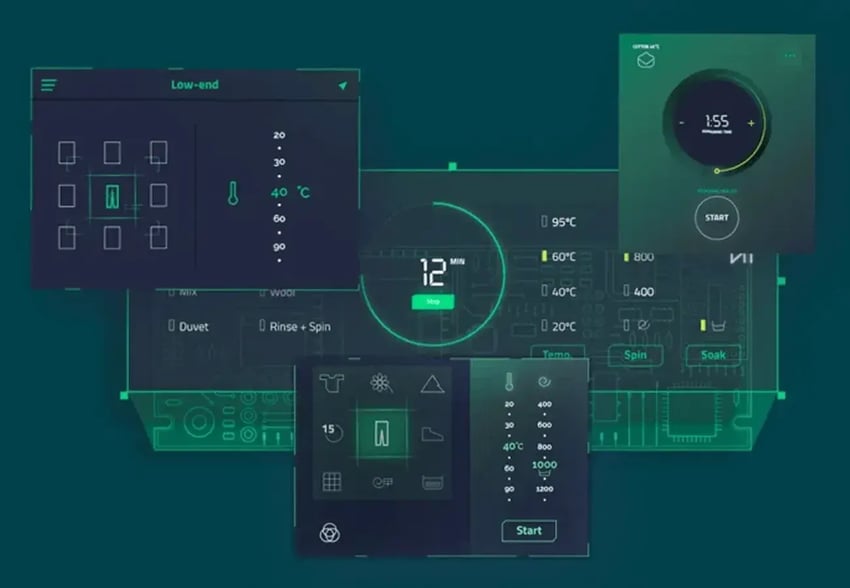
Qt 6 example on next-generation UX
CONSISTENTLY BRANDED PRODUCT LINES

Next-Generation User Experience

Build stunning, fluid user interfaces and consistently deploy them across devices, platforms, and product lines.

Qt 6 highlights:

  • Run Qt across platforms with great graphics performance,
  • Use advanced graphics effects with hardware-acceleration,
  • Merge 2D & 3D components flexibly,
  • Gain better performance and use handy middleware.

With Qt 6, you can create applications that are beautiful in the front-end and powerful in the back-end.
QtFramework-Qt6-Scalability-1300x900
CROSS-PLATFORM TO THE CORE

Limitless Scalability

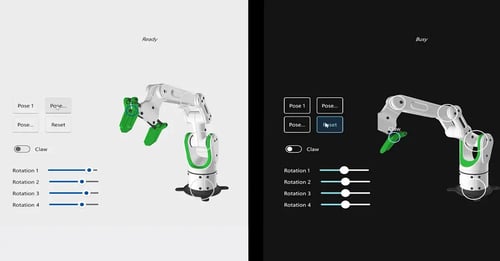
From microcontrollers (MCUs) to supercomputers, Qt 6 and our massive ecosystem provides everything you need to design, develop, and deploy software for your entire product line.

With Qt 6, you have:

  • A single codebase that adapts across platforms,
  • Support for multiple product lines,
  • Faster time-to-market.

Qt Framework provides a wealth of building blocks across the architectural layers, taking away routine tasks and putting your focus on your unique business logic.


What’s Behind the Qt 6 RHI?

 Watch a recording on how Qt's UI rendering has evolved from the native paint engines,software rasterizer, and OpenGL to the Rendering Hardware Interface (RHI) in Qt 6. What’s to expect next?


The World's Best Companies Use Qt to Make the Products You Love

Qt 6 Feature Highlights

This is a short-list of Qt 6 features we don’t want you to miss.


SEE ALSO:
All Qt Framework capabilities  
A more complete list in Qt 6 documentation
Currently supported platforms

Qt Rendering Hardware Interface (RHI)

 The RHI introduced in Qt 6 is a graphics abstraction layer that enables writing rendering code once and translating it for each target platform to the best-suited, native graphics API, such as Vulkan, Direct3D, Metal, or OpenGL.

The RHI enables running Qt across platforms with the best graphics performance, utilizing lower CPU overhead and better GPU utilization.

3D Graphics and Extended Reality (XR)

 Qt Quick 3D is a high-level API in Qt 6 for creating 3D user interfaces based on Qt Quick. It allows merging 2D and 3D content for fluid, next-level UIs, and comes with significant improvements and additions.

For example, the API allows customizing 3D particles and using vertex animations, such as simulating deformations of soft materials with mesh morphing or abstract representations of model movements with skeletal animation.

The API also provides an ability to create immersive experiences, including support for virtual reality (VR) and augmented reality (AR) platforms. 

Hardware-Accelerated Graphics

 Qt 6 provides highly evolved support for stunning, hardware-accelerated graphics with shader effects, particles, and other advanced UI effects with Qt Shader Tools.

It also provides an ability to use vector images and animations (SVG and Lottie) as a scalable part of the UI. 

Fluid, Cross-Platform UIs

 Qt Quick and the declarative QML language have continued to evolve, enabling highly dynamic, cross-platform GUIs with a clear separation from the backend.

Qt Quick and QML come with many improvements in Qt 6. For example, the renewed Qt Quick Controls enable pixel-perfect, native looking UI elements and their better re-use. Fractal scaling support allows for automatic UI scaling for different monitor configurations. Qt 6 also features advanced UI performance, out-of-the-box accessibility, and improved font rendering and support for modern fonts.

Better Performance

 In addition to the graphics rendering, Qt 6 comes with various performance improvements.

Revamped concurrency APIs allow for multiple CPUs and parallel computation to keep your UIs fluent while doing backend logic in the background. Tasks automatically scale depending on the hardware.

The new QProperty System increases code speed with binding support in C++, bringing the best part of QML to Qt with seamless integration to QObject.

Update to the latest standards such as C++17 (and C++20) improves code readability, provides better performance​ and eases maintenance.

Interactive Graphs

 The new Qt Graphs module integrates 2D and 3D data visualization, making it more intuitive and convenient to use, and allowing to create and customize interactive, hardware-accelerated graphs, from simple plots to complex visualizations.

Advanced techniques such as volumetric rendering or 2D slicing from 3D provide more opportunities to visualize your data.

The use of the new Qt Quick 3D and RHI capabilities allow turning even larger datasets into responsive graphs, also for real-time data. Major rework has also been done on data APIs and use of proxies.

Improved Networking Capabilities

 Qt 6 allows creating your own protocol backends and integrating them into the default Qt workflow. Security-related features are added automatically.

Qt 6 provides ready-made support for various networking & connectivity protocols and standards, including HTTP, GRPC, and Protocol Buffers, as well as cross-platform data handling capabilities to exchange, save, query, manipulate, and serialize data.

Deployment, Unit Testing & Tooling

 Qt 6 introduces various improvements to deployment, unit testing, and tooling.

Automated GUI testing allows efficient functional regression testing and system testing of cross-platform GUIs and HMIs.

Code coverage testing in the Qt Creator IDE enables analyzing the test and code coverage of C++ and QML code.

The revamped CMake support allows using the industry-standard build system, with its wide feature set and large ecosystem to build your Qt applications.

In addition, there's a wealth of supported target platforms and devices.

QML language sample
DECLARATIVE UI DEVELOPMENT

The QML Language

QML is a declarative, memory-safe language used to design and implement user interfaces with Qt.

QML enables writing clean, readable, and fully cross-platform code. Thanks to its intuitive syntax, it’s fast to learn.

QML is one of the best languages that I’ve ever used. It takes only a few days to get the hang of it. It’s really productive, it saves lots of time, it’s a joy to use.

 Daven Sanassy, CTO, Vochlea

Go to Their Story

Latest Minor Release – Qt 6.10

This release highlights:

  • Out-of-the-box accessibility capabilities,
  • Easy imports for vector animations,
  • Building UIs easily with the new Flexbox layout, search field and QML types,
  • Much more to keep your product modern.
 

Earlier Qt 6 Minor Releases

Qt 6.10 Released!

Qt 6.10 is now available, with new features and improvements for appli...

Read More

Qt 6.9 Released

Qt 6.9 is now available, with new features and improvements for applic...

Read More

Qt 6.8 LTS Released!

We are thrilled to announce the release of Qt 6.8 Long-Term Support (L...
Read More

Qt 6.7 Released!

Qt 6.7 is out with lots of large and small improvements for all of us ...

Read More

Long-Term Support Releases

Selected Qt Framework Minor Releases are dedicated as Long-Term Support (LTS) releases, providing a longer support and maintenance period. They prioritize stability, maintaining existing features and ensuring your applications run smoothly long-term.


  Learn More About the LTS Releases

Ready to Start Your Qt 6 Journey?

Learn more online and download to try it out. For upgrading proprietary software from earlier versions, contact us.