GUI自动化测试
代码覆盖率分析
测试结果的管理与分析
软件静态代码分析
软件架构验证
NVIDIA CUDA代码的自动化安全合规检查
灵活的软件质量工具订阅方案
Compare Plans and Licenses
软件质量工具免费试用
车载软件质量
可靠的航空软件质量
生产安全与合规
重型车辆的软件质量
医疗设备安全与合规
铁路软件安全标准
跨行业功能安全
医疗设备软件合规性(最高达C类)
汽车安全达到ASIL D级
代码分析在软件开发中的价值
软件安全性测试,确保软件的完整性
理解软件架构、其重要性及其影响
AI增强协助
测试与分析洞察
产品资讯、产品更新、专家建议
电子书、网络研讨会及其他资源
客户成功案例
即将举办的活动
加入软件质量团队
最新资讯
演示、试用、问题咨询
GUI Test Automation
Code Coverage Analysis
Test Results Management
Visit Axivion.com
本评估指南适用于已激活 Coco 试用许可或商业许可的用户。
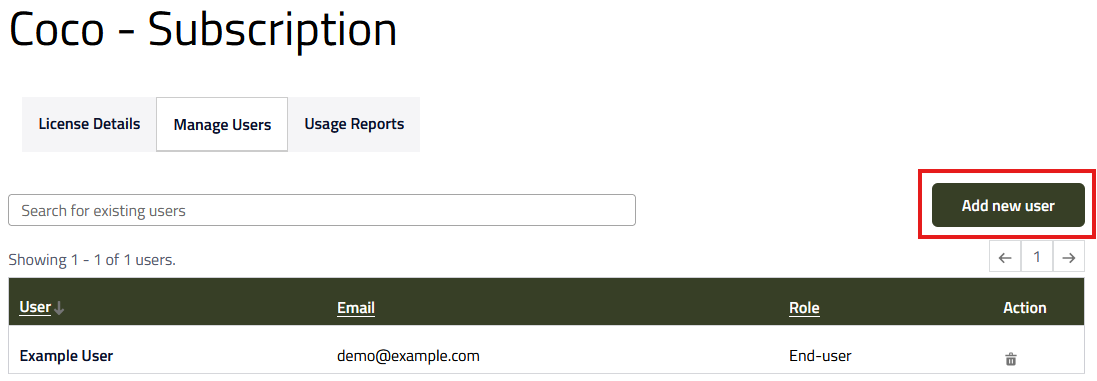
配置有权访问产品许可及下载功能的终端用户:
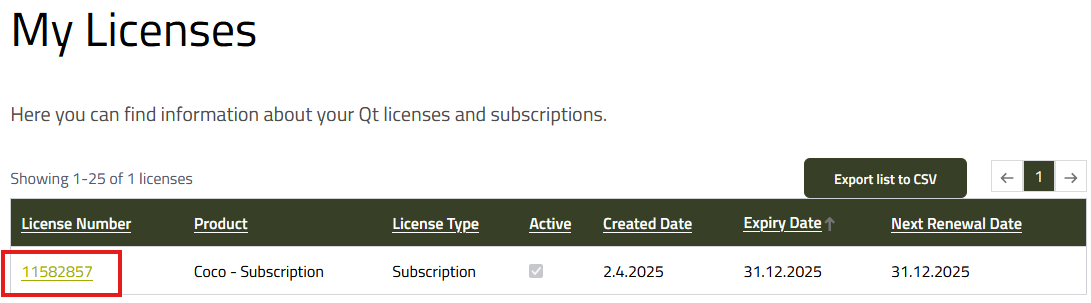
进入 Qt 用户中心,点击"My Licenses"
选择 Coco 订阅:
点击以下链接,了解许可分配流程的详细信息与说明文档:许可分配说明文档
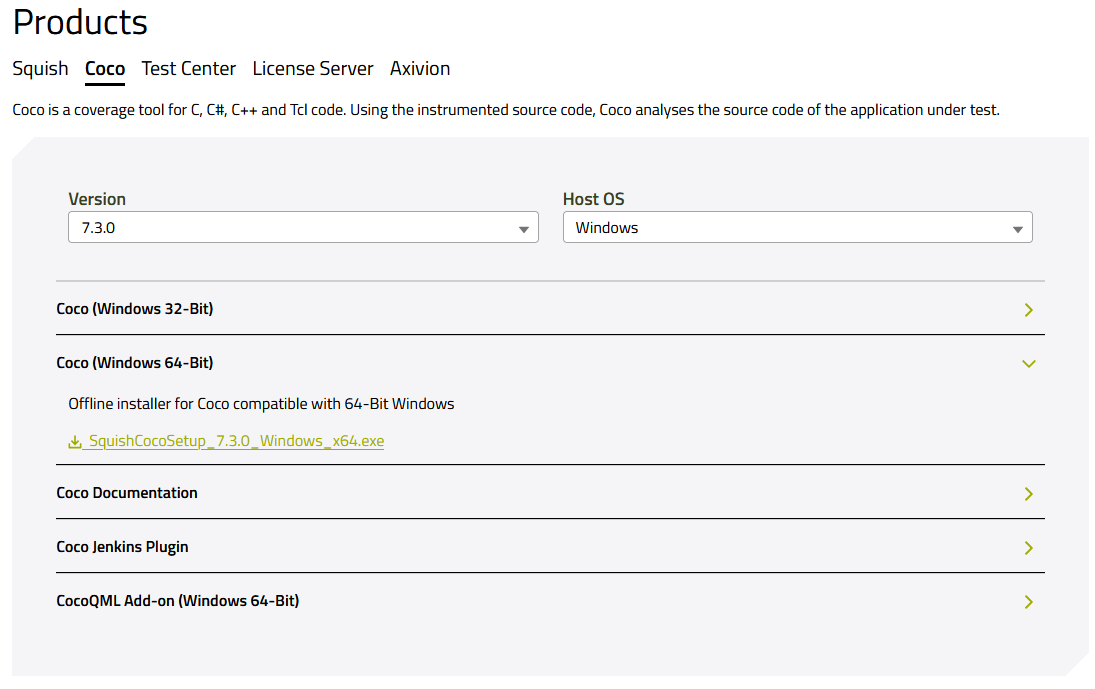
下载 Coco 安装程序:
打开Qt 用户中心,进入"Downloads / QA Software"
选择"Coco"标签页,并选择所需的"Host OS"(主机操作系统)。
按照 Coco 安装说明完成安装即可。