For many QA and development teams, Jira Cloud with Xray Cloud has become the core of their test management process. It’s where manual tests are authored, where requirements live, and where teams track coverage. But as teams scale and test automation becomes essential, a gap begins to appear.
Xray Cloud does an excellent job managing test definitions and traceability. Typically, executions happen outside Xray Cloud, with results later imported into it. In practice, this means that automated runs, orchestration logic, and environment control live outside the test management tool.
Without careful integration, this separation can lead to fragmented workflows, duplicated maintenance, and reduced visibility into how automated tests are executed.
Test Center 4.3 closes that gap by coordinating automated runs, aggregating results across pipelines, providing end-to-end traceability and ensuring alignment between what’s planned in Jira and what runs in CI.
A Single Execution Engine for Your Xray-Based Test Strategy
With this release, Test Center becomes the central execution engine for your Jira and Xray–based testing strategy. It now:
- Executes your automated test suites
- Aggregates results across environments and CI pipelines
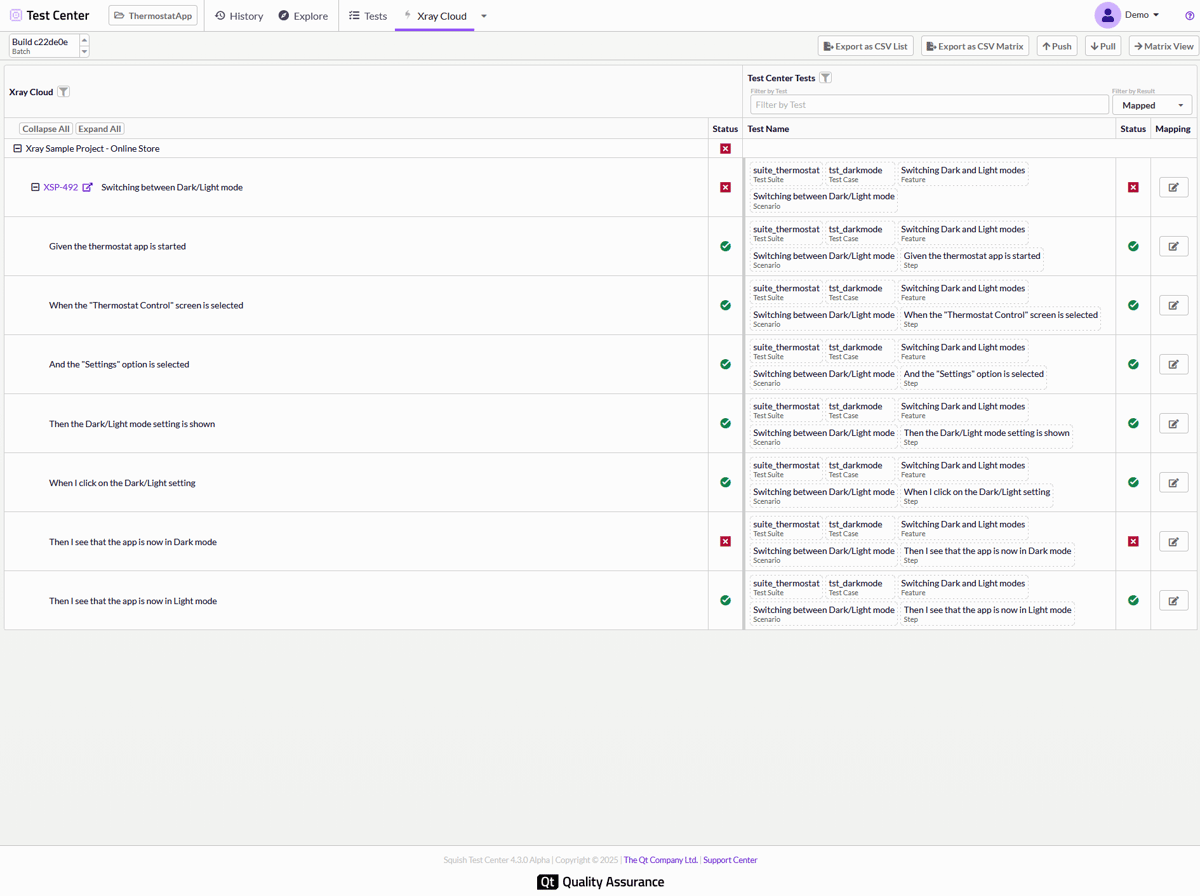
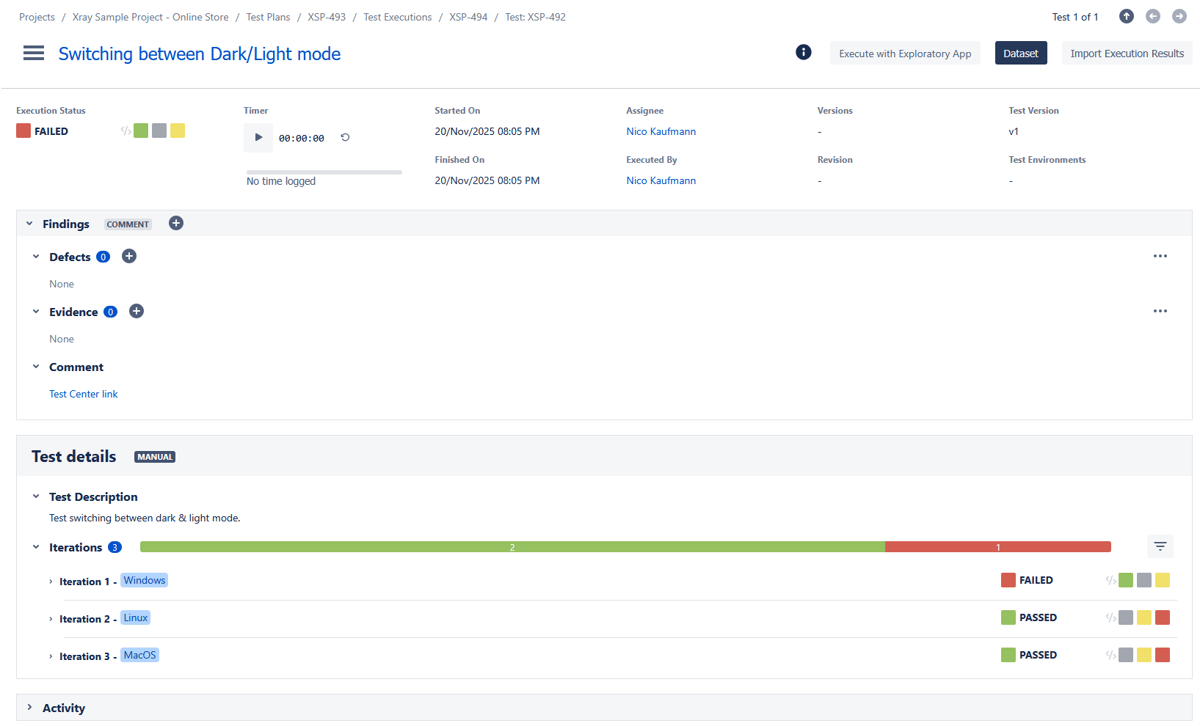
- Links every test-run back to its corresponding Xray test and Jira requirement, where it uploads and synchronizes execution results back to Xray Cloud.
Through the new Xray Cloud integration, Test Center works as the execution and automation layer behind your existing Jira-centric QA process. Your team continues to manage tests in Xray, while Test Center runs them, collects results, and uploads these results back to Xray.
In this model, Xray remains your system of record, while Test Center becomes your system of execution and result synchronization. This gives Jira Cloud teams the power of enterprise-grade automation without forcing them to change how they plan, manage, or report on testing. For teams already using Test Center, it opens the door to using Xray Cloud.
How Test Center Coordinates Automation and Keeps Xray Up to Date


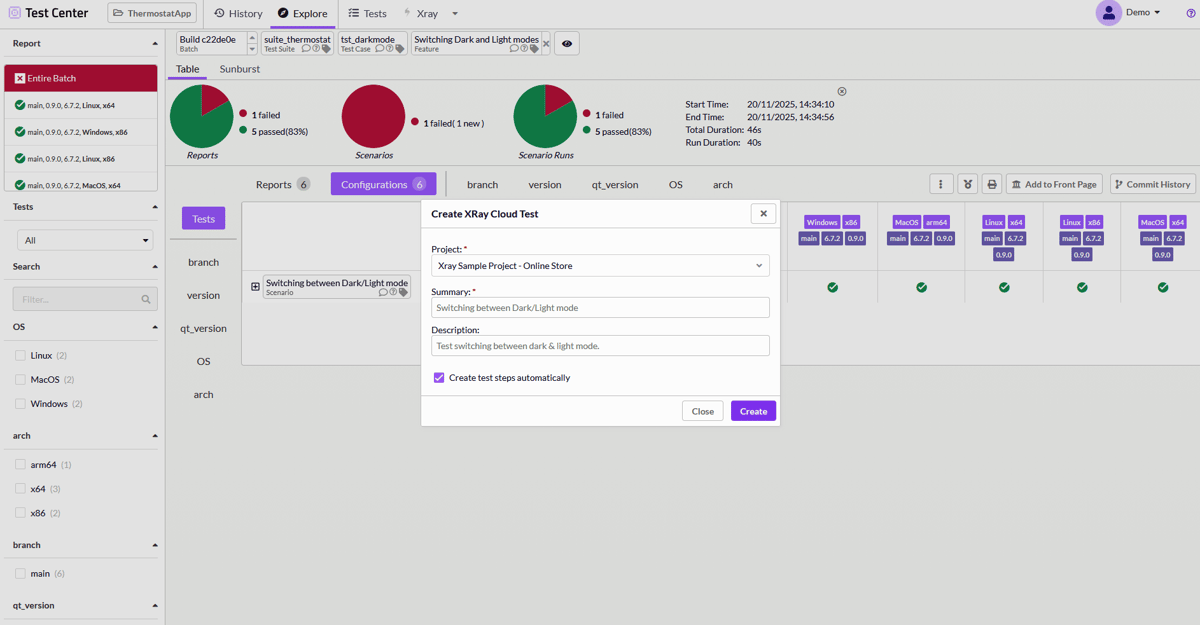
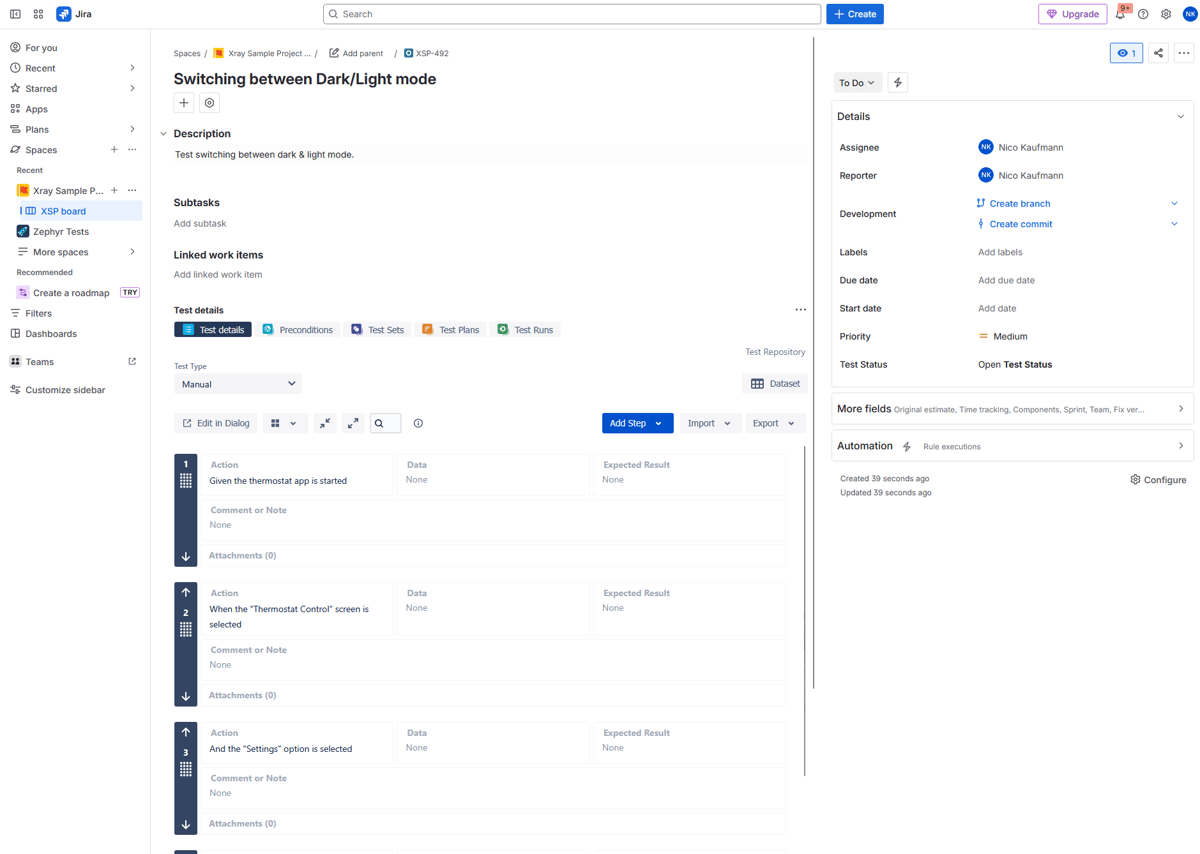
Xray Cloud is good at structuring tests, linking them to requirements, and proving coverage. What it has needed is a scalable way to execute and orchestrate automated testing. Together, Xray and Test Center combine test management and execution into a unified workflow.
Always-Up-to-Date Traceability
Keeping Jira, Xray Cloud and automated test results aligned is essential for accurate test management and traceability.
With the new integration, Test Center can now:
- Import tests from Xray Cloud or create new ones.
- Map them to your automated test suites
- Execute those tests
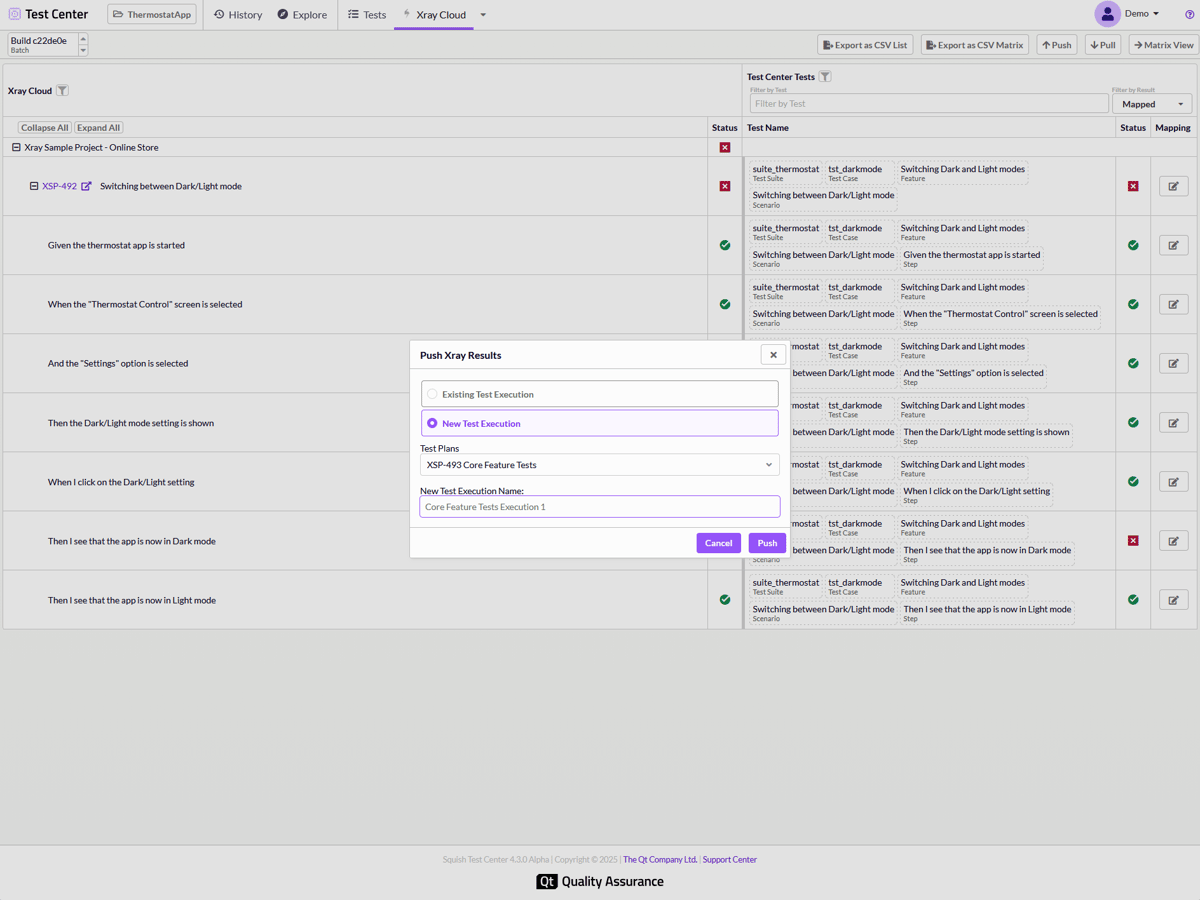
- Push the execution results back into Xray Cloud.
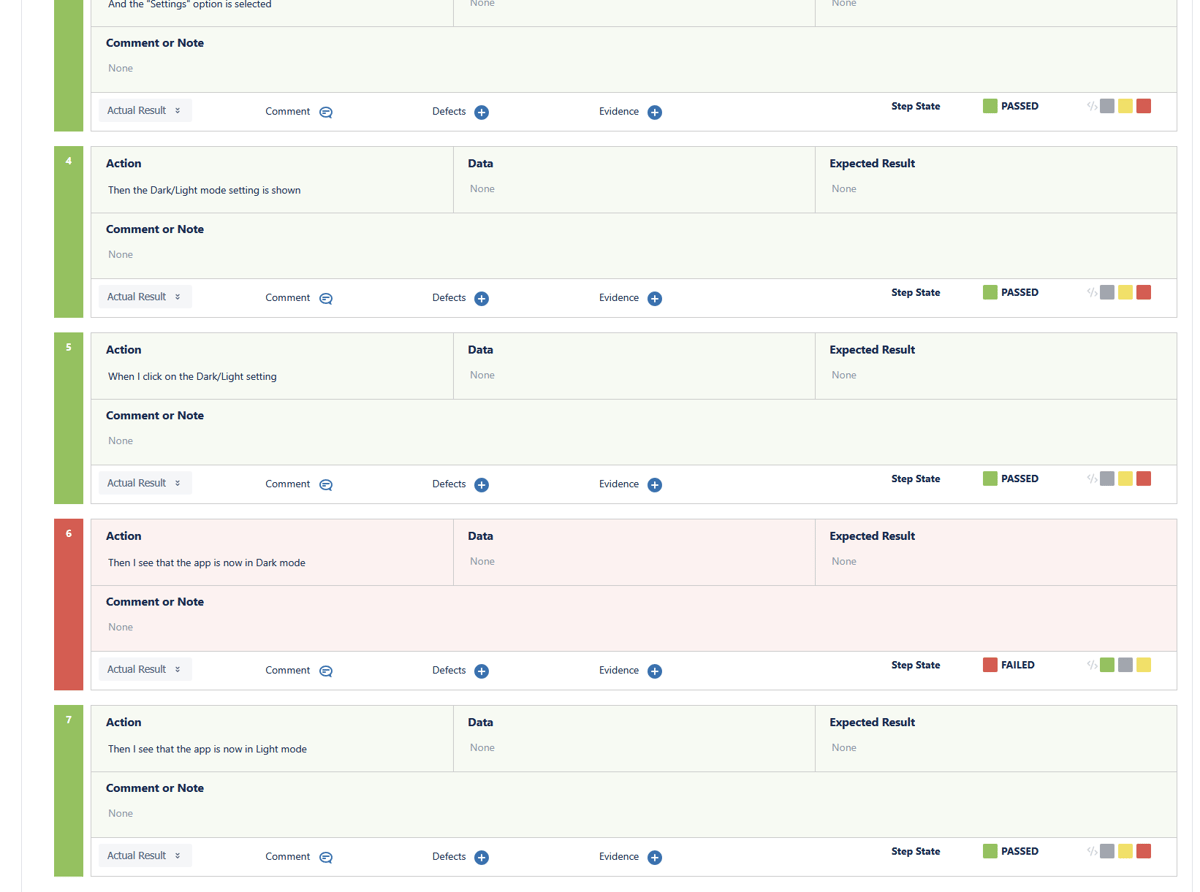
This means your Xray dashboards always reflect reality: the latest automated test results, fully connected to requirements and releases.
For teams that need audit trails, regulatory reporting, or simply trustworthy metrics, this eliminates an entire class of errors and overhead.
Your Jira Workflow Stays Exactly the Same
A major reason teams choose Xray Cloud is that it fits naturally into Jira. That doesn’t change.
Manual testers continue working in Jira and Xray Cloud as they always have. Product owners, auditors, and stakeholders still view reports there. Nothing new is forced on them.
Test Center works behind the scenes for the people who need it most: automation engineers, QA leads, and DevOps. The result is a true hybrid workflow:
- Jira and Xray for planning and visibility
- Test Center for execution, automation and result upload.
- One unified source of truth
A Compliance-Ready Automation Layer for Regulated Teams
Xray Cloud is widely used in industries where traceability is not optional, like medical devices, automotive, aerospace, financial services, telecommunications, and more.
Test Center 4.3 strengthens that foundation by adding fully synchronized automated execution and test results uploading. Every automated run, every parameter set, and every result is uploaded and linked back to Xray Cloud tests and Jira requirements. Nothing gets lost, even when tests are data-driven or run at scale.
For regulated teams, this means:
- Audit-ready traceability
- Fewer gaps between manual and automated testing
- Lower risk during reviews and inspections
Traceability-as-Code
Modern test automation often lives in code, and traceability references are frequently added directly to test files. Test Center 4.3 builds on this practice by introducing test file traceability mapping.
If your test files contain references to traceability ticket keys or IDs, such as comments, Test Center can scan your mapped repositories and automatically link those references to existing traceability items. This works across different traceability types supported by Test Center.
All matching references from mapped repositories and branches are collected and mapped automatically, without requiring manual linking.
For teams, this means:
- Traceability links are created and maintained directly from test source code
- Less manual effort to keep tests and traceability in sync
- Greater confidence that traceability stays up to date as tests evolve