Aug 20, 2026
Comments
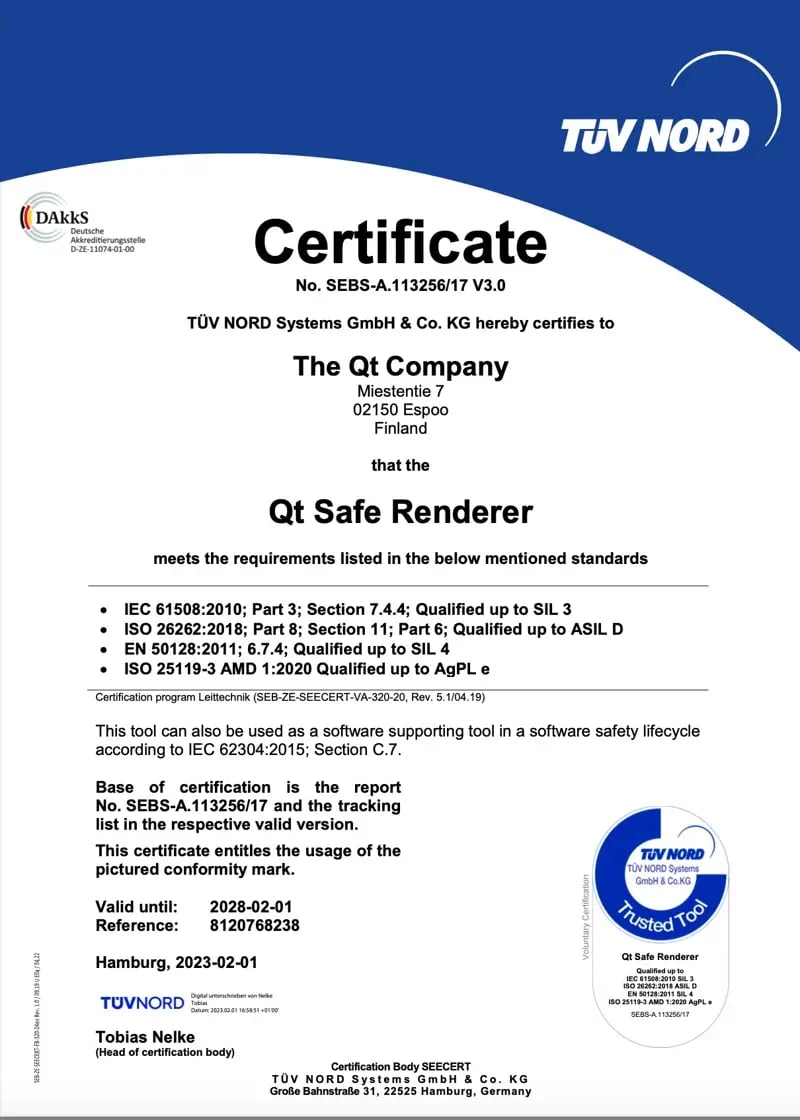
We are happy to announce the release and certification of Qt Safe Renderer (QSR) 2.2.0! The QSR 2.2.0 release is available for commercial customers with a Device Creation Enterprise license.
New Features
Using Safety-Critical Items in Qt Quick Ultralite Applications
With Qt Safe Renderer 2.2.0, you can use safety-critical items in Qt Quick Ultralite applications. You should use Qt Safe Renderer 2.2 together with the Qt for MCUs 2.12 release.
The following Qt Safe Renderer 2.2 documentation pages provide more information about new features in the release:
- Getting Started with Qt Safe Renderer and Qt Quick Ultralite
- Building for Qt Quick Ultralite
- Qt Safe Monitor: Qt Quick Ultralite Example on Bare-Metal Traveo II demonstrates how to integrate Qt Safe Renderer Monitor into a Qt Quick Ultralite application targeting a bare-metal Infineon Traveo II environment.
- Related API changes are listed in Changes to QSR Runtime API
See also the MCU 2.12 online documentation and its instructions on how to create a Qt Quick Ultralite application with safety-critical items.
Alpha Pixel Bypass for Transparent Backgrounds
Alpha Pixel Bypass feature is available for Snapdragon Generation 4 hardware (Qualcomm Snapdragon 8295). This feature enables output verification for safe items with transparent backgrounds by excluding pixels with alpha values from the CRC calculations. For more information, see Alpha Pixel Bypass for Transparent Backgrounds.
Getting Qt Safe Renderer 2.2.0
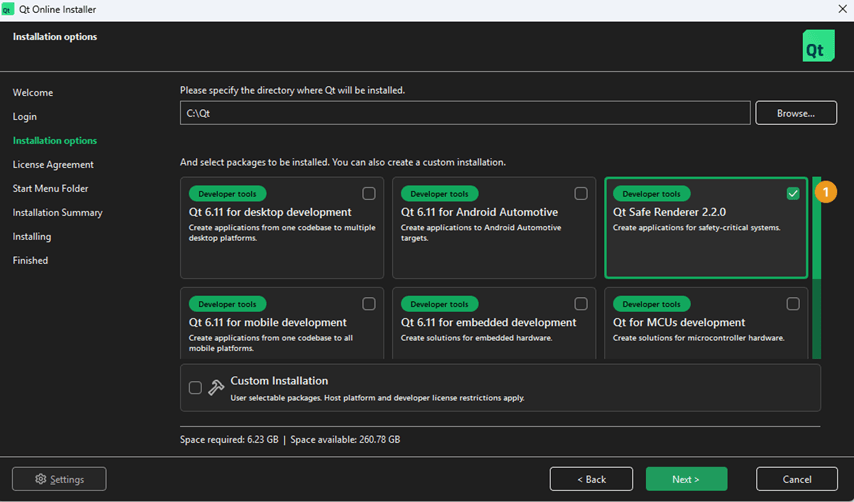
The Qt Safe Renderer 2.2.0 is available via Qt Online Installer for commercial customers with a Device Creation Enterprise license. The release note is included in the QSR 2.2.0 installation and is also available online: https://doc.qt.io/QtSafeRenderer/qtsr-release-note.html.
In Qt Online Installer, you can perform the default installation, which automatically installs Qt Safe Renderer 2.2.0, the corresponding Qt version 6.8.7, and the tools. For detailed installation instructions, see Installing Qt Safe Renderer, Qt, and Tools.
Developer Guideline
Qt Safe Renderer 2.2 developer guideline is available online: https://doc.qt.io/QtSafeRenderer/qtsaferenderer-index.html
Reporting Bugs
If you are our commercial customer and want to suggest a change to existing functionality or report a Qt bug affecting a supported target device or host platform, contact our support team. For more information, see Qt Support. Qt Professional Services can help you with bugs and suggestions that concern non-supported target devices or host platforms.
Blog Topics
Related Articles
Qt 6.12 LTS Released!
The 6.12 release for Qt Framework is now available, with improved..
Read Article
Qt Creator 20.0.2 released
We are happy to announce the release of Qt Creator 20.0.2! The release..
Read Article
Commercial LTS Qt 6.8.9 Released
We have released Qt 6.8.9 LTS for commercial license holders today. As a..
Read Article