
QGroundControl Customization at Runtime | Powered by Qt
Protocol vocabulary, operator panels, maps, and branding defined in configuration files read at startup, with no edits to QGroundControl's mainline sources.
MAVLink Configuration
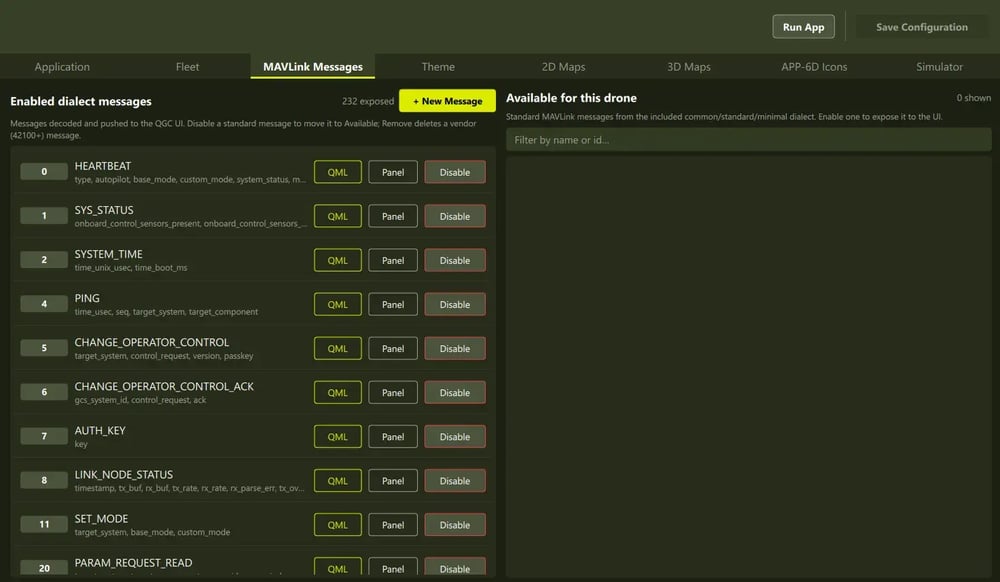
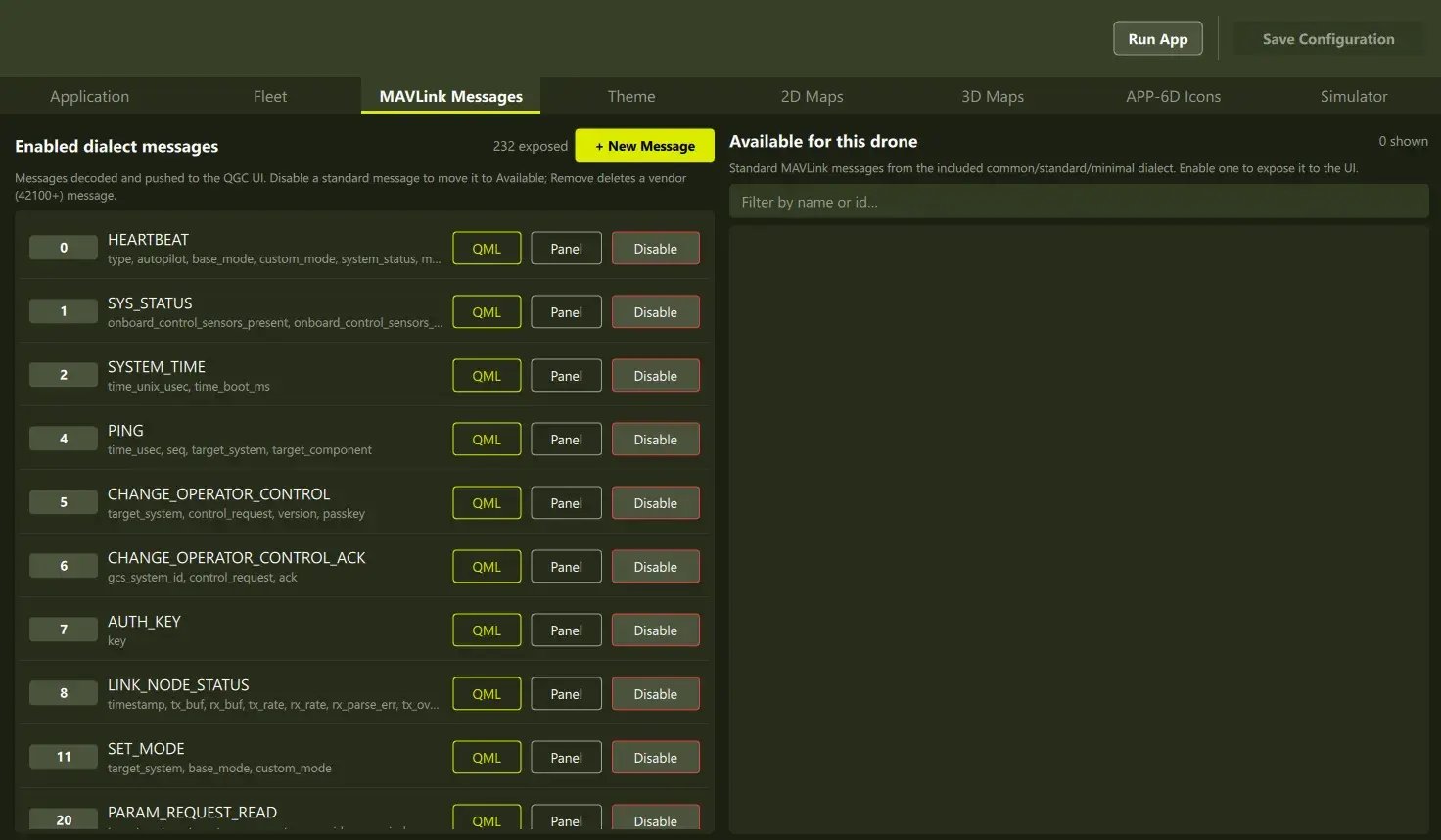
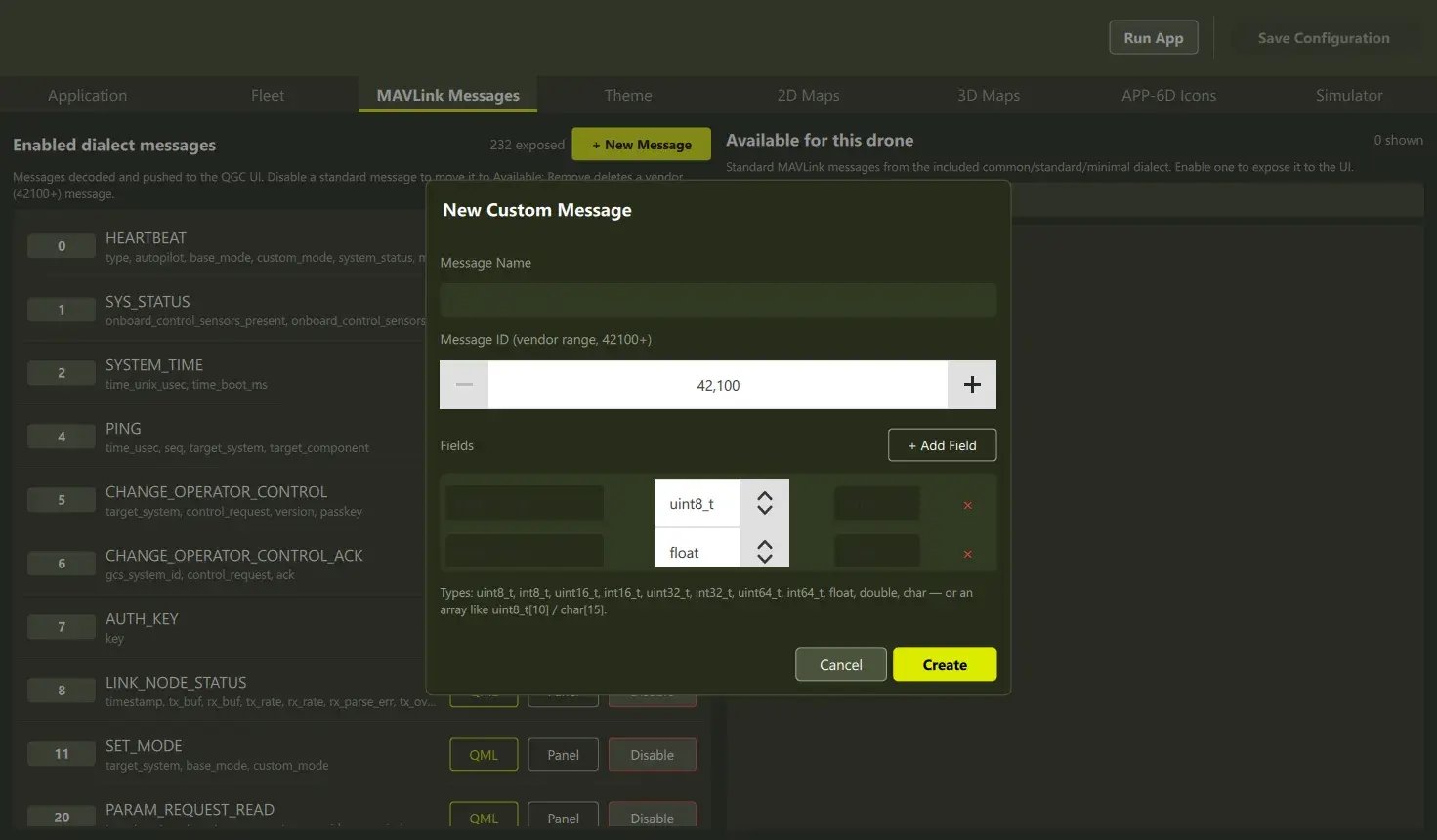
Define which messages exist and which surface in the interface by editing one XML dialect file—no generator run, no rebuild.
HMI Authoring in Qt Design Studio
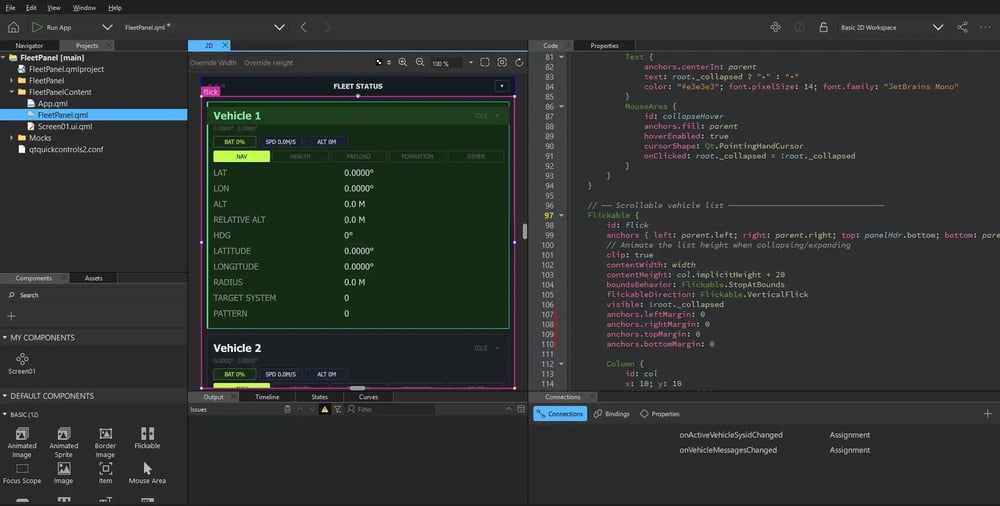
Design operator panels in a low-code environment and deploy a ready QML file bound to your vehicle's live data.
2D and 3D Maps
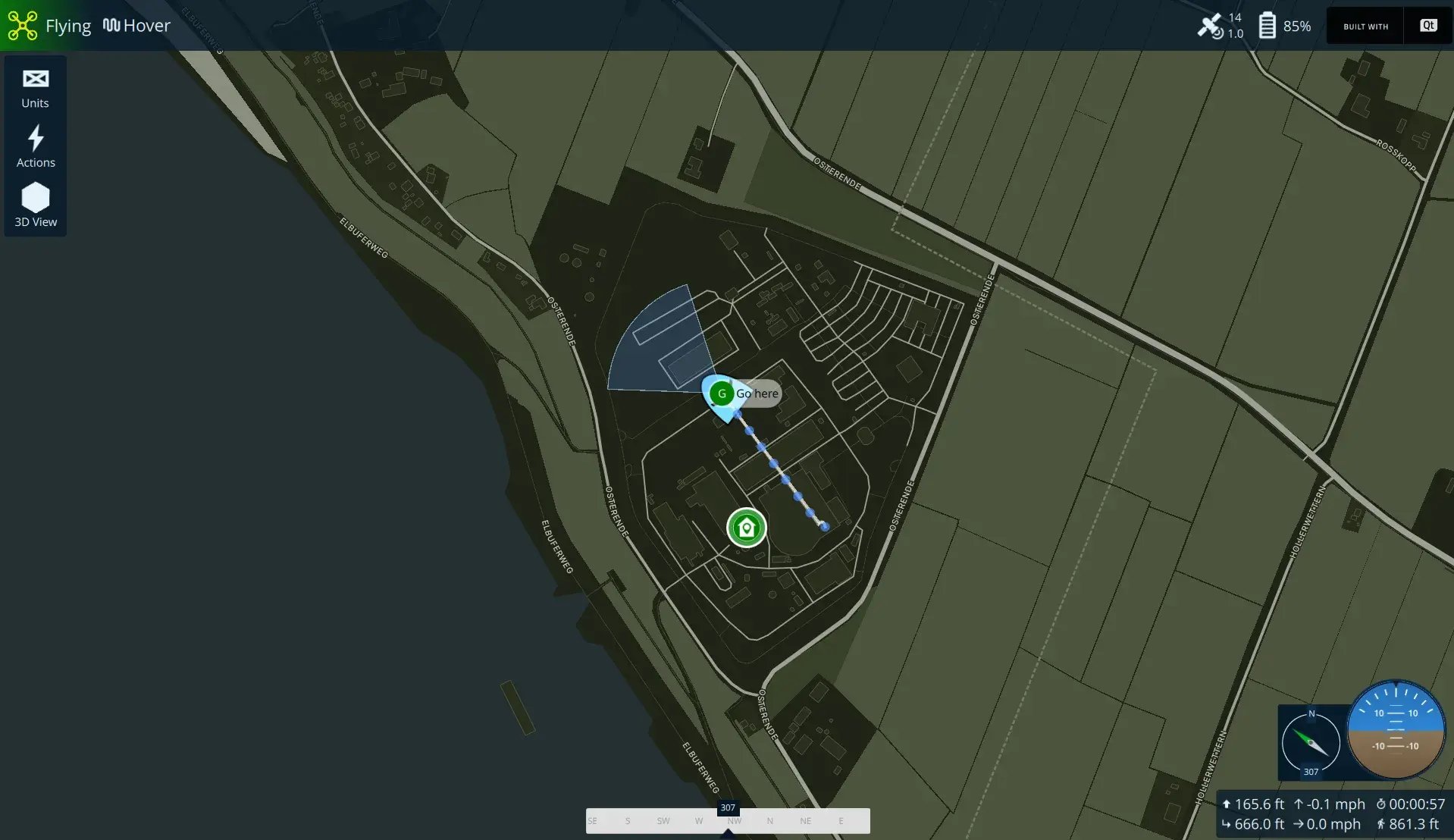
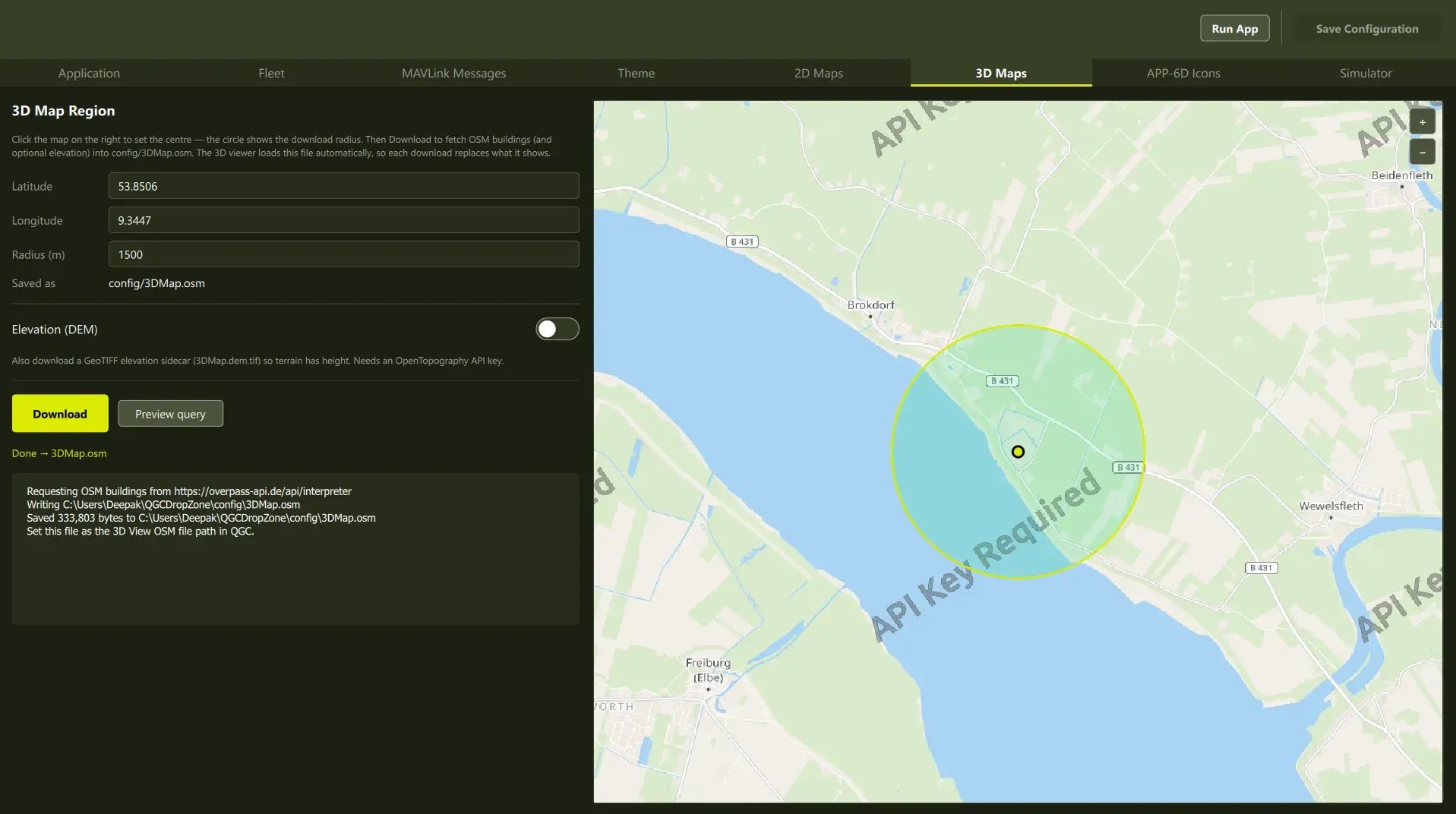
Restyle the 2D map and relocate the 3D scene to any area of operation—both fully offline, with no map provider required.
Theme, Brand, Icons
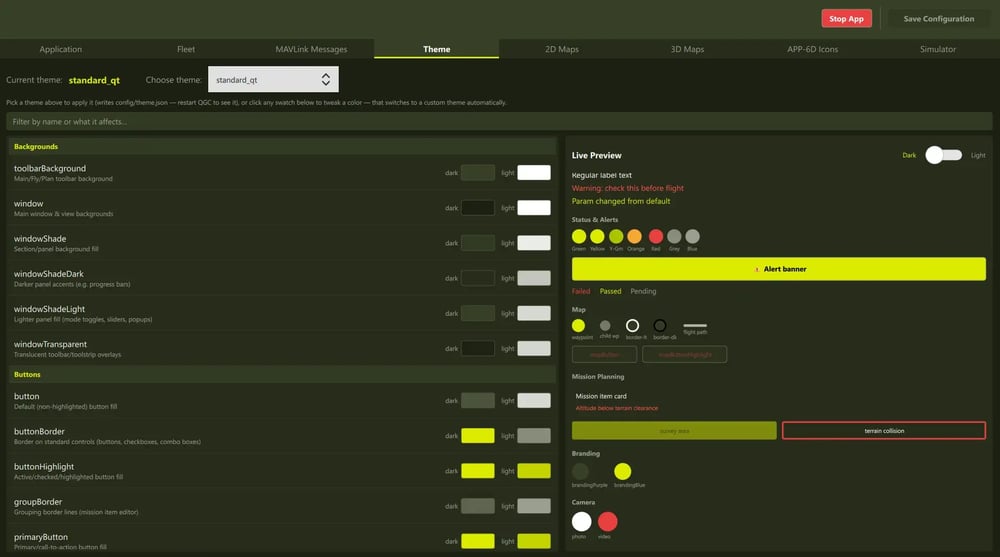
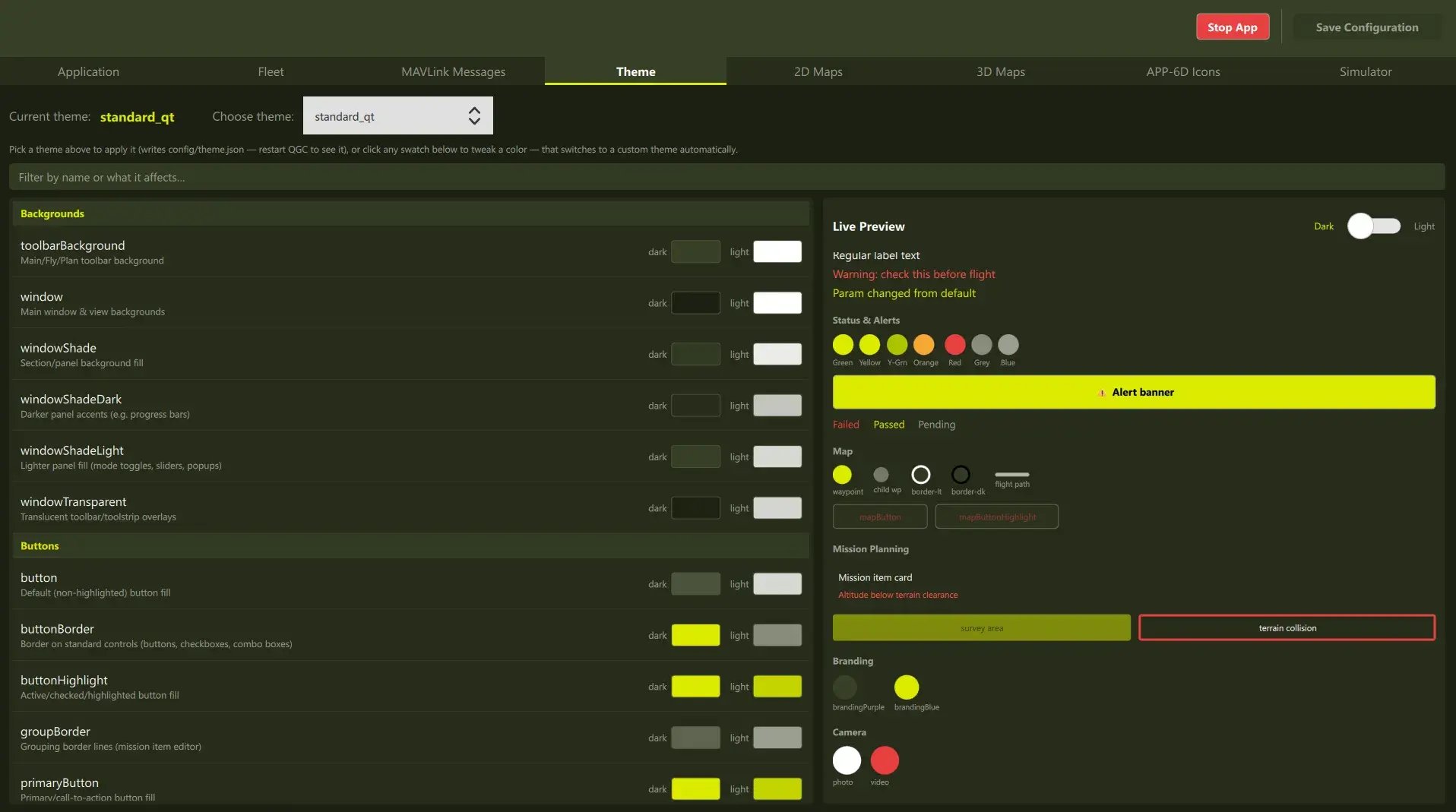
Set the palette, application name, and window icon in files read at startup—one code base for any number of branded products.
Customization Without Drift
Typically, drone manufacturers customize QGroundControl for their specific use cases through its compile-time extension. That mechanism is capable, but it carries a considerable learning curve for developers new to the code base.
Even modest customizations, like a new panel, new MAVLink messages, or extra menu options, require time and effort.
Maintaining the fork against upstream releases is then an additional cost is proportional to what was changed.
Every subsequent release becomes a merge effort, upgrades are deferred, and security fixes are backported by hand.
A runtime configuration layer removes that requirement for the changes that define a product.
Feature Breakdown
- MAVLink Configuration
- Custom Panels
- 2D and 3D Maps
- Theme, Branding, Icons
MAVLink configuration
MAVLink defines its messages in XML, and conventionally, that file is fed to a code generator and compiled in.
Here it is read at startup, so adding a message—or changing which messages surface in the interface—requires no generator run and no rebuild. Runtime-defined messages pass the same protocol validation as compiled-in ones.
Custom panels, authored in Qt Design Studio
A telemetry panel, message log, or video wall is a QML file placed in the drop folder. Each is instantiated as a floating window positionable on any display, or docked within the main window; removing the file removes the panel, and panels bind to live vehicle data.
Authorship does not require a software developer. Qt Design Studio, used as a standalone design tool, lets a designer lay out a panel against a generated mock of the vehicle data contract and save a file the application loads directly.
2D and 3D maps
Most stations display map images fetched from a provider, so the appearance is fixed and a connection is required.
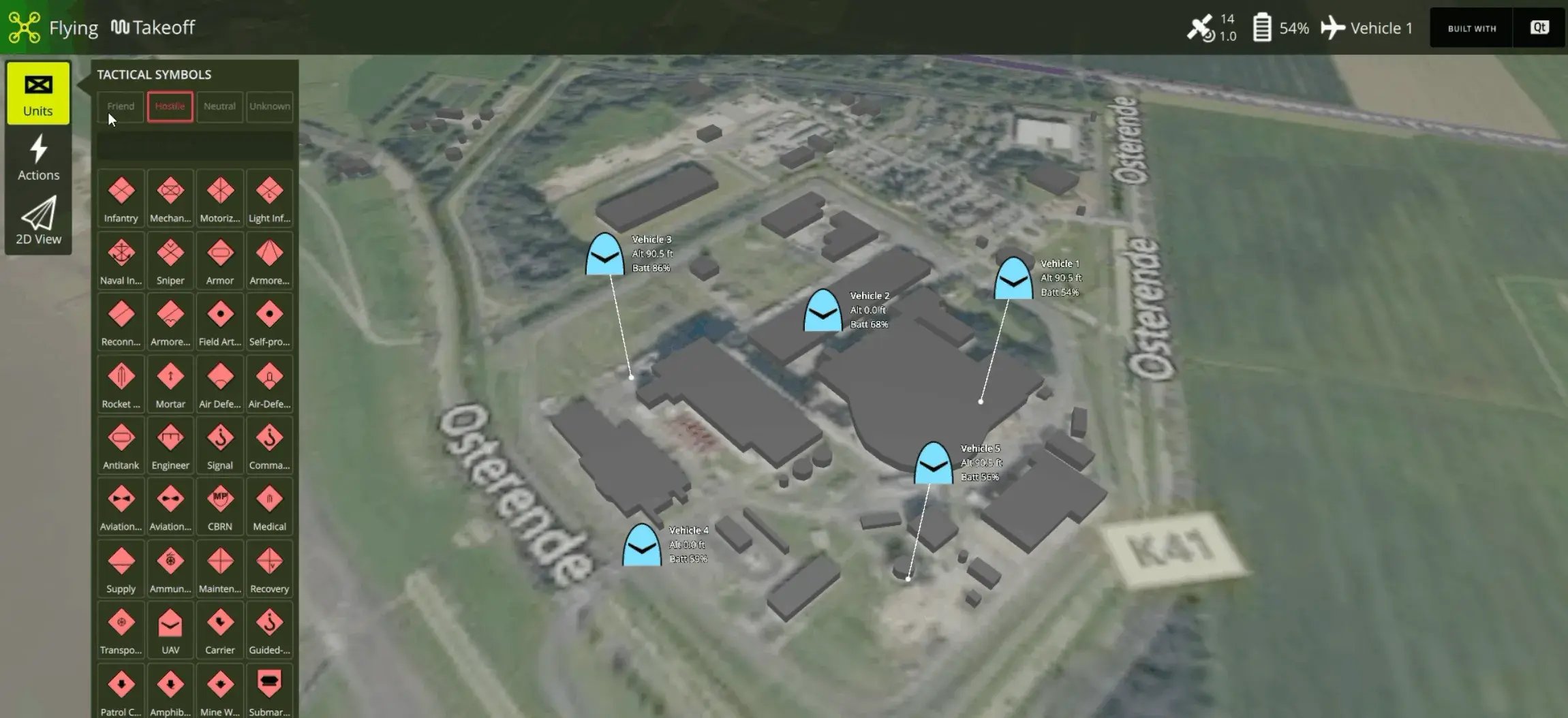
Here, the station renders the map itself: its appearance is a configuration choice, and the 3D world can be set to any area of operation. Both operate without a network.
The same mechanism carries overlays specific to an industry — symbology, coverage layers, airspace awareness, inspection reporting.
Theme, branding, icons
The color palette, the application name, and the window icon are files read at startup. The station launches already branded and themed.
The same build can be presented as several different products by changing a few configuration files rather than maintaining a separate code base per product.
Maintenance and the Mainline Delta
Forking is expected; the QGroundControl developer guide directs teams to fork and copy a custom example. The maintenance cost is proportional to what is edited inside the fork, and the guide is explicit:
"It is best to keep modifications in mainline QGC source to a minimum."
A configuration layer holds that delta near zero. Work can stay within QGroundControl's supported extension architecture—the custom build directory and plugin subclassing—and otherwise rely on mechanisms Qt already provides.
A scheduled rebuild against the current upstream keeps any remaining divergence observable, and where a modification is of general utility, contributing it upstream removes the delta permanently, and QGroundControl's developer guide recommends exactly that.
Licensing and Regulatory Considerations
QGroundControl is dual licensed under Apache 2.0 and GPL v3, and the path selected determines the obligations attaching to the shipped product.
Under GPL v3, modifications must be published. Under Apache 2.0 they may remain proprietary, which in turn requires a commercial Qt license.
Because the choice governs what a company may want to keep proprietary, it costs far less to settle before development starts than after there is code to unpick.
More Resources
Qt in Aerospace and Defense
Accelerate speed of delivery, continuous adaptation, and modular tech upgrades with Qt Group's technologies for A&D.
Ground Control Software for Drones and Uncrewed Vehicles
Advanced HMI capabilities for drone ground control, mission planning, and operator interface.
Using QGroundControl and Qt
QGroundControl (QGC), the leading open source ground control station for uncrewed aerial vehicles, is built on Qt. Learn what modules it leverages, what its licensing requires, and how to build compliant proprietary products on QGC and Qt.
Explore Qt Demos
From immersive 3D experiences to concrete industrial applications, our demos showcase the art of possible with Qt Group's technologies.