Mar 12, 2026
Comments
We are happy to announce the release of Qt Creator 19!
Release 19 for the Qt Creator IDE adds a minimap for text editors, easier configuration of remote devices, a basic MCP server, lightweight support for various project types for various languages, and many more improvements.
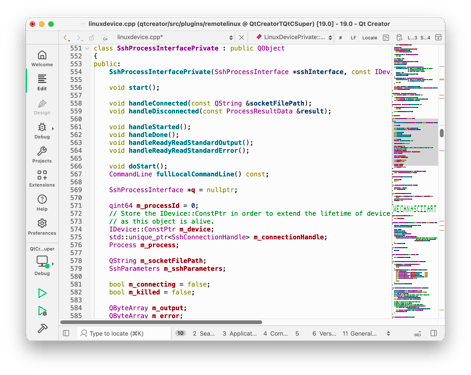
Minimap
The optional minimap shows a simplified overview of the document contents and can be used like the scroll bar to navigate within it. Enable the new minimap for text editors in Qt Creator in Preferences > Text Editor > Display > Enable minimap.
Remote Devices
Qt Creator 19 makes the configuration of remote build devices easy. Register your device and click Run Auto-Detection Now to automatically detect and set up various tools like Qt version, compiler, debugger and CMake for the device. A kit is also automatically created. Optionally you can also run the individual tool detection on the corresponding settings page, which now can be filtered by device.
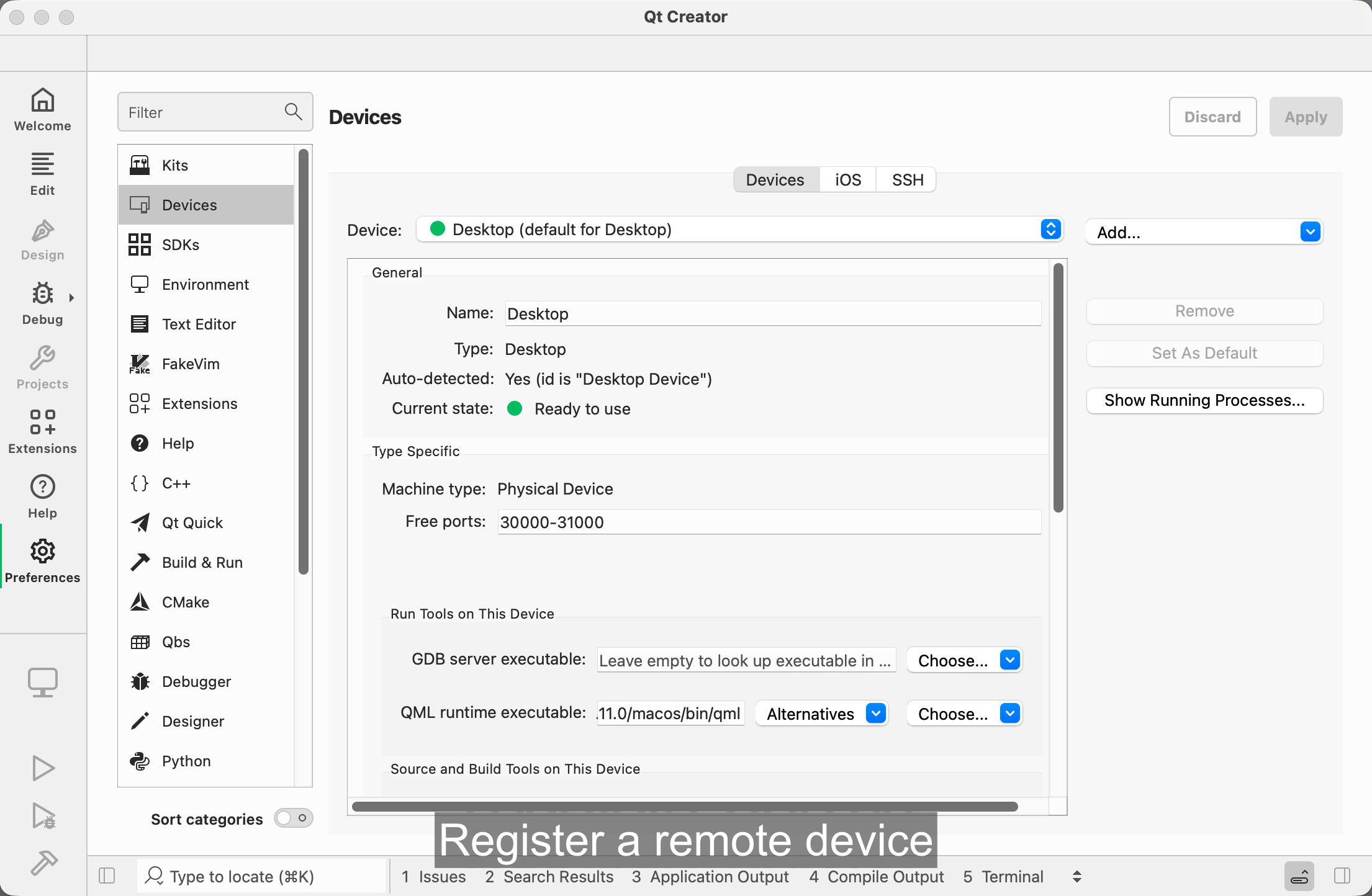
Additionally, we have made the file systems of connected devices directly accessible in the File System view. This now also includes the file systems of Android devices and emulators, which you now can, like other devices, also browse with the Locator and the remote file dialogs like File > Open From Device.
MCP Server
We have added a basic MCP server to Qt Creator that allows opening files and projects, as well as building, running, and debugging, and a few other actions. This supports HTTP clients that can send POST requests and read SSE responses. Please see the documentation for more details on setup and what kind of tools it supports (though your LLM is the final authority on that information). Enable the MCP Server plugin in Extensions mode to try this functionality.
Extended Project Support
Based on the Open Workspace functionality that we have since Qt Creator 14 and that allows you to open a directory as a lightweight project in Qt Creator, we added support for Ant, Cargo, Dotnet, Gradle, and Swift projects that allows opening corresponding project files like "Cargo.toml" as workspace projects more directly. These automatically set up build and run configurations based on the corresponding tool like "cargo build" and "cargo run". For C# and Swift it also detects and offers setting up the corresponding language servers.
Other Improvements
Qt Creator 19 comes with many more improvements and fixes. One of the more prominent ones is that we moved the Preferences from a dialog to a mode, giving them a better screen presence. If you prefer Help as the last mode in the mode bar, you can change their order with drag & drop.
We have also improved performance at several places, for example when scanning for QML files, when auto-connecting devices at startup, when loading CMake projects, and when detecting MSVC and CDB on Windows.
Configuration files for development containers are now shown in the project tree if available. We updated our GLSL parser to version 4.60 and added support for Vulkan. Valgrind protocol versions 5 and 6 are now supported for analyzing projects. If you are a power user of the integrated terminal in Qt Creator, you might be interested in the new injected "qtc" command that opens files or projects in the Qt Creator instance that you are running the terminal in.
Please take a look at our change log for more.
Get Qt Creator 19
The new version is available as an update in the Qt Online Installer (commercial, opensource). You also find commercially licensed offline installers on the Qt Account Portal, and opensource packages on our opensource download page. This is a free upgrade for all users.
Please post issues in our bug tracker. You can also find us on IRC on #qt-creator on irc.libera.chat, and on the Qt Creator mailing list.
You can read the Qt Creator Manual in Qt Creator in the Help mode or access it online in the Qt documentation portal.
Blog Topics
Related Articles

Qt 6.11.3 Released
The last release from Qt 6.11 series, Qt 6.11.3, is now available for..
Read Article
Updated Qt Code Review Skills Reduce Token Costs by Up To 75%
Whether you are reviewing Qt Quick or Qt Widget code with Qt’s agentic..
Read Article
Qt Creator 21 - CMake Changes
Here are the new CMake changes in Qt Creator 21: Editor Qt Creator 21..
Read Article