Aug 31, 2026
Comments
We're excited to announce the release of version 1.16.0 of the Qt Extension for Visual Studio Code! This release brings:
- QML Profiler and Trace Viewer to profile your QML applications directly from VS Code
- A new Welcome page with browsers for Qt examples and Qt Academy courses
- Better PySide support with QML Live Preview and uv virtual environments
QML Profiler and Trace Viewer
You can now profile your QML applications directly from VS Code. The new QML Profiler client collects trace events from your running application. When the recording finishes, the extension opens the results in the QML Trace Viewer, a standalone tool that replaces the old built-in flame graph. The extension downloads and installs it automatically, so there is nothing to set up.
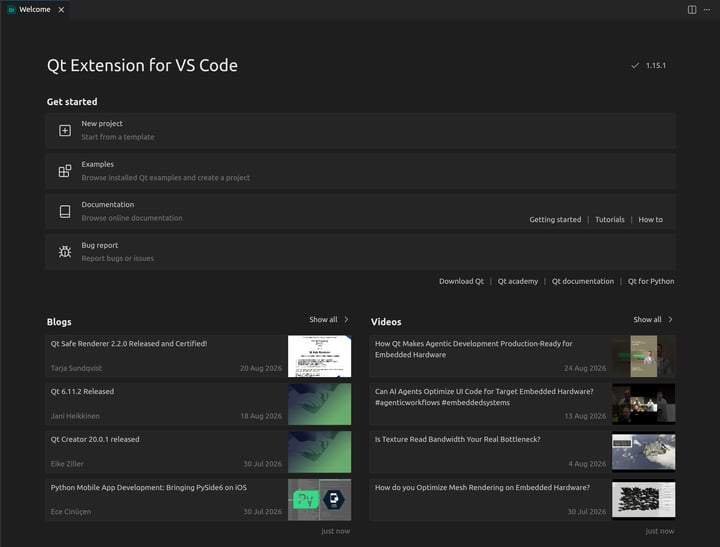
New Welcome Page
The extension now comes with a Welcome page. It gives you a single place to start from: set up Qt, create a project, open an example, or start a course.
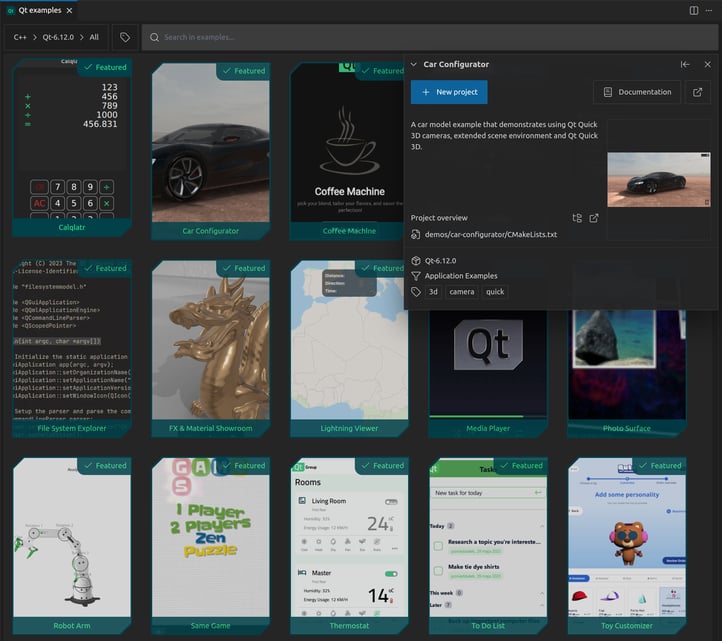
Qt Example Browser
You can now explore Qt examples in a new browser built right into VS Code.
Pick an example and the extension opens it as a ready-to-build project. Each example comes with a generated CMakePresets.json, plus .vscode/settings.json and launch.json, so you can build and debug right away.
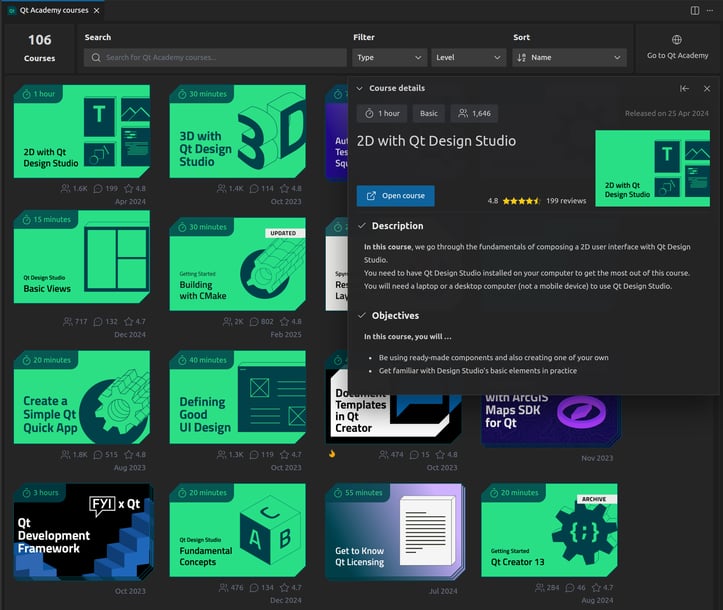
Qt Academy Courses
The new Qt Academy browser lets you explore Qt Academy courses without leaving the editor. It is a simple way to learn Qt while you work.
Better PySide Support
This release brings several improvements for PySide developers:
-
QML Live Preview for PySide projects. The live preview introduced in 1.14.0 now works with PySide projects too. Edit your QML files and see the changes in real time.
-
uv support. You can now create virtual environments with uv.
Looking Ahead
We continue to work on bringing more Qt development features to VS Code. Stay tuned for upcoming releases featuring enhanced workflow improvements.
If you encounter any bugs or have feedback on usability, please report them via our bug tracker. If there's a feature you'd like to see, feel free to submit a suggestion there as well.
Have feedback or questions? Join the discussion on the Qt Forum.
The full changelog details can be found on the marketplace pages:
For more information about using Qt extensions, go to Qt Extension for VS Code documentation.
Blog Topics
Related Articles

Qt Creator 21 RC released
We are happy to announce the release of Qt Creator 21 RC. Please head over..
Read Article
Meet Clate: the First Design Tool for Real-World Experiences
Clate Beta is out today, free for everyone. It's a no-code, AI-native UX..
Read Article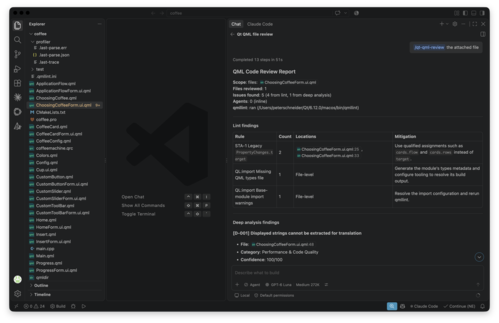
Updated Qt Code Review Skills Reduce Token Costs by Up To 75%
Whether you are reviewing Qt Quick or Qt Widget code with Qt’s agentic..
Read Article