Testing Qt GUIs

Insights: GUI Testing Best Practices for Qt-Built Interfaces 

Teams building applications with Qt often start from a position of strength. Qt provides a mature, flexible framework for creating rich, cross-platform user interfaces using Qt Widgets, QML, and Qt Quick. Development teams move fast, reuse code across platforms, and ship consistent user experiences on desktop, mobile, and embedded systems.

GUI testing, however, frequently follows a different path. This guide looks at why that happens, and how Qt teams can simplify and strengthen GUI testing by using tools designed specifically for Qt.

Start testing Qt GUI with a free trial

About the contributor

For this guide, we interviewed Karim Boussema, Solutions Engineer at Qt Group, drawing on his first-hand experience across dozens of real-world development projects. His perspective reveals common GUI testing patterns, recurring pain points, and the moments when teams realize their current approach no longer scales. The result is a practical reality check for teams developing interfaces built with various technologies and frameworks, and a clearer view of when it’s time to rethink how GUI testing is done.

Untitled design-21-1-1

I have a background in R&D and support development and QA teams in adopting Squish for GUI test automation, Coco for code coverage, and Test Center for QA insights. I work on a wide range of projects across desktop, web, mobile, and embedded platforms. My focus is on helping teams establish practical, maintainable testing workflows for both Qt and non-Qt applications.


The Current Reality for Teams Using Qt

The commercial and open-source Qt framework gives teams freedom: no forced tooling, flexible licensing, and full control over how applications are built and tested. Many organizations take advantage of this by assembling their own testing stacks from open-source or cross-platform automation tools.

Over time, these setups often encounter common limitations:

  • Limited or indirect access to Qt and QML internals

  • Heavy reliance on selectors, screenshots, or coordinate-based interaction

  • Fragile tests that break as UI structure evolves

  • Extra effort required to keep tests consistent across platforms

  • CI/CD integration that works, but feels bolted on rather than native

None of these issues are unusual. They are a natural consequence of using tools that treat Qt applications like generic GUIs rather than Qt-native systems.

As applications mature, teams spend more time maintaining tests than benefiting from them.

When Qt-based GUIs Outgrow Generic Testing Tools

Many Qt teams begin GUI testing with manual checks or by adapting general-purpose automation tools such as Selenium, Appium, or custom-built wrappers. In early stages, these approaches can be effective enough to support development and catch obvious issues.

As the user interface grows and evolves, however, limitations start to surface. Tests increasingly depend on fragile mechanisms such as selectors, screen coordinates, or image matching. Small and often harmless UI changes (layout adjustments, renamed components, or visual refinements) can break large portions of the test suite.

Over time, teams start spending less time validating new functionality and more time fixing broken tests. Once maintenance effort grows, confidence in results drops, and GUI automation turns from a safety net into a bottleneck, this is often the moment teams recognize that generic testing tools are not built to keep pace with the structure and evolution of modern Qt applications.
QtFramework-UI-CrossPlatform


“When the resources spent on maintaining test suites and validating GUI behaviour begin to compete with, or exceed, the resources spent on building the product itself, teams have crossed the line of sustainable development. At that point, the testing approach no longer supports progress and must be re-evaluated.”

Testing frameworks vs. testing tools: a distinction open-source Qt teams often miss

Many teams building GUIs with open-source Qt conflate testing frameworks, testing tools, and CI/CD systems, which leads to misplaced expectations about what each can realistically deliver.

In Qt-based projects, this confusion often results in teams over-engineering custom test frameworks or wrapper layers around generic tools. While these setups may work initially, they quietly consume increasing amounts of development capacity as the UI evolves, shifting effort away from product development toward maintaining test infrastructure.

A testing framework provides building blocks rather than a complete solution.
Examples include unit test frameworks or low-level automation libraries. They offer flexibility, but expect teams to design and maintain synchronization, object identification, retries, diagnostics, and reporting themselves. Ownership cost is high and grows with system complexity.

A CI/CD system may execute tests, but it is not a testing solution. Tools like Jenkins, GitHub Actions, or GitLab CI orchestrate execution and reporting, but do not understand application state, object relationships, or behaviour. They depend entirely on the robustness of the tests they run.

Open-source automation tools often treat applications as generic GUIs. Tools such as Selenium, Appium, or image-based open-source solutions can automate interactions, but typically rely on selectors, coordinates, accessibility layers, or screenshots. As interfaces grow more complex, tests become fragile and require frequent and more robust maintenance.

Custom-built wrappers attempt to close gaps in existing tooling. Teams often build wrapper layers to standardize object access, synchronization, and error handling. While useful initially, these wrappers become proprietary testing tools that must evolve alongside the system, increasing maintenance effort and long-term ownership cost.

From Understanding the Problem to Applying the Right Solution

Recognizing the difference between testing frameworks, automation tools, CI/CD systems, and custom wrapper layers is only the first step. The bigger challenge for Qt teams is selecting a testing approach that aligns with the framework they are already building on, rather than compensating for its gaps.

In the Qt ecosystem, this distinction matters. Generic automation tools operate outside the framework and treat Qt applications as generic GUIs, which is why teams often end up building and maintaining extensive wrapper layers. A Qt-native GUI testing approach addresses these issues by understanding Qt’s architecture, widgets, and event model directly.

From Manual Testing to Automation with Qt-Native GUI Testing

As a Solution Engineer, I work with teams running all kinds of test setups: different frameworks, stacks, and levels of automation maturity. But when I meet customers who are deeply rooted in the Qt ecosystem, one principle consistently guides my advice: use tools that are native to Qt. Tools built for the ecosystem understand its architecture, its widgets, and its real-world constraints far better than generic alternatives.

One customer in particular stood out. Their team was fully invested in Qt for embedded devices, yet still relied heavily on manual GUI testing. What happened next became a clear example of why Qt-native GUI testing tools can be a turning point.

One engineering team had been relying heavily on manual testing for their embedded devices built with Qt. The process was slow, repetitive, and error-prone, but they were skeptical about whether an automated tool could really help.

Then they tried Squish GUI Tester on one of their most painful scenarios. To their surprise, they didn’t need to write a single line of code. They simply recorded the test, played it back, and watched it succeed. That single moment transformed their outlook: what began as doubt turned into clear recognition of the value of test automation, and it marked their tipping point from manual effort to confident adoption of a commercial tool like Squish.

recalls Karim Boussema, Solutions Engineer at Qt Group

karim


Squish: GUI Test Automation Built for Qt

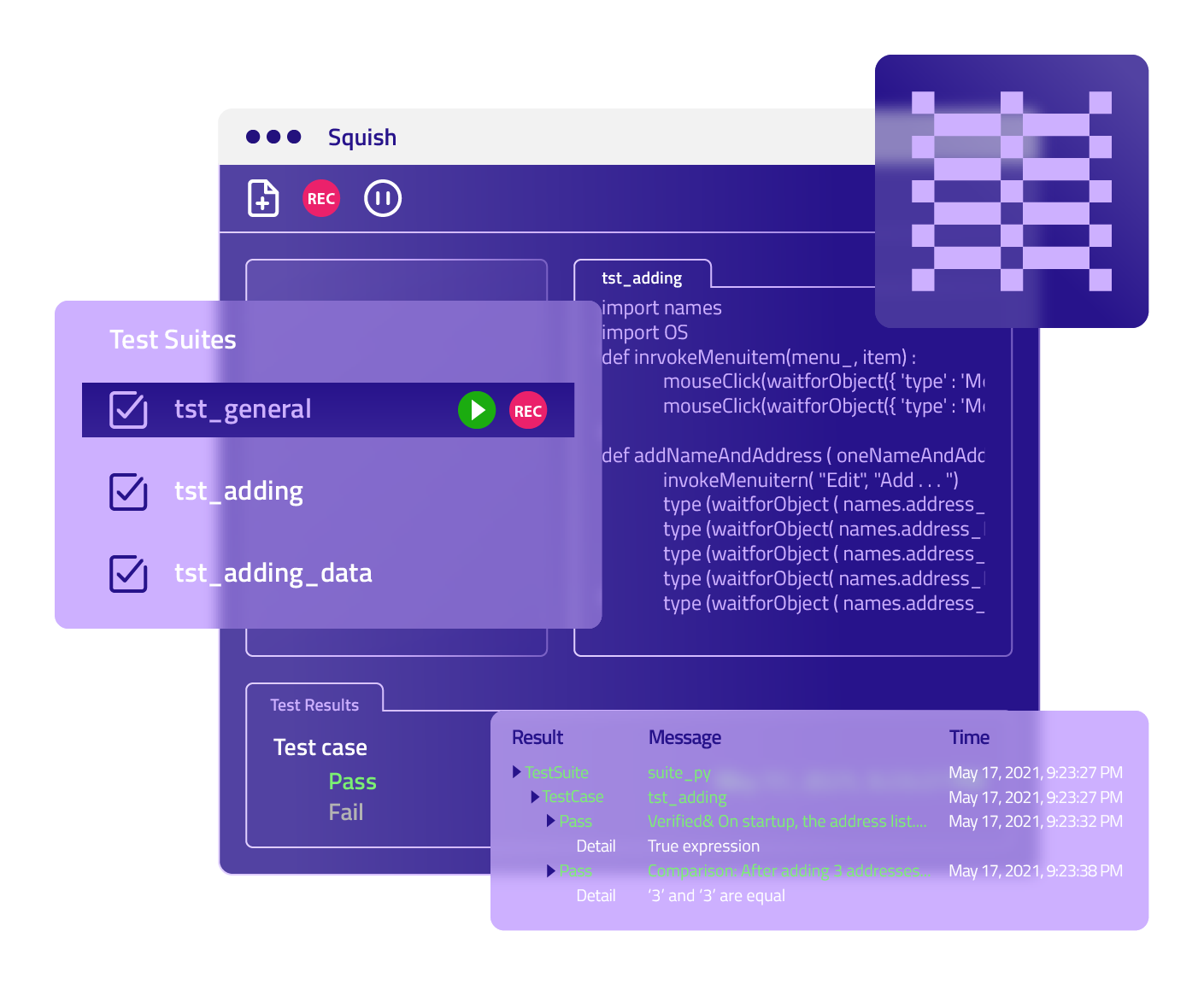
Squish is a GUI testing solution built natively for Qt and maintained by Qt. It does not replace existing testing frameworks or CI/CD systems, but integrates into them while providing built-in object recognition, synchronization, diagnostics, and reporting at the framework level. By handling these concerns natively, Squish removes the need for extensive custom wrapper layers and significantly reduces long-term test maintenance effort. Unlike generic automation tools, Squish interacts with Qt and QML applications natively, using true object-level introspection.

Instead of working around the UI, Squish works with it.

The tool understands Qt Widgets, QML, and Qt Quick controls directly. Tests reference real objects, properties, signals, and models, not screen coordinates or brittle selectors. As a result, tests are more resilient, easier to maintain, and evolve naturally alongside the application.

Squish supports GUI test automation for:

  • Qt Widgets, QML, and Qt Quick

  • Custom Qt controls

  • Embedded web content via Qt WebKit and Qt WebEngine

  • Hybrid applications combining Qt and native Windows controls

Tests can be written in familiar scripting languages and recorded interactively, lowering the barrier to adoption for both developers and QA engineers.


Squish-interface-simplified-01


Designed for Cross-Platform Qt Teams

With Squish for Qt, a single test can be created once and executed across platforms without modification. Windows, Linux, macOS, mobile platforms, and embedded systems such as embedded Linux or QNX are all supported.

Importantly, Squish does not require:

  • Changes to the application under test

  • Access to application source code

Testing runs against the same binaries shipped to end users, making functional regression and system-level testing more realistic.

Squish also exposes the full Qt object model to test scripts, including:

  • Q_PROPERTY values

  • Signals and slots

  • Custom properties and APIs

This allows tests to validate behaviour precisely, without coupling them to implementation details.

How to Get Started

For many Qt teams, the shift to Squish starts with a simple realization: GUI testing becomes dramatically easier when the tool understands the framework.

A practical path forward often looks like this:

  1. Audit your current stack. Identify which tests are most fragile, maintenance-heavy, or inconsistent across platforms.
  2. Run a pilot with Squish. Try it out on a few critical GUI flows that are toughest to automate with your current tools.
  3. Evaluate the results. Compare test stability, first-pass success rates, and triage effort between your existing tools and Squish.
  4. Plan a migration path. Start with high-value or high-risk tests, leveraging Squish’s object maps and scripting for more resilient automation.
  5. Strengthen CI/CD integration. Use Test Center to centralize reporting, track progress, and improve traceability.

Supporting Materials to Assist You

The How to Get Started with Automated Testing Handbook

Planning to evaluate test automation tools or already running a PoC? The How to Get Started with Automated Testing handbook guides you through proven best practices to avoid common pitfalls, make confident tool decisions, and set your trial or proof of concept up for success.

How to Get Started with Automated Testing

The Automation & Testing Strategy Canvas

Jump-start meaningful conversations with your team using The Automation & Testing Strategy Canvas. This practical framework helps you clarify your automation goals, prioritize high-value tests, and identify scenarios that will become costly to maintain before they slow you down.

Squish Understands Qt the Way Qt Developers Do

For teams already committed to Qt, Squish is a natural extension of the Qt ecosystem.

As one user summarized the experience:

“Squish is the best GUI testing tool I’ve worked with. Its runtime performance is great and it has a low barrier to get up and running. It feels much more lightweight and flexible than any other tool I’ve used.”
Joshua Niehus, SQA Engineer for UI Automation, Bio-Rad Laboratories

In practice, Squish helps Qt teams move from reactive GUI testing to a scalable, maintainable approach, one that keeps pace as applications grow in complexity and reach.

60%

Faster GUI Testing


Faster Test Execution

Get a free copy of the guidebook!

In this book you are not going to read about futuristic robots. Instead, you will see real-time examples of how AI is transforming procurement today and tomorrow.