.png?width=500&height=92&name=embedded-world-n-Logo-white-RGB-300dpi%203%20(1).png)
Experience Software Excellence First-Hand
Join us at embedded world 2026 / Booth 4-258
March 10-12,
Nürnberg, GERMANY

Bringing Native Maps and Navigation to Resource-Constrained MCUs
When: March 11th, 3:00pm - 3:30pm CET
Architecture-Aware C/C++ to Rust Migrations
When: March 10th, 2:45pm - 3:15pm CET
Featured Demos at Qt Booth:
Use cases from all industries:
-
Medical Devices
-
Automotive
-
Industrial automation
-
Aerospace & Defense
-
Consumer Electronics
-
Micro-Mobility
Digital Twin Tech: Robot Arm
- A seamless interface for total command of the physical arm.
- Instant 1:1 robot tracking via high-fidelity Qt Quick 3D visualization.
- Integrated Qt Quick 3D physics engine for automated safety and collision management.
- Modern API-based connectivity for fast, flexible industrial communication.
Key Qt Functionalities used:
- Qt Bridge for Figma, Qt Network, Qt Quick 3D, Qt Quick 3D Physics
Demo running on:
- Robotic arm by Fairino-FR5 , Intel NUC
FactoryPulse
High-Performance Digital Factory Solution with Edge AI
Experience the demo showcasing an integrated industrial monitoring system powered by the Qualcomm Dragonwing™ IQ9, which delivers industrial-grade AI performance at the edge and Qt’s cross-platform GUI framework and multiple, integrated AI pipelines operating concurrently. Together, this solution enables a range of high-impact use cases - all with ultra-low latency!
The Qualcomm Dragonwing™ IQ6 showcases new HMI use cases on an affordable Edge AI platform:
-
Face detection/facial recognition with local AI for access control
-
AI tethering, offloading deeper LLM interaction to the more powerful IQ9
At Embedded World, the Qt Group, Qualcomm Technologies, and Edge Impulse booths are fully connected, sharing live manufacturing data and camera feeds for remote real-time AI processing. Explore each booth to see every part of the workflow!
Key Qt Functionalities used:
- Qt Edge AI API, Figma to Qt, Qt Quick, Qt Quick 3D, Qt MQTT
Demo running on:
- Dragonwing™ IQ-9075K / IQ9 with Qualcomm® Linux
- Dragonwing™ IQ-615 / IQ6 with Qualcomm® Linux
Qualcomm branded products are products of Qualcomm Technologies, Inc. and/or its subsidiaries.
Visual QA Assistant
- Scans real physical parts using a camera
- Detects defects using Qt AI Inference API
- Provides natural language explanation of what’s wrong and why
- Displays result visually (overlay, image mark-up)
Key Qt functionalities used: - Qt AI Inference API, Qt Quick
The demo is running on:
- Renesas V2H (Computer vision model), Asus Mini-PC NUC (to host Qt and LLM model)
Built and Powered by:


Search and Rescue
Rescue Co-ordination center
The SAR demo is a Rescue Coordination Center (RCC) designed to supervise Search and Recue (SAR) operations using shared data from the field.
It enables multiple operators to visualize and monitor personnel, assets, environmental conditions, and victims throughout both live and replayed missions.
Key Qt functionalities used:
- Qt Bridge for Figma, Qt Quick 3D, Qt MQTT, Qt Remote Objects, Qt Location, Qt Positioning, Qt Network, Qt ShaderTools, Qt WebSockets, Qt Concurrent, Qt SQL
The demo is running on:
- PC, Android tablet
SimTac: North Sea Mission Simulation
Extension to the Search and Rescue demo: Dive into a gripping rescue operation that showcases the full power of Qt for mission-critical application development for operational analysis.
- Real-Time Configuration & Control using NATO accepted symbols
- Adjust mission parameters on the fly
- Full replay capabilities
- Adjust playback speed
- Multi-Dimensional Visualization
- 3D Map Views: Navigate immersive 3D terrain and ocean environments
- Satellite Perspectives: Switch to overhead satellite views
- Qt Location Integration: Precise geospatial tracking
- Qt Graphs: Data visualization of mission metrics
- Qt Bridge for Figma, Qt Quick 3D, Qt Remote Objects, Qt Location, Qt Positioning, Qt Network, Qt ShaderTools, Qt Charts
- Qualcomm® Dragonwing™ RB3 Gen 2 / PC
Radar Demo
Airborne weather radar simulation
The Qt Weather Radar Demo showcases how Qt enables high-performance, safety-critical-ready visualization for aerospace and maritime systems by combining:
- A responsive QML desktop UI
- Headless data‑ingestion pipeline
- Real‑time shader‑driven rendering to display simulated radar scans with color‑coded return magnitudes
Key Qt Functionalities used:
- Qt Bridge for Figma, Qt Quick, Qt ShaderTools
Demo is running on:
- PC
OxyScan
Clinical lab & diagnostic device demo
Experience the future of clinical diagnostics with OxyScan! Follow the complete workflow from blood sample collection to results in a sleek, responsive interface built on embedded hardware. This showcase demonstrates Qt's expertise in medical workflows with modern HMI design, day/night modes, and seamless user interactions including quick data processing from QR/barcode scanning. See firsthand how Qt powers credible, connected smart hospital systems for the industrial automation and medical device industries.
Key Qt functionalities used:
- Qt Bridge for Figma, Qt Quick / QML, Qt Multimedia, Qt Linguist
Demo running on:

EchoPulse AI
Medical device demo with real-time heart rate and AI classification
-
Stylized 1920 x 1080 medical UI, showcasing an animated beating-heart which can be manipulated/visualized with various controls.
-
Live heart rate integrated via Bluetooth and gRPC
-
Local AI categorization of heart rate data
Key Qt functionalities used:
-
Qt Bridge for Figma, Qt Quick 3D, QML Skin Type, Qt Bluetooth, Qt gRPC
The demo is running on:
-
NVIDIA Jetson AGX Orin
-
Riverdi 15.6 inch HDMI display
-
Polar H10 HR sensor


Infusion Pump
Qt HMI on an Affordable Community Board
Demo Description:
-
Simulation of an FDA Class II Large Infusion Pump
-
1920x1080 medical UI with a neon glow inspired theme
-
Figma to Qt Design Studio workflow
Key Qt functionalities used:
-
Qt Quick 2D, Boot to Qt (Yocto) with software rendering
The demo is running on:
-
NXP i.MX93 FRDM
-
Riverdi 15.6 inch HDMI display

LifeTrack Patient Monitor
Developed in collaboration with Infineon and Spyrosoft, this Patient Monitoring system runs on Qt for MCUs using
TRAVEO T2G hardware. Experience high-resolution graphics, secure smartphone connectivity, and functional safety—all on a microcontroller.
Life-Track Mini showcases the same UI scaled for health wearables and handhelds, prioritizing ultra-low power consumption.
Key Features:
-
Fast-boot for instant access to critical data
-
Smooth, high-resolution graphics on MCU hardware
-
Certifiable safety with Qt Safe Renderer
-
Reusable UI across devices—from wearables to full apps
Key Qt functionalities used:
-
Qt for MCUs, Qt Bridge for Figma. Qt Safe Renderer
The demo is running on:
-
Infineon TRAVEO T2G 4M at 800x480 resolution
-
Infineon PSOC Edge E84 HMI kit at 480x480 resolution


MobilityLITE
Immersive mobility experience
Targeting a variety of industries—including automotive, aviation, maritime, and agriculture—this immersive mobility experience showcases, among other things, Qt Framework's advanced graphics capabilities, extensive customization options, and real-time interactivity for state-of-the-art simulation experiences.
Key Qt functionalities used:
-
Qt Framework 3D engine, Qt Design Studio, Qt Bridge for Figma
The demo is running on:
-
PC
Fusion Drive
Automotive Grade 3D HMI with ADAS and Navigation Mapping
-
Experience an interactive 3D automotive HMI featuring Real-time ADAS/Navigation mapping that incorporates the latest 3D HMI trends without compromising on performance across multiple screens. The immersive Car Configurator view lets users customize the vehicle aesthetics and interact with HVAC controls in high fidelity.
-
This demo also showcases our streamlined End-to-End Workflow for faster iterations and accelerated time to market.
Key Qt functionalities used:
-
UX/UI Design : Qt Bridge for Figma
-
3D View : Qt Quick 3D incorporating LOD, Instanced Rendering, PBR
-
Multi-Screen Support : Qt Rendering as a Service
The demo is running on:
-
Samsung Exynos Auto V9
Navia
Native maps and navigation on Low End Microcontroller based devices.
This demo show cases Qt for MCUs driving a native Maps and Navigation application on a Microcontroller. Showcasing a unique use case of offline Navigation for 2-wheeler use case which reduces the dependency on phone and keeps the focus on the cluster.
It also showcases a reference phone application which communicates-fetches and provide Map update functionality to the 2-wheeler cluster. Showcasing the connectivity and integration with the Qt for MCUs framework.
Key Qt functionalities used:
-
Qt Location for MCUs
-
Qt Navigation APIs for MCUs
The demo is running on:
-
Infineon TRAVEO T2G CYT4DN Microcontroller running Baremetal
-
Resolution : 800x480
Juice Dispenser 2D
UI so smooth and juicy you'll wish all your devices felt (or tasted) this good!
Juice Dispenser Demo showcases a user-friendly UI for commercial beverage equipment, combining fluid QML interaction design with GPU‑accelerated shader effects to deliver lifelike liquid simulations, organic animated fruit selectors, and a safe, intuitive dispensing workflow. Built with Qt Design Studio and fully optimized for MCU with Qt for MCUs, the demo highlights how Qt enables appliance manufacturers to create polished and high‑performance UIs that scale reliably from prototype to deployment and further to cross-platform use.
Key Qt functionalities used:
-
Qt Design Studio, Qt for MCU
The demo is running on:
- STM32U5G9
In collaboration with:

Kiosk
The Kiosk UI demo is designed to highlight the versatility and capabilities of Qt Group's tools for interactive ordering experiences. The demo integrates 2D UI components, animations, and visual effects, along with 3D capabilities, to create a fun and engaging process for ordering and customizing products with highly optimized performance!
Key Qt functionalities used:
-
Qt Bridge for Figma, Qt Quick 3D, Qt Quick
The demo is running on:
-
Mediatek Genio 700 - EVK

Carousel & A Day in Life - MCU
State of the art HMI experience for consumer devices
Demo Description:
Qt Group demonstrates its rich and fluid HMI capability for PSOC Edge E84 devices through a collage of HMI use cases that affects everyday life. Be that a power efficient smart watch or an AI powered EV Wall Box. Qt for MCUs versatility in adopting to modern UI/UX designs for various industry use cases is showcased here.
In the Carousel demo it showcases AI integration of smartphone like rich graphics with DeepCraft AI model.
Key Qt functionalities used:
-
Qt Bridge for Figma
-
Qt Quick Ultralite
-
Qt Design Studio
-
Integration with ModusToolBox
The demo is running on:
-
Infineon PSOC Edge E84 Evaluation Kit running FreeRTOS

Design - Develop - Test
Demo Description:
Using the Mining Machines demo application as a reference, this demo shows how designers, developers, and testers can work together on the same project with a unified toolchain, improving productivity and quality.- Design creation in Figma
- Export via Figma2Qt
- Programming and debugging in Qt Creator
- Boosted productivity with Qt AI Assistant
Key Qt Functionalities Used:
-
Figma2Qt, Boot to Qt, Qt Creator, Qt AI Assistant
Demo running on:
- Windows Laptop
- Embedded Device
Squish + Android Automotive
Demo Description:
-
GUI testing of native Android Automotive (AAOS)
-
Provides full capability to test not only one AAOS application but also the whole system itself.
Key Qt functionalities used:
-
Squish for Android Automotive
The demo is running on:
-
Android emulator provided by official Google sources
Automated GUI Testing
Demo Description:
-
Squish automated testing on embedded Qt applications
-
Shows the capabilities of Squish interacting and testing applications on embedded devices
Key Qt functionalities used:
-
Qt Widgets, Squish
The demo is running on:
-
Windows Tablet
-
iPad
-
Mac
Squish for MCUs
Demo Description:
This demo shows how Squish can easily record and replay test cases for Qt for MCUs applications
A simple thermostat app is used as an example. The app has different screens and menus where the user can set the room temperature. All interactions with the app are automated using Squish.
Key Qt functionalities used:
-
Qt for MCUs, Squish
The demo is running on:
-
STM32F769I-DISCO board
Squish + CAN bus + MCU
Demo Description:
This demo shows how Squish can easily send and receive CAN messages directly from a test case to trigger or simulate events.
A simple application runs on an Infineon board and sends a CAN message as a heartbeat. It also displays the most recent message received from Squish.
Key Qt functionalities used:
-
Qt for MCUs, Squish
The demo is running on:
-
Infineon TRAVEO™ T2G Cluster 4M Lite Kit

Coco
End-to-end code coverage for embedded solutions.
Cross-platform and cross-compiler code coverage analysis for C, C++, SystemC,C#, Tcl and QML code.
Axivion
Static Code Analysis & Architecture Verification
Industry-leading tools for static code analysis and software architecture verification. Combining Axivion Static Code Analysis
and Axivion Architecture Verification will give you a holistic, in-depth analysis of your code.
Read more about Axivion for CUDA
MCU Smartwatch with App Store
Demo Description:
-
Dynamic application installation and OTA updates on low-power MCU devices (FreeRTOS, bare metal)
-
Bluetooth-based app delivery via a companion mobile app
-
Extensible platform for third-party application ecosystems
-
Cross-platform development spanning embedded and mobile devices
Key Qt functionalities used:
-
Qt for MCUs, Qt Quick, Qt Bluetooth
The demo is running on:
-
Espressif ESP32-P4-WIFI6-Touch-LCD-4C
-
Android Tablet
-
Laptop with web browser
Forklift - MCU
This demo showcases a typical Vehicle control HMI use case of a Forklift Industrial vehicle with Multi display configuration. Primary display shows the critical vehicle operation and and forklift status. Secondary display switches between a camera input and vehicle diagnostic screen. This showcases a comprehensive HMI solution for specific Industry needs.
Key Qt functionalities used:
-
Qt for MCUs , Qt Quick Controls, Figma 2 Qt
The demo is running on:
-
Infineon Traveo T2G CYT4DN EVK on baremetal
Zephyr - Qt for MCUs
Showcasing Qt for MCUs support for Zephyr OS on various IoT relevant platforms. This showcases the capability of bringing high end user experience to very low end IoT devices.
Key Qt functionalities used:
-
Qt Quick Ultralite, Qt for MCUs on Zephyr
The demo is running on:
-
NXP RW612 EVK running Zephyr 4.1

Customer Stories Written with Qt
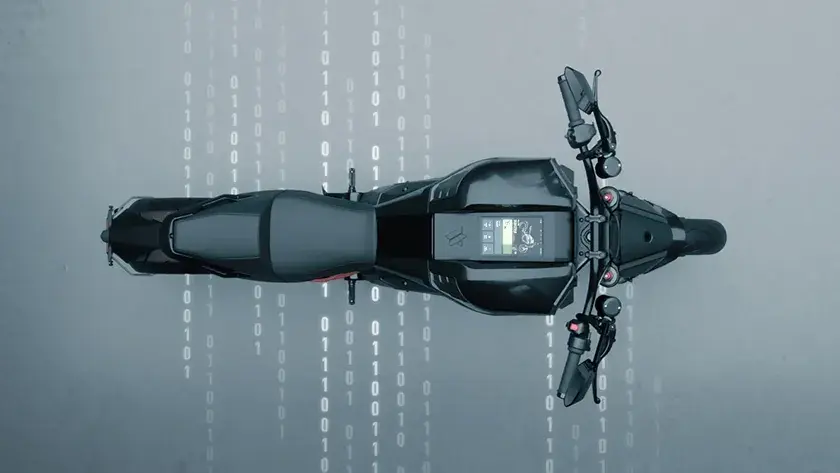
Verge has built a superior riding experience on their electric motorcycles, reducing the memory footprint by 85%.

ABB uses Squish GUI Tester to automate testing for their Qt-based software, ensuring reliable and efficient development across platforms.
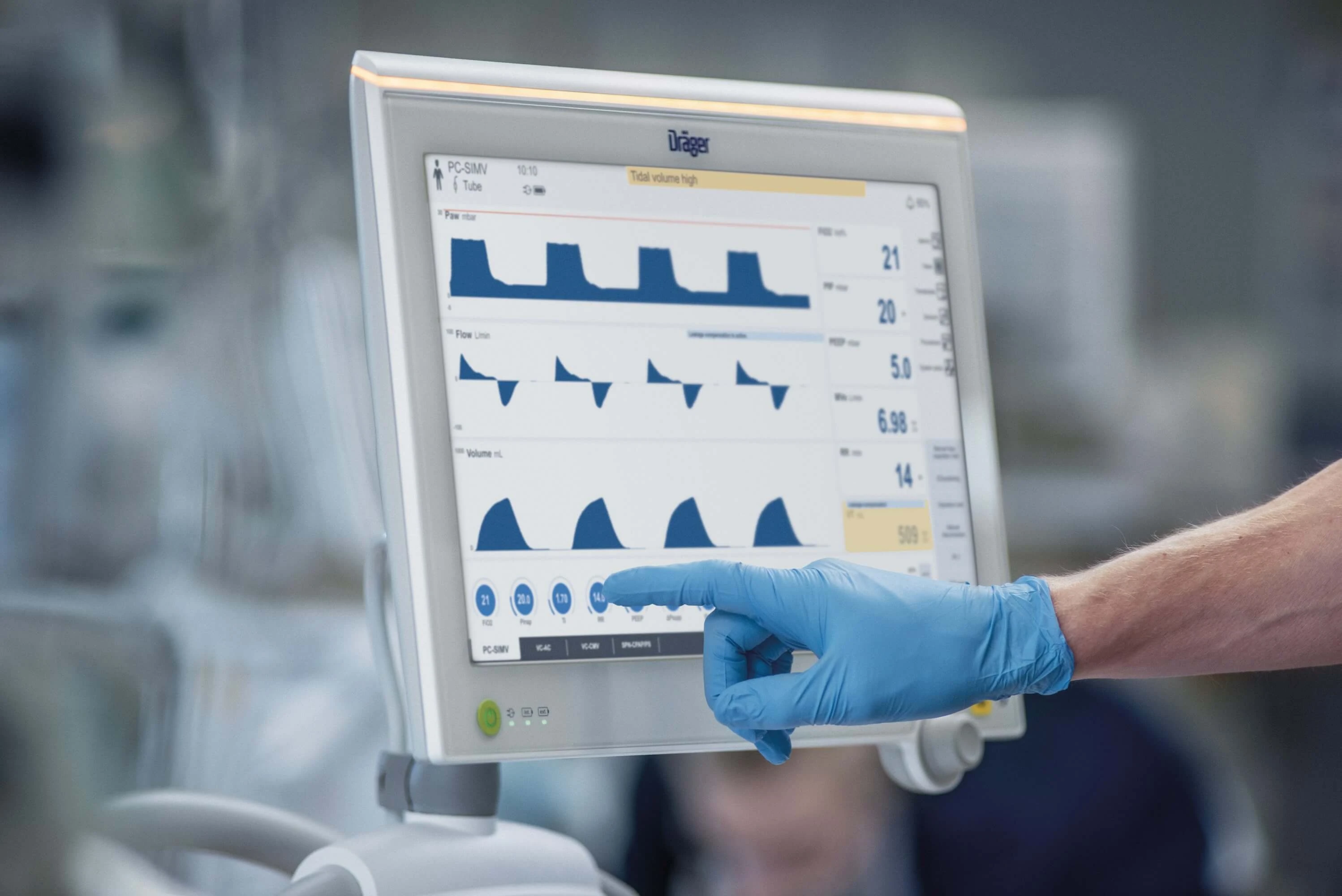
With Qt, Dräger were able to deploy their state-of-the-art UIs on resource-constrained hardware without compromising the performance.
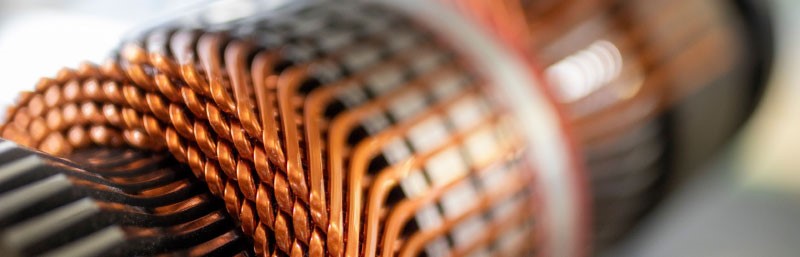
"With the ISO 26262 certified Axivion Suite, Shaeffler Automotive Buehl maintains the high quality of its mixed ASIL systems".
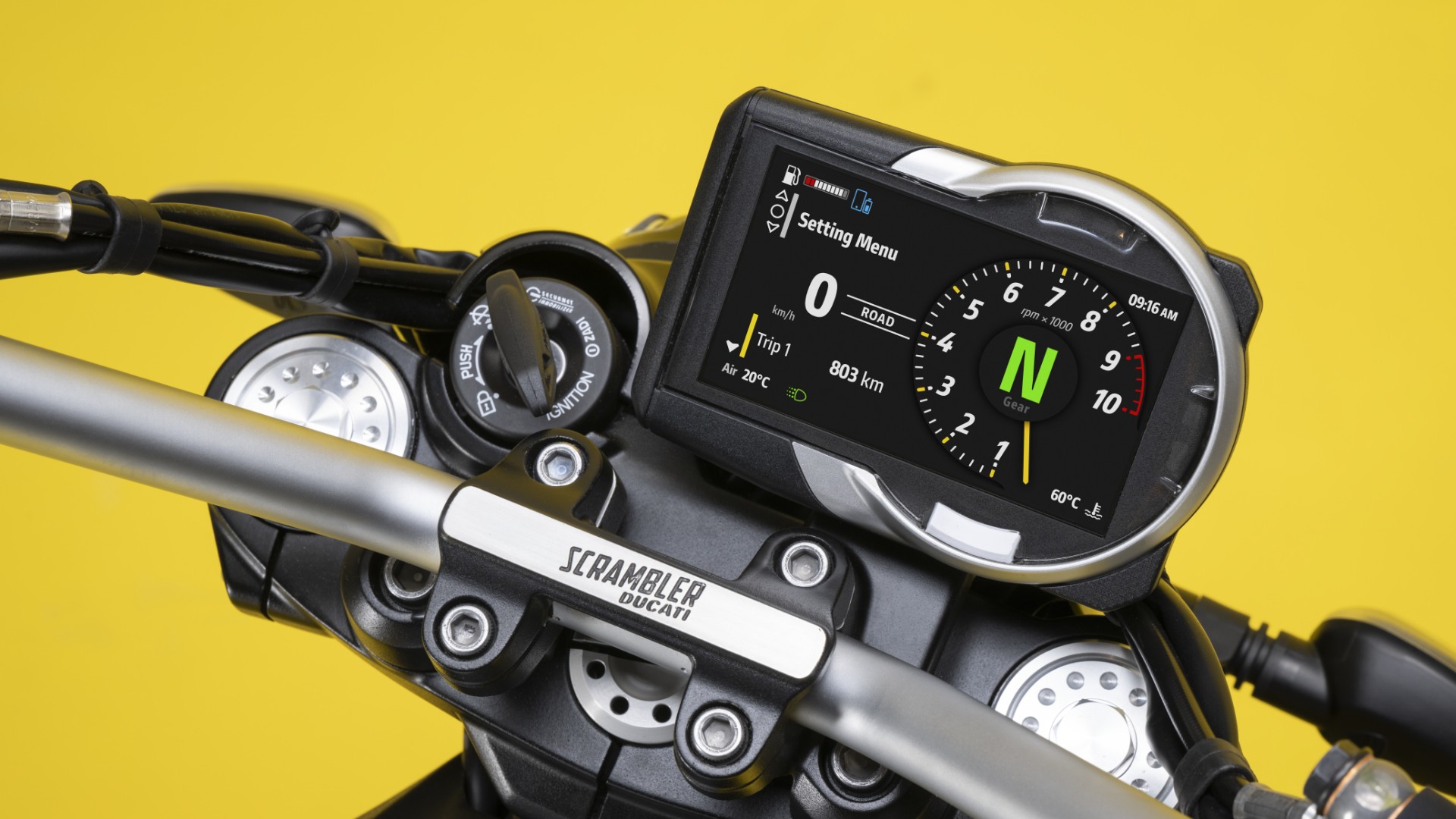
Qt for MCUs powers Ducati Scrambler's digital displays.
Resources before embedded world 2026
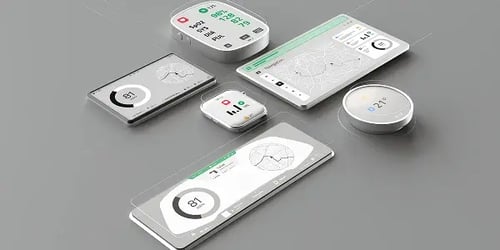
GUI for Embedded Applications: Expert Design Insights & Trends
Expert insight blog all about the trends and challenges of design for embedded applications.
.webp?width=500&name=CRA_webinar2%20(1).webp)
Vision Paper: The EU Cyber Resilience Act - Are You Prepared?
Understand more about CRA and how to prepare to navigate it with confidence.
Whitepaper: The State of Software Quality in Safety-Critical Industries
Why software teams in safety-critical industries struggle to prevent technical debt