

Qt Smart Hospital – Technical overview

Inside The Qt Smart Hospital Solution Demo

See how three medical applications are built, connected, tested, and maintained with Qt technology.

One Technology Stack Across Three Medical Applications

Qt Smart Hospital brings bedside monitoring, central monitoring, and medical imaging into one connected demonstration.

The applications serve different clinical purposes, but use the same core Qt technology, shared interface components, and a common MQTT data layer. Teams can reuse more of the software around each application while keeping its clinical workflow distinct.


Scroll straight to capabilities >

Explore the interactive demo >

Reusable application foundations

Share frameworks, tools, and interface components across applications.

Connected applications

Exchange device state, alarms, and workflow data through a common communication layer.

Integrated software quality

Connect testing, coverage, and code analysis directly to development.

Three Applications Built to Work Together

The demo shows how the same Qt technology can support different medical applications without forcing them into the same product or workflow.

  • Central Monitoring System
  • Bedside Patient Monitor
  • CT Scan Interface
CMS-close-up-1200x700

Available now

See the whole ward from one view

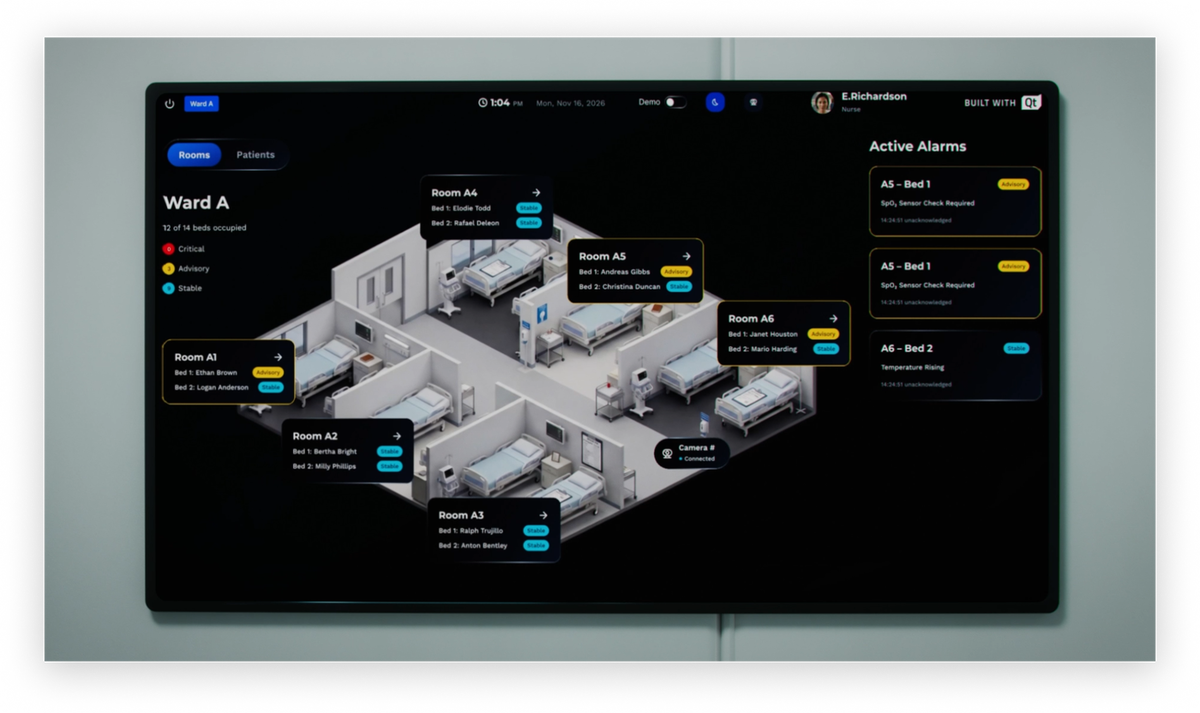
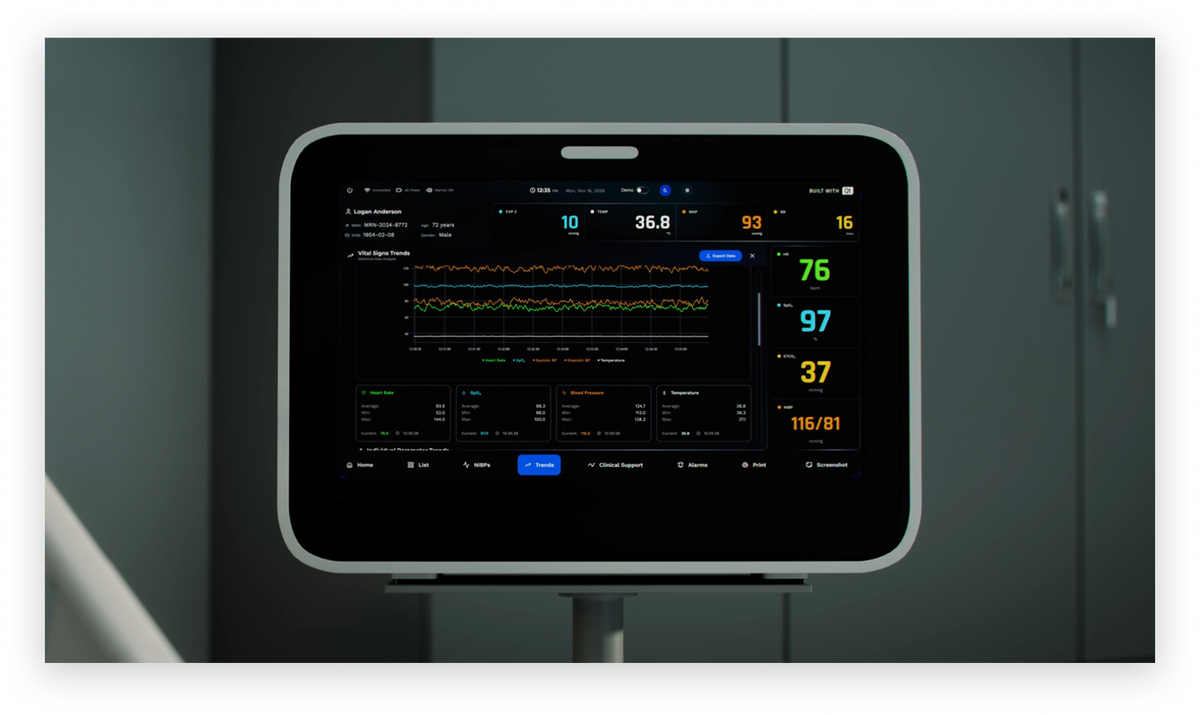
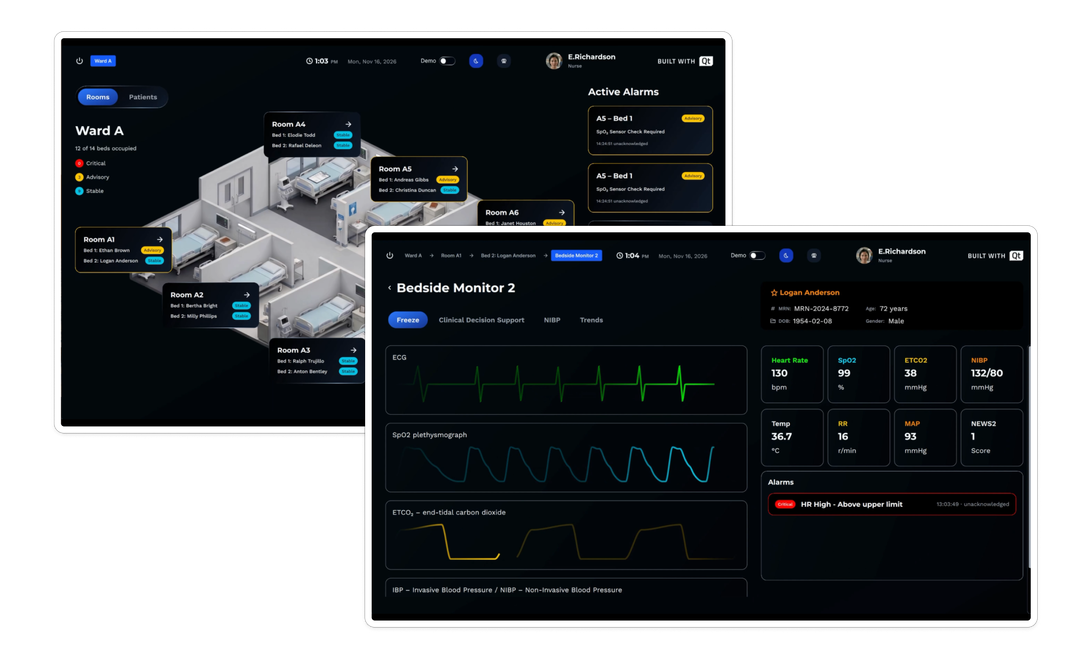
The central monitoring system brings patient data, live status, trends, and alarms into one ward-level view. It is built to process and visualize changing data across multiple connected beds while keeping the interface responsive.

It receives patient data from the bedside monitor over MQTT and reflects changes in status as they happen. Clinical staff can see which patients need attention without transferring alarm control away from the bedside.

  • Role: Ward-level monitoring
  • Runs on: 
    High-performance embedded MPU platform
  • Built with: Qt 6.12, Qt Quick, Qt Graphs, Qt MQTT, Qt Multimedia
Bedside monitor close up-1200x700

Available now

Keep the live patient state where care happens

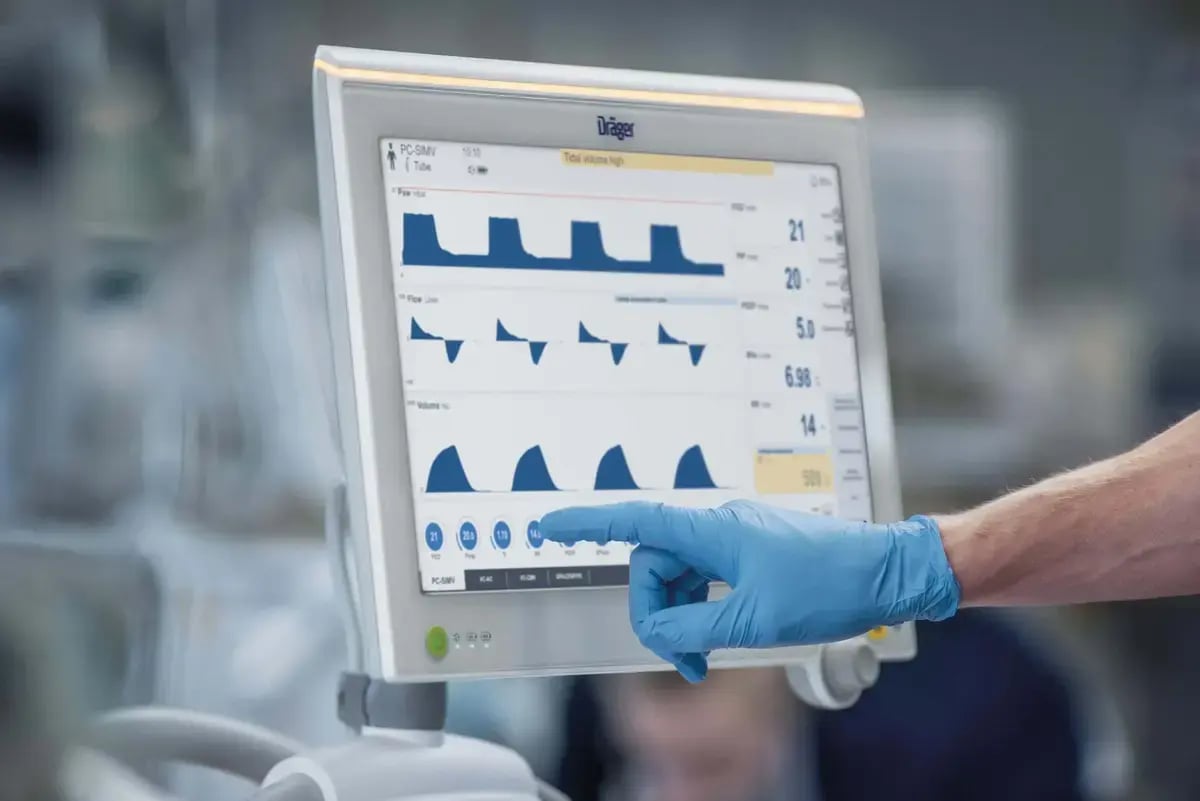
The bedside monitor presents simulated heart rate, SpO₂, temperature, NIBP, and EtCO₂ data, together with live waveforms, trends, and alarm controls.

It publishes the current patient state to the central monitoring system. Alarm acknowledgement remains at the bedside, while the same status is visible at the nursing station.

  • Role: Point-of-care monitoring
  • Runs on: Mid-performance embedded MPU platform
  • Built with: Qt 6.12, Qt Quick, Qt Graphs, Qt MQTT, Qt Multimedia
CT scan close up-1200x700

Coming soon

Bring the same foundation to medical imaging

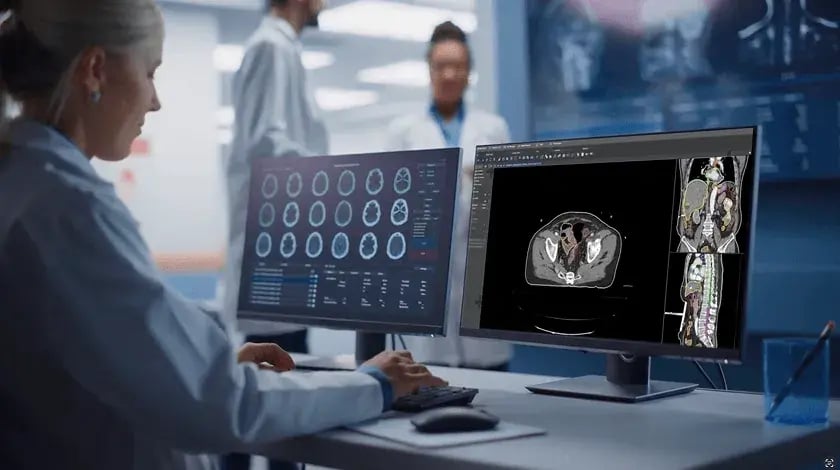
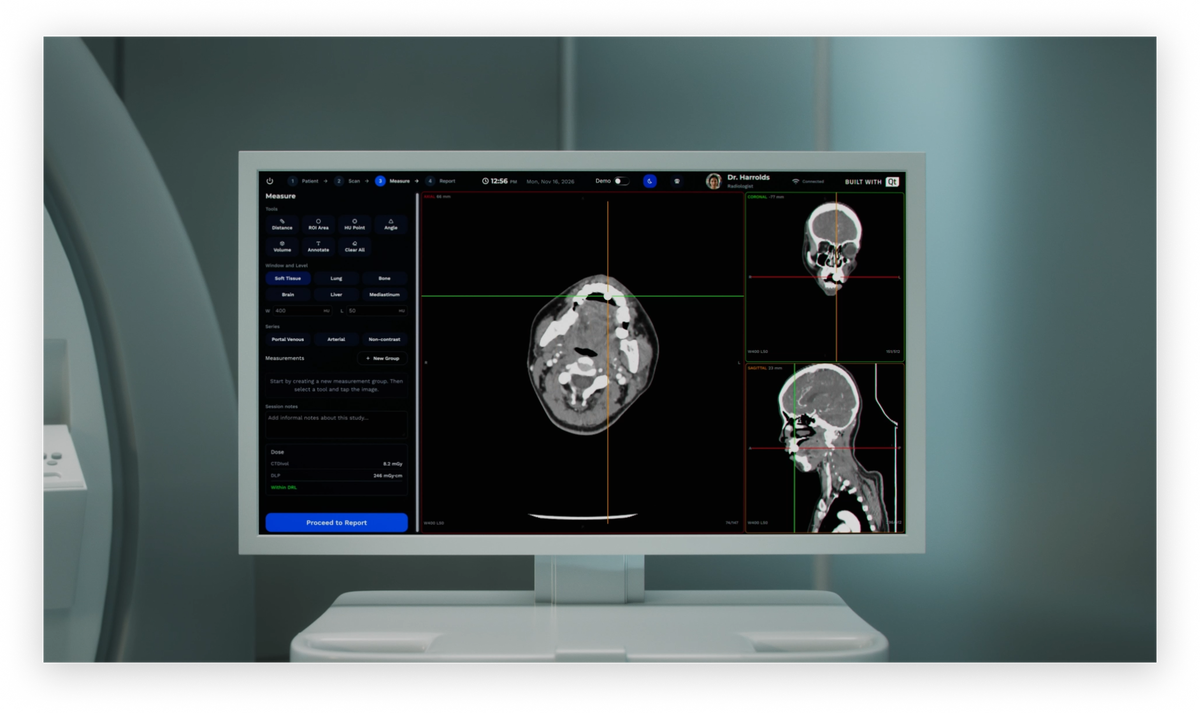
The CT scan interface expands the demo beyond patient monitoring. The planned application combines scan setup, image review, volumetric visualization, and reporting in one touch interface.

It will publish scan status and report information through the same MQTT data layer used by the monitoring applications.

  • Role: Medical imaging
  • Runs on: High-performance embedded MPU platform
  • Built with: Qt 6.12, Qt Quick, Qt Quick 3D, Qt MQTT, Qt Multimedia
Medical Demo Landing page_components

Qt Quick

Reuse Proven Software Across Applications

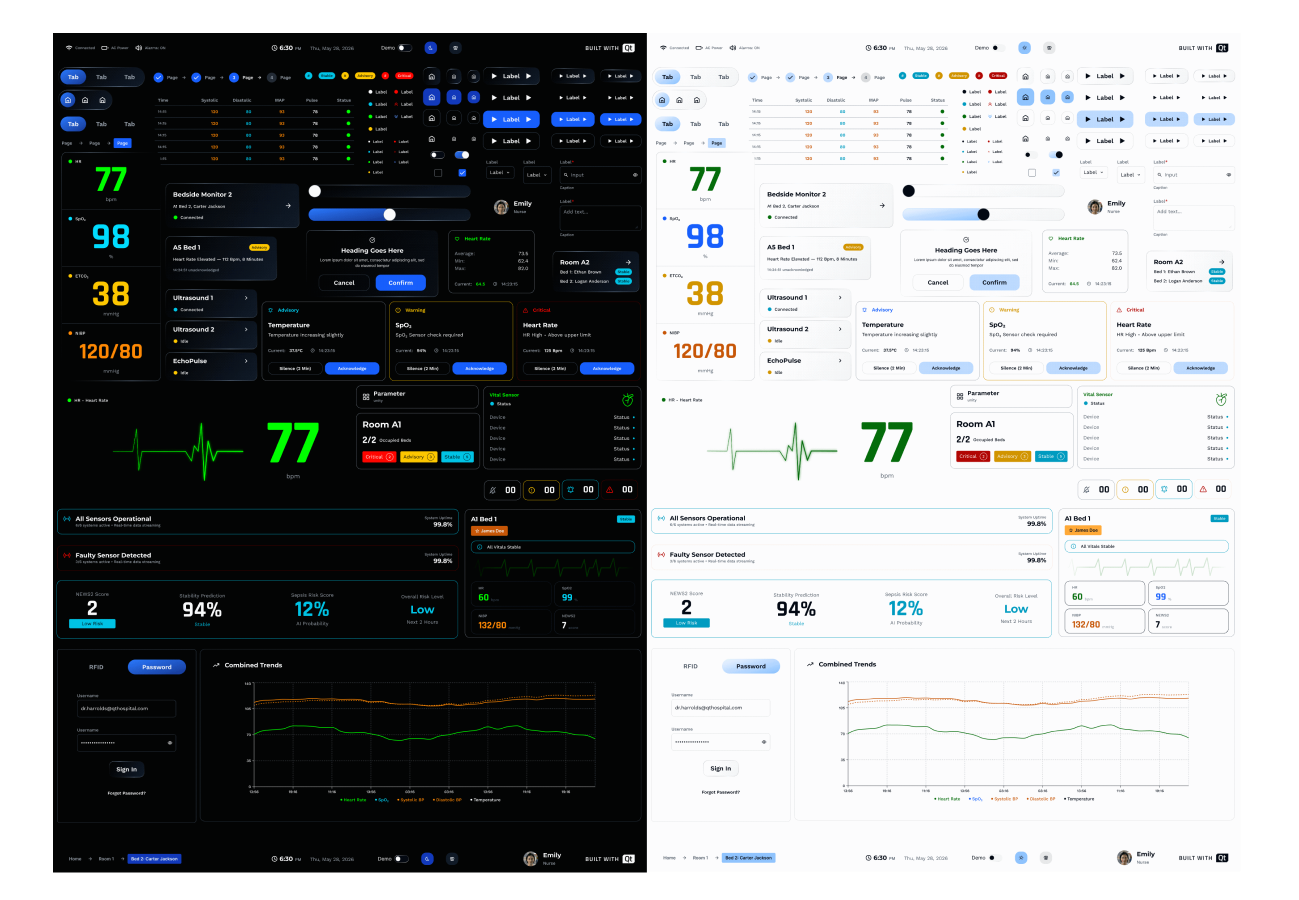
Patient cards, vital signs, alarms, headers, and navigation appear across many medical applications.


With Qt Quick, teams can build these elements as reusable components and adapt them to each clinical workflow. This reduces duplicated development and gives the product line a more consistent user experience.
Smart-hospital-demo-data-exchange


Qt MQTT

Give applications a shared way to exchange data

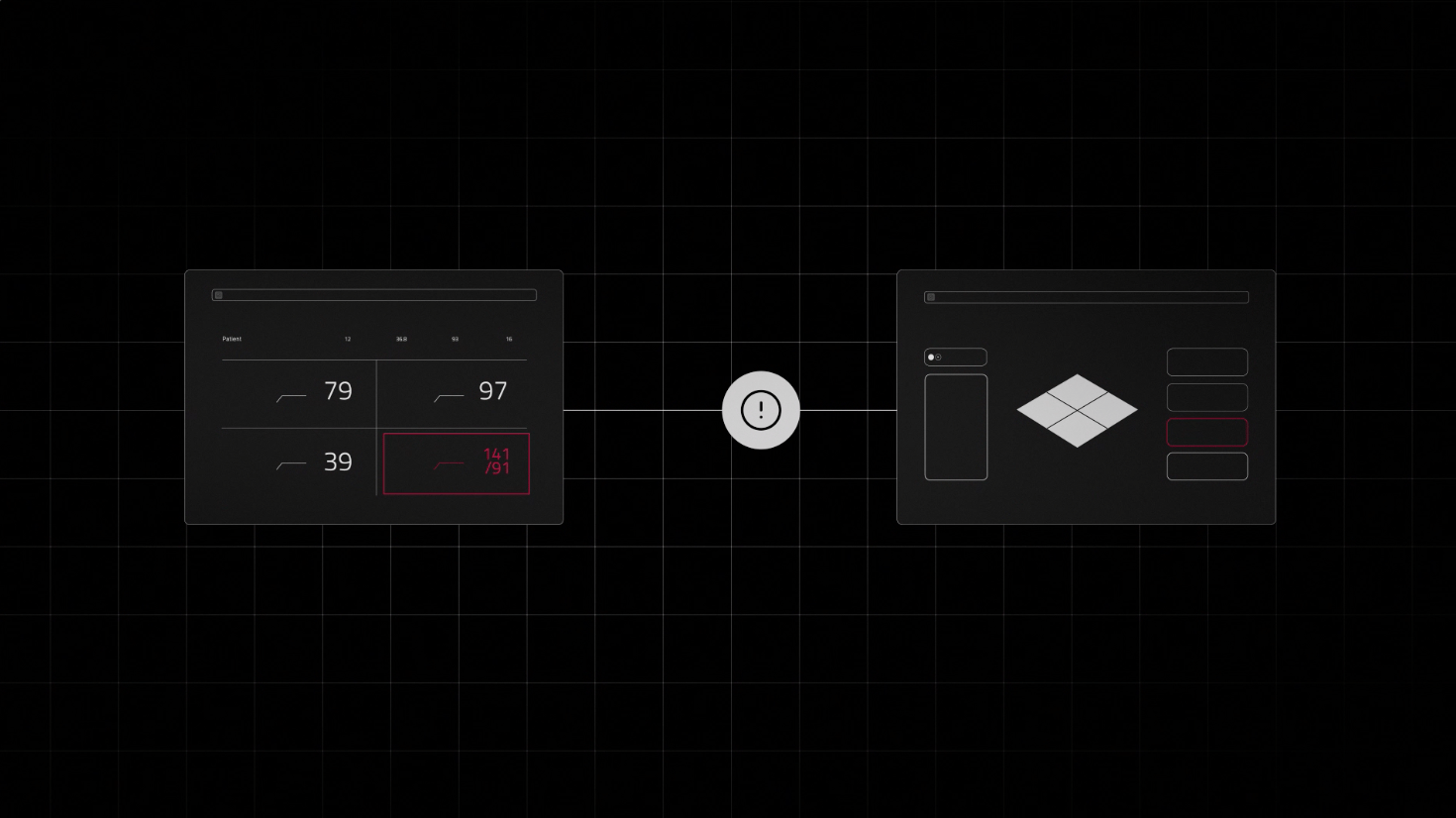
The bedside monitor publishes patient state and alarms. The central monitoring system subscribes to that data and updates its views. The CT scan interface will use the same approach for scan status and report information.

Qt MQTT gives the applications a shared way to exchange data. New applications can connect to the same data layer without creating a separate approach each time.
Medical Demo_CMS-view


Qt Quick and Qt Graphs

Render live clinical data in the same application


Medical monitoring applications render several kinds of changing data at once, from live waveforms to longer-term patient trends.

The demo uses Qt Quick scene graph geometry for GPU-accelerated ECG, plethysmography, and EtCO₂ waveforms. Qt Graphs presents trend data in the bedside monitor and central monitoring system.

Both can run within the same Qt application, helping teams build responsive data views without separating the live and historical experience into different technology stacks.
 

Coming soon · Qt Multimedia,  Qt Edge AI

Process video where it is captured

The planned fall-detection workflow runs on the bedside device. Qt Multimedia brings the camera feed into the application, where on-device inference on Qt Edge-AI can detect an event.

The central monitoring system receives the alert, while the video remains on the bedside device.

This limits unnecessary data transfer and gives the application a faster, more private way to respond to camera-based events.

Medical Demo_SQS


Software Quality Solutions

Make software quality easier to prove

Medical software teams need evidence that the application was tested, the relevant code was exercised, and structural risks were identified and addressed.

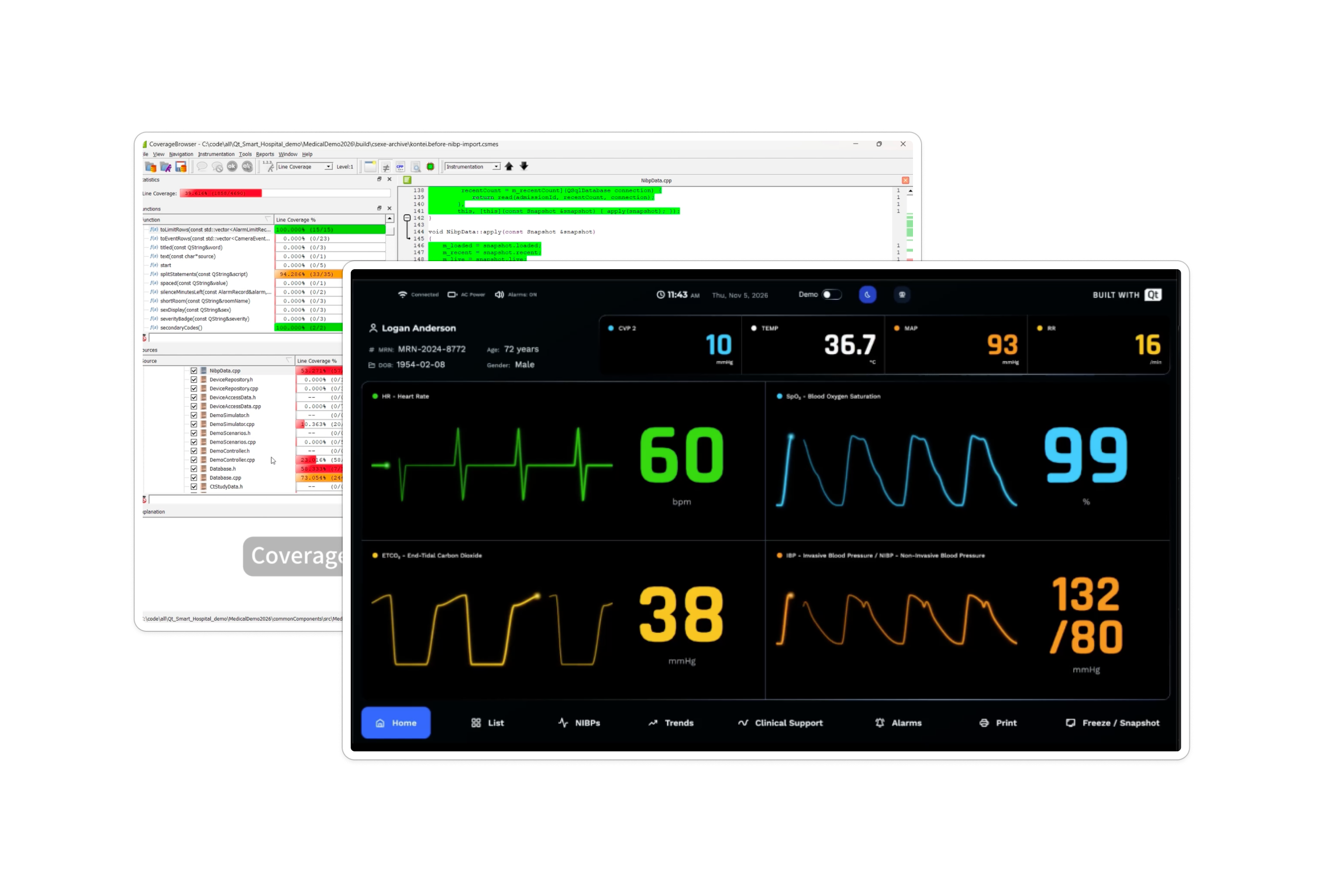
Squish verifies application behaviour through automated GUI testing. Coco connects those tests to code coverage across C++ and QML. Axivion analyses the codebase for defects, architectural erosion, and other technical risks.

MCP makes these capabilities available to AI-assisted workflows, helping teams create tests, act on findings, and maintain traceable quality results with less manual work and an easier compliance path.


Long-Term Support and Software Transparency

Maintain the software for the life of the product

Medical software often remains in use long after its original release. Teams need to know what went into the product and how supported components can be maintained.

The planned demo workflow includes generating a software bill of materials for the Qt software stack. Commercial Qt adds Long-Term Support releases, security communications, patches, and technical support for covered versions.

When a dependency changes or a vulnerability is reported, teams can identify the affected software and plan the required update and re-verification work.


Coming Soon – Agentic Development

Inside the development workflow

This project wasn't only an exploration of healthcare software architecture. It was also an opportunity to experiment with agentic development workflows across the implementation process.

We're documenting the approach, tools, and lessons learned, and will share more soon.

Stay tuned.


Compare The Application Specifications

Application Status Clinical role Embedded hardware Display Qt version Qt technology Data Connectivity
Loading...

Interactive demo


Experience the Smart Hospital Applications Yourself

Experience the bedside patient monitor and central monitoring system as working applications, directly in your browser.
Explore patient views, interact with simulated vital signs, and see how information and alarms move across the connected system.

No installation required.

See the three devices across five stages of the medical software lifecycle

Watch the solution demo

Qt Smart Hospital FAQ

Qt Smart Hospital is a software solution demonstration answering some of the MedTech industry’s biggest challenges.

What is Qt Smart Hospital?

Qt Smart Hospital is a connected medical software demo from Qt Group. It includes a central monitoring system, a bedside patient monitor, and a planned CT scan interface built with the same core Qt technology.

What is available today?

The bedside patient monitor and central monitoring system are available in the current demo. They exchange simulated patient data and alarm status over MQTT. AI-assisted software quality workflow is also available now.

The CT scan interface, and on-device fall detection (Edge-AI) are coming soon.

Can I try the applications myself?

Yes. The interactive browser demo lets you explore the bedside patient monitor and central monitoring system in a supported desktop browser.

Which parts do the applications share?

The applications use the same core Qt technology, reusable interface components, and MQTT-based communication approach. Each application retains the workflows and behavior required for its clinical role.

How do the applications exchange data?

The bedside patient monitor publishes patient state and alarms over MQTT. The central monitoring system subscribes to the data and updates its ward and patient views.

The CT scan interface will publish scan status and report information through the same data layer.

Does the demo support HL7 or DICOM?

Integration with hospital systems, existing devices, and standards such as HL7 or DICOM would be defined for the target product and system architecture. The current demo uses MQTT.

Is the patient data real?

No. The bedside patient monitor uses simulated clinical scenarios. The communication between the applications and the rendering of the interface are live.

The CT scan interface will use simulated imaging data.

How are the waveforms and trends rendered?

The ECG, plethysmography, and EtCO₂ waveforms use Qt Quick scene graph geometry with GPU-accelerated rendering. Qt Graphs is used for the trend views.

Is fall detection already running on the device?

Not yet. The planned implementation will process the camera feed on the bedside device and send the resulting alert to the central monitoring system.

How does the AI-assisted testing workflow work?

An AI agent connects to Squish, Coco, and Axivion through MCP servers.

It can generate and run GUI tests with Squish, use Coco to see which C++ and QML code the tests covered, and add tests for uncovered behavior. It can also inspect Axivion findings, make targeted corrections, and rerun the analysis.

What does this approach give the development team?

It helps teams create tests faster, direct effort toward identified coverage gaps, and shorten the feedback loop between a quality finding and a verified correction.

The resulting test, coverage, and analysis outputs remain available for human review.

Does AI replace the test engineer or quality process?

No. AI assists with generating tests, interpreting results, and acting on findings. The development and quality teams remain responsible for reviewing the results, defining the required verification scope, and deciding whether the software is ready for release.

Does using Qt make a medical product compliant?

No. However Qt Group, Qt technology, and software quality tools can support activities within a regulated development process. The medical device manufacturer remains responsible for product safety, risk management, verification, validation, cybersecurity, and regulatory submissions.

Is Qt Smart Hospital a medical device?

No. It is a software demonstration showing how Qt technology can be applied across connected medical applications.

Ready to give it a try?

See how the same approach could apply across your applications, target platforms, connectivity requirements, and quality processes.