
Published On
Sep 30, 2026
Read Time
5 mins
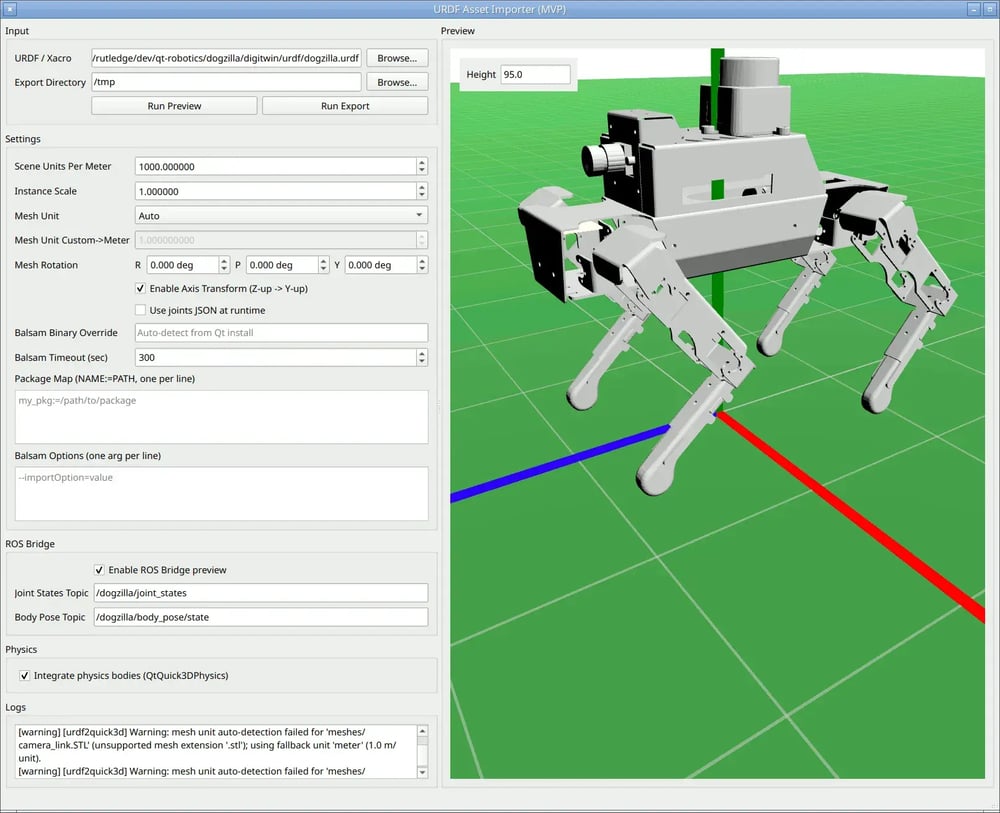
Back in March, we shared a sneak peek of a new concept we were working on: Qt Robotics Framework (QRF). An initiative to more consciously bring Qt into the robotics space via ROS2 and show how we could ease the creation of real, two-way HMIs for ROS2-based robots, including fundamental quality-of-life improvements to allow the generation of a Qt Quick 3D scene straight from a URDF file.
That project showed that a production-grade robotics UI didn't need to mean months of custom integration work. We’re happy to share that this proof-of-concept is now something you can start trying out today.
What's available today
We're opening the public beta of Qt Robotics Framework, starting with the two pieces that developers asked the most:
-
ROS bridge — QML-accessible wrappers for most ROS 2 C++ types: the tf2 library, pub/sub topics and their message types, actions, services and parameters, so that many parts of a robot daemon, digital twin, or some other kind of remote control/monitoring app can be written declaratively in QML. This code is generated to match your ROS version of choice (Jazzy and Lyrical have been tested the most) at build time: here’s how to get started. The module includes examples; we’ve also developed a daemon and a digital twin for the Dogzilla robot.
-
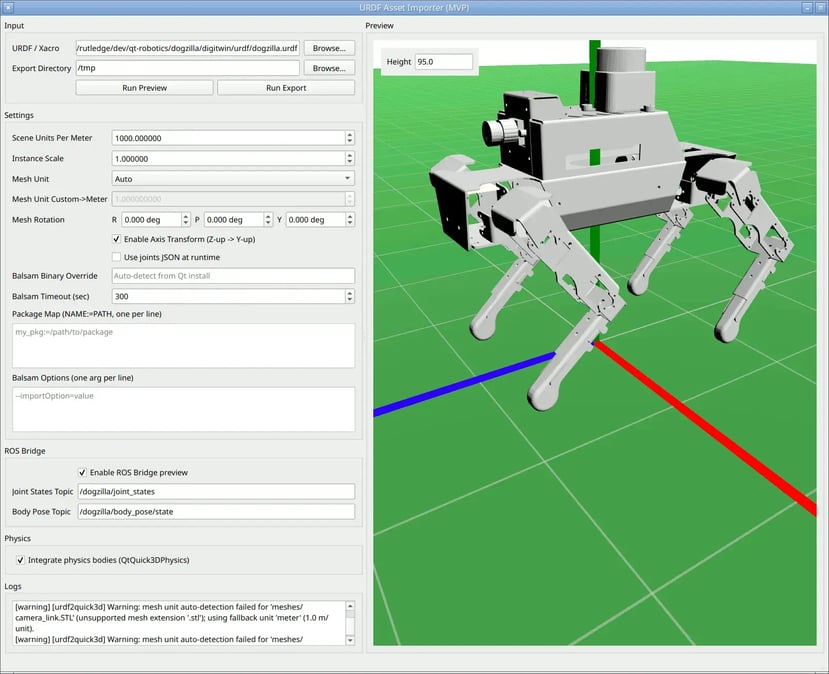
URDF import — If you purchase a robot to try out ROS, hopefully it comes with a URDF file; if you design your own, plugins are available for most CAD systems to export a URDF file. When you build the QtROS module, the urdfpreview tool is also built. You can open it with a URDF file to generate the Qt Quick 3D portion of a “digital twin” immediately, preview it live (already subscribing to some ROS topics that your robot may be publishing and keeping the 3D model in sync), save the code to a directory, and begin developing the rest of your desired UI around that.
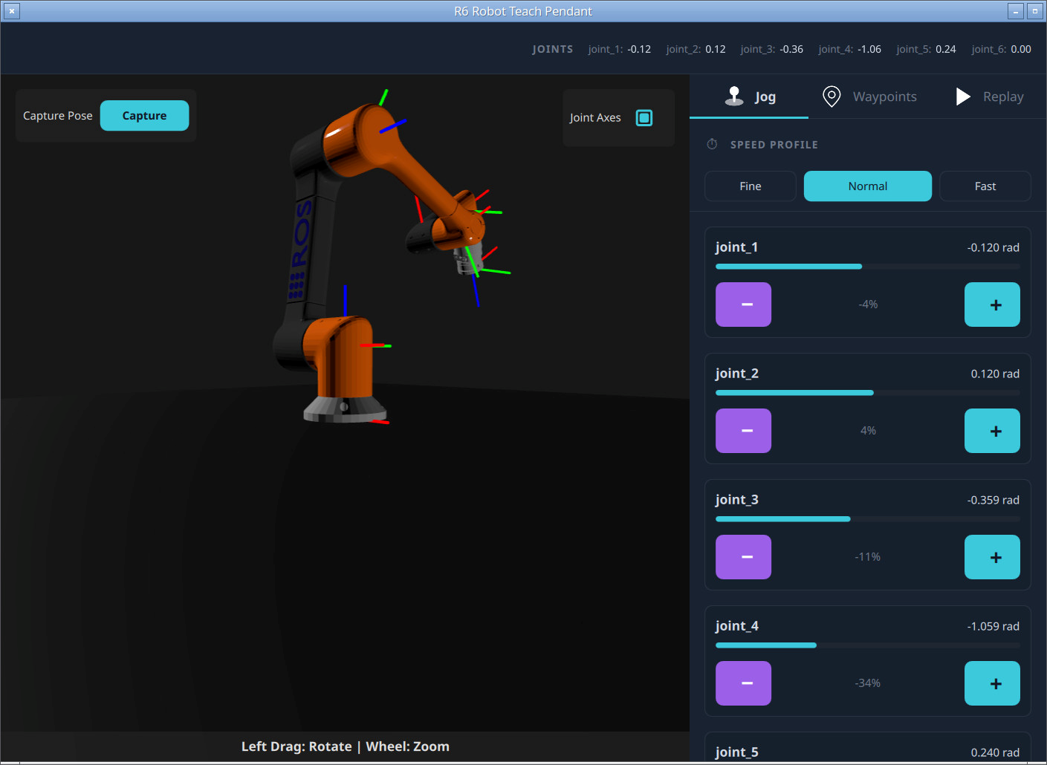
Why we're doing this
Robotics is going through the same shift a lot of industrial software went through before: the hardware and middleware are maturing fast (ROS2 is solid, simulation tools like Gazebo and Isaac are strong), but there's no unified runtime for turning that into a production-ready HMI. Teams prototype in RViz or Gazebo, then often hit a wall when it's time to build something an operator, technician, or customer will use.
That gap is exactly where we see Qt fitting in and adding value. QML already has a gentle learning curve for UI developers who aren't robotics experts, and Qt Quick 3D gives us the rendering performance to go from simulated scene to real hardware without starting over.
QtROS is about giving both sides a shared, strongly-typed interface where a change to a ROS2 message definition regenerates your data handlers instead of silently breaking your UI.
Rather than asking robotics teams to become UI experts (or vice versa), QtROS is about giving both sides a shared, strongly-typed interface where a change to a ROS2 message definition regenerates your data handlers instead of silently breaking your UI.
Additionally, with our Designer tools like Qt Design Studio and Figma to Qt, it becomes much simpler to create, generate, and integrate the UI elements needed to deliver seamless user experiences. We see this as not only a benefit to the Qt ecosystem but also a valuable new element in strengthening the ROS2 ecosystem itself, and we hope to make this only more apparent going forward. QtROS is meant to sit alongside tools like RQT and RViz, not replace them, not to compete with fragmenting this space further but serving as the GUI of choice when a prototype is ready to start becoming a product.
Qt Group in Industrial Automation
For Developers: What's Under the Hood
The ROS bridge is generated code, built the same way ROS2 generates its own C++ client library: message, service, and action definitions come from the same files ROS2 already uses, so as those definitions evolve, the Qt bindings regenerate instead of drifting out of sync by hand. Underneath, it sits on rclcpp and DDS (Fast DDS by default; Cyclone DDS and RTI Connext are also supported), but from QML, you mostly don't need to think about that layer. A subscriber, for example, is just a declarative object with a property (illustrative, not the exact demo code):
import QtRos2.Core as Ros2
import QtRos2.GeometryMsgs

Ros2.Node {
    nodeName: "myClient"

    PoseStampedSubscriber {
        id: sub
        topic: "/robot/body_pose/state"
    }

    Label {
        text: `roll: ${sub.pose.orientation.rpyDegrees.x.toFixed(1)}°`
    }
}
No callback registration, no manual message parsing; the label just updates when a new pose arrives. Publishers, services, parameters, and actions follow the same shape: declare the type, bind properties, let the module handle the ROS plumbing.
For URDF, the module ships a CLI tool, urdfviewer:
urdfviewer -b -u 1000 -p myrobot path/to/robot.urdf ./output-b connects live to a running ROS2 robot for preview, -u sets the unit scale (for example millimeters to meters), and -p sets the ROS2 topic prefix so multiple robots can coexist on one network. The tool reads the URDF's links, joints, and visual meshes, plus its separate (and usually simpler) collision meshes and physics properties (mass, inertia), and generates both the visual Qt Quick 3D scene and a matching physics world in the same step, so collision detection comes for free rather than as a second pass.
 Dive deeper
-
Code and setup instructions: github.com/TheQtCompanyRnD/qtros
-
Full architecture walkthrough and live demo: presentation slides from "Introduction to Qt ROS: Architecture and Demo" (NDC TechTown)
What we're exploring next
This beta covers ROS2 connectivity and URDF import, which we identified as the foundation. But we don’t plan to stop there. Some of the areas we are looking into how we can fit and solve developers’ problems are around:
-
Developer experience improvements around building and iterating on robotics HMIs, based on real feedback from teams working across simulation and production.
-
The ability to reflect live simulation states from leading simulation tools inside a Qt UI for easier development and testing when working in parallel with physical hardware.
-
Key next steps and features needed for building a fully functional ROS2-powered device, including better integration of SLAM, collision detection and navigation.
Try it our and share your feedback
This is an experimental module. We'd rather hear "this doesn't work for my robot" now than after we've locked in an architecture, so please try it out and let us know what you think.
Related Articles
-webp.webp?width=500&name=Multi-panel%20(1)-webp.webp)