Jun 22, 2026
Comments
The Challenge: CMake and Qt - Powerful Together, Tricky in Practice
The gap between “CMake that compiles” and “CMake that is correct” can be sometimes significant. CMake has been Qt’s official build system since Qt 6.0, and the pairing is genuinely capable: a well-configured Qt CMake project supports cross-platform builds, incremental QML compilation, seamless C++/QML integration, and deployment-ready install targets. But getting there requires mastering a build API that has evolved rapidly across Qt 6 minor releases - and that evolution is precisely where things can become challenging for Large Language Models, especially older or smaller models.
Qt ships its own CMake commands that have specific argument names, calling conventions, and semantic requirements that differ meaningfully from generic CMake idioms. The rules around QML module URIs and output directory layout, for example, are not enforced at configure time but cause silent runtime failures when violated.
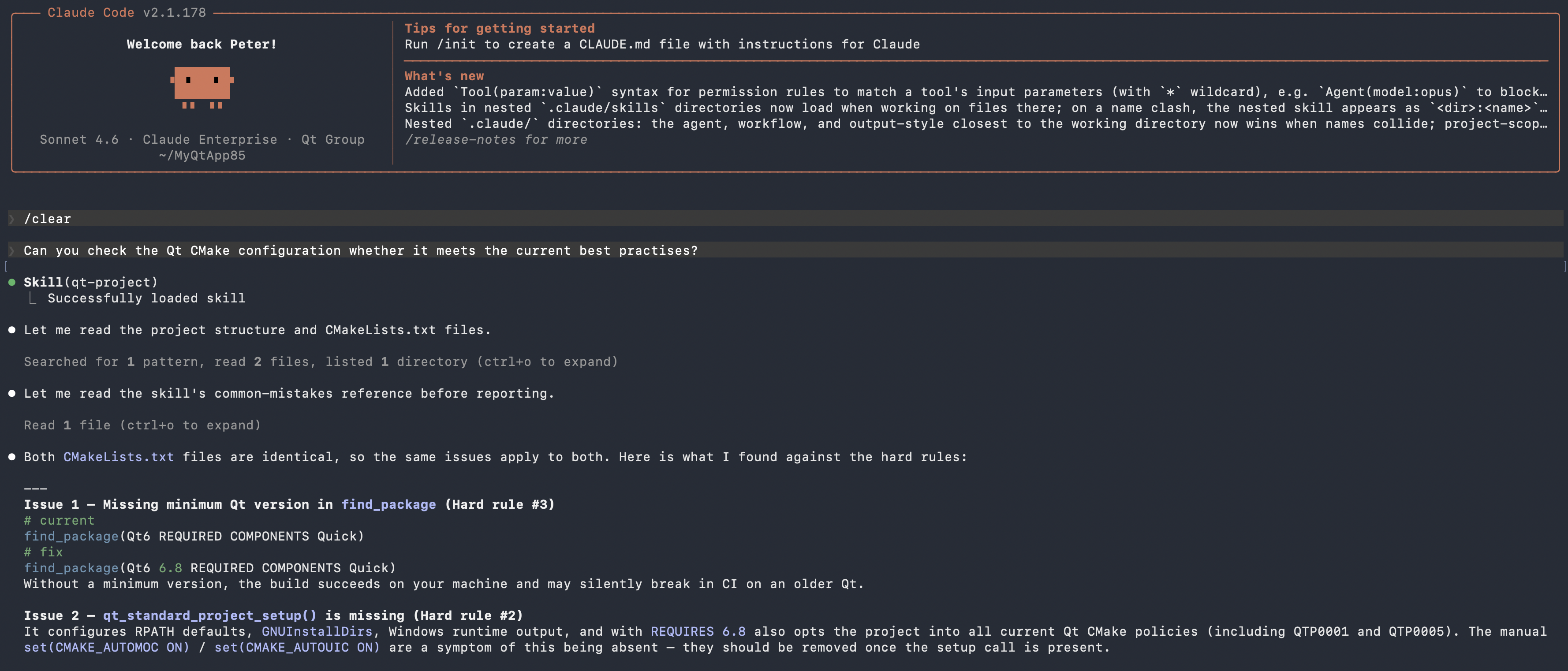
Image: Screen capture of qt-project skill analysing CMakeLists.text of Qt 6 application in Claude Code
Enter the Qt Project CMake Skill
As part of Qt’s AI-powered development tools, the new Qt Project skill addresses this directly by embedding a curated body of Qt CMake best-practice knowledge into the agent’s reasoning context. Where a general-purpose model reaches for the CMake patterns it has seen most often - which frequently means Qt 5, or community workarounds, or arguments that do not exist - the skill provides explicit, authoritative guidance on how modern Qt 6 CMake projects should be structured.
The skill covers the full range of project configurations, from single-target desktop applications to modular multi-library projects with embedded QML modules, shared resources, and plugin targets. It enforces a consistent set of hard rules derived from Qt’s official project templates and documented best practices, and it performs a common-mistakes pre-flight check before producing any output, catching the patterns that LLMs emit by default and correcting them before they reach the user.
Key Capabilities
Correct Qt 6 command usage
The skill always uses the current Qt 6 build commands for defining executables, libraries, QML modules, resources, and plugins. Legacy patterns from Qt 5 project files are treated as something to migrate away from, not a starting point.
Proper project setup scaffolding
Every build file is scaffolded with Qt’s standard project initialization in the correct order - Qt located first, then standard project defaults applied, then individual build targets declared.
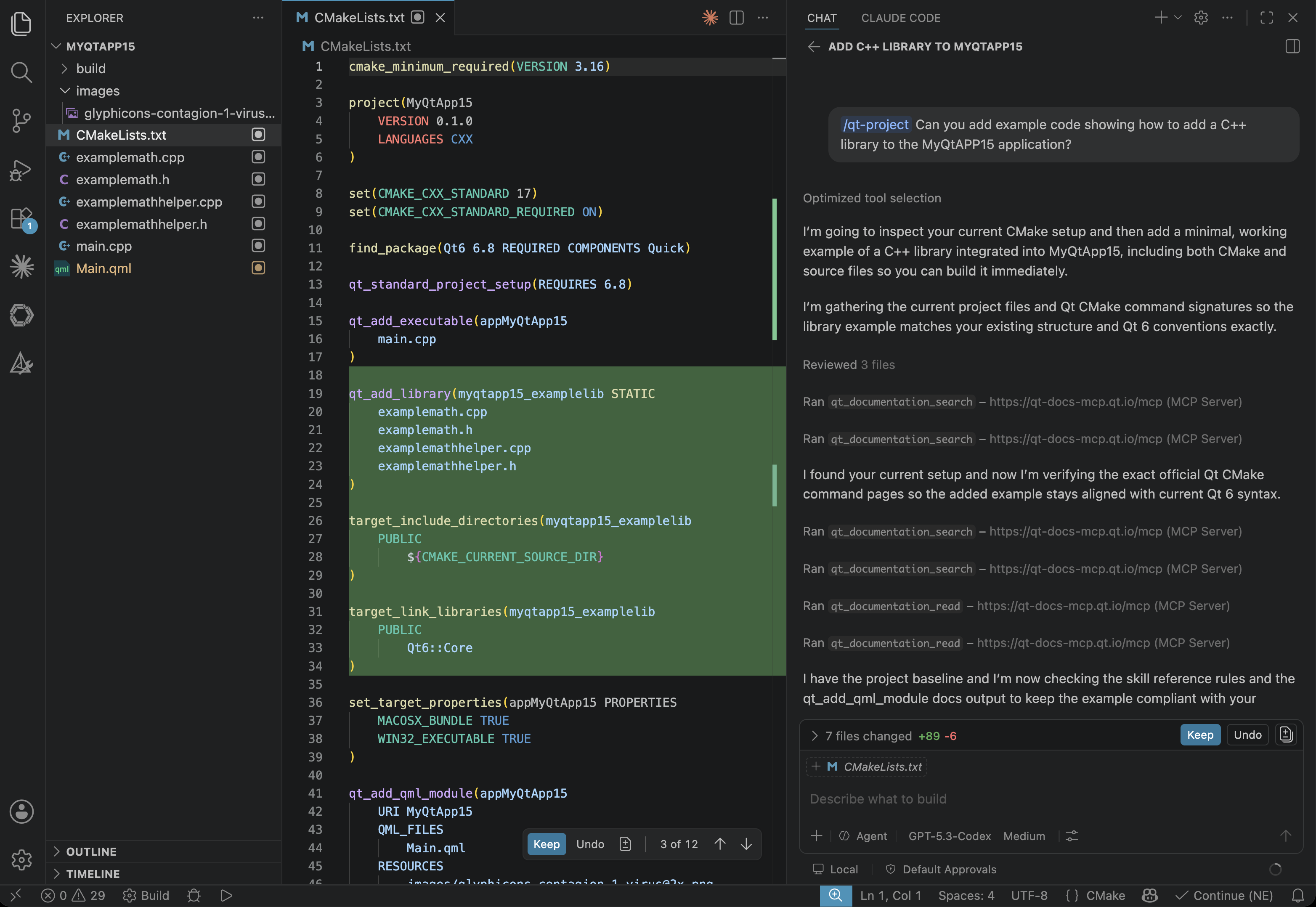
Image: Screen capture of qt-project skill adding a C++ library in GitHub Copilot with GPT 5.3-Codex
QML module integration
All QML UI files are registered through the dedicated Qt 6 QML module mechanism, never bundled as generic resources.
Clean migration of legacy patterns
When editing an existing build file, the skill distinguishes between stylistic choices — which it preserves — and actual rule violations, which it corrects with a short explanatory comment.
Documentation-backed command signatures
For more complex build configurations, the skill consults the live Qt documentation (when available in the session) to confirm the exact options accepted by each command in the Qt version actually being used. This matters because some build commands have changed their accepted options across Qt 6 minor releases — subtle differences that an AI model relying on training data alone will often get wrong.
Limitations
The skill does not cover packaging for distribution, installer creation, CI/CD pipeline setup, or configuring cross-compilation for custom hardware targets beyond what Qt’s standard project defaults provide. These are areas where requirements vary too much between projects for a single set of rules to apply cleanly.
The skill also does not address Qt’s legacy qmake build format. If a project needs both a qmake project file and a CMake build file side by side, the skill will ask which build system you want to target rather than generating both.
Tested With
The skill works with any Qt 6.5 or later project. It has been tested with Claude Code CLI and GitHub Copilot in VS Code using Claude Sonnet 4.6 and GPT-5.3 Codex.
Where Can I Get It?
You can get this and other official Qt agent skills from our GitHub repository:
https://github.com/TheQtCompanyRnD/agent-skills
Alternatively, install the skills directly from the Claude marketplace as part of the qt-development plugin (search for "qt-development"). If you have previously installed the plugin, you can trigger a manual pull of the git repository clone to pick up the latest skills.
Blog Topics
Related Articles
Qt for Python Release: 6.12 is here!
Qt for Python 6.12 is here, alongside the Qt 6.12 LTS release. This is the..
Read Article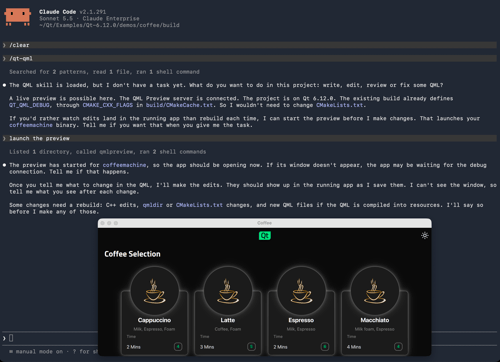
Introducing the QML Live Preview MCP Tool for Agentic Development of Embedded Devices
Agents Edit QML, But Don’t See the Result Without Building, Compiling, and..
Read Article
Qt for MCUs 2.12.3 LTS Released
Qt for MCUs 2.12.3 LTS has been released and is available for download...
Read Article