Aug 6, 2025
Comments
Qt Tools for Android Studio version 4.1 is out! It can be downloaded from the JetBrains marketplace.
In this release, Qt Tools for Android Studio plugin adds support for Qt 6.10, which will be released later this year, along with some minor library updates.
If you’ve been missing the Settings UI from Qt Tools for Android Studio 1.0 and 2.0, you’ll be pleased to know it’s back in this release. The plugin now communicates directly with the Qt Gradle plugin, allowing you to apply the Gradle plugin and adjust all Qt settings right from the Android Studio UI—no need to manually edit the gradle.properties or the build.gradle files.
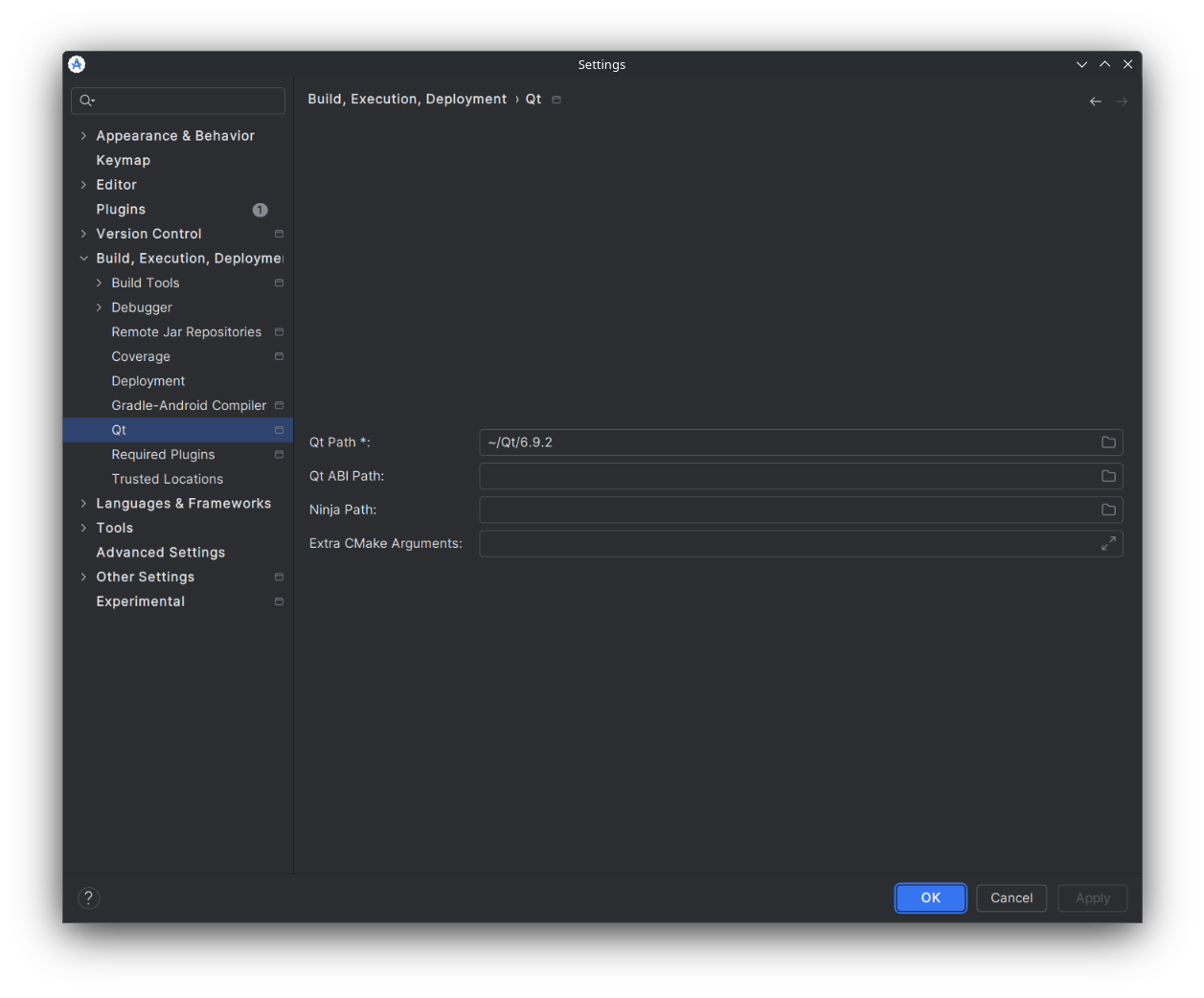
For a list of all changes and bug fixes for this release, please refer to the What's New section of the marketplace.
You can track work progress and provide feedback at bugreports.qt.io. Please feel free to report any problems, or make any suggestions/comments to help further improve the Qt Tools for Android Studio.
Blog Topics
Related Articles
Updated Qt Code Review Skills Reduce Token Costs by Up To 75%
Whether you are reviewing Qt Quick or Qt Widget code with Qt’s agentic..
Read Article
Security advisory: CVE-2026-101201 Out-of-bounds read vulnerability in JSON document parsing functionality impacts Qt Core and Qt 5 Core Compatibility APIs
An out-of-bounds read vulnerability in the JSON document parsing..
Read Article
Qt Creator 21 - CMake Changes
Here are the new CMake changes in Qt Creator 21: Editor Qt Creator 21..
Read Article