.png?width=1500&height=441&name=Email%20Banner%20(1).png)
Project Briefs
Choose 1 of 2 project briefs for your Round 2 submission.
Project Brief Option #1:
Multi-Camera Surveillance with optional AI integration (Extenly)
Scope
Build a Qt/C++ + QML surveillance panel that displays 2–4 camera feeds (USB or IP/RTSP, or mobile phones used as IP cameras) in a dashboard grid. The App must provide reliable live viewing and basic monitoring tools. Teams can optionally add AI detection and a mobile client.
Required Features
Multi-camera grid (2–4 tiles)- Support USB webcams, RTSP IP streams or mobile phones used as IP cameras.
- Per-tile title, FPS indicator, and full-screen toggle.
- Start/Stop per camera.
Basic motion monitoring
- Simple motion detection.
- Tripwire/ROI (Region of Interest): draw a line or polygon on a tile; raise an alert when motion crosses/enters.
- Alert log (time, camera, rule) and a lightweight toast/banner in the UI.
Snapshots & export
- Take a snapshot of any tile and save to disk.
- Export alert log as CSV/JSON.
Config
- Simple JSON/txt config for camera URLs and names.
- Confidence/threshold sliders for motion sensitivity.
“Nice to Have” (Bonus Features)
Choose any or all within time/skills. They’re grouped into two bonus blocks:
Bonus A: AI Intelligence (choose some or all)
- On-device AI object detection
- Detect up to ~5 classes (e.g., person, dog, cat, car, bicycle).
- Recommended stack: YOLOv8n ONNX via OpenCV DNN or ONNX Runtime; draw boxes/labels in QML.
Simple “intent/gesture” heuristics
- Line crossing / direction from object centroids.
- Loitering alert (person in ROI > N seconds).
You can ship any subset (e.g., just object detection or just object detection + line crossing), and still get full credit for this block.
Bonus B — Mobile Client
- Lightweight Qt mobile app (Android/iOS) focused on showing alerts and their corresponding snapshots served by the desktop.
- When an alert is triggered, the app displays the snapshot and message for that event.
- Optionally, users can view general snapshots from selected cameras for light live monitoring.
- Features a simple, mobile-friendly UI with an alert list, snapshot viewer, and basic refresh control.
- Connects directly to the desktop’s local endpoints — no cloud services required.
Expected Outcome
- A working, cross-platform desktop app that:
- Shows 2–4 live feeds reliably (USB or RTSP).
- Provides motion-based alerts with tripwire/ROI tools.
- Saves snapshots and exports alert logs.
- If Bonus A is tackled: real-time detections with labeled boxes and optionally one rule (e.g., “person in restricted zone”).
- If Bonus B is tackled, the team develops a mobile viewer app that connects to the desktop’s local service and displays alerts with their corresponding snapshots, optionally allowing light live monitoring.
- README with build/run steps, sample camera sources (USB or RTSP, e.g. phone-as-camera), and a short demo steps.
Technical Implementation
The desktop app is the system’s core, connecting to multiple cameras (USB, IP/RTSP, or mobile phones acting as IP cameras) to perform local motion detection, generate alerts, and serve snapshots and alert data to clients over the local network. It can optionally use AI for object detection and recognition. The optional mobile client connects to the desktop, receives alerts, and displays the corresponding snapshot and message for each event, with the ability to refresh snapshots periodically for light live monitoring. All processing runs locally, though teams are free to extend the system with remote or cloud-based features if they wish.
Recommended tech stack
Tools and languages: Qt 6 (C++/QML), OpenCV (video + motion), optional ONNX Runtime for AI.
UI: QML dashboard showing live feeds, motion overlays, alert log and basic controls.
Local service: lightweight HTTP + WebSocket server
Project Brief Option #2:
Mega Global Space Tec’s New Space Suit (Qt Group)

Image courtesy of National Geographic 1
Perhaps no one knows better than an astronaut the thrill of relying on technology while circling the Earth at 28,000 km/h. So, when Earth’s space corporations come looking for a partner in their latest endeavor, Mega Global Space Tec answers the call!
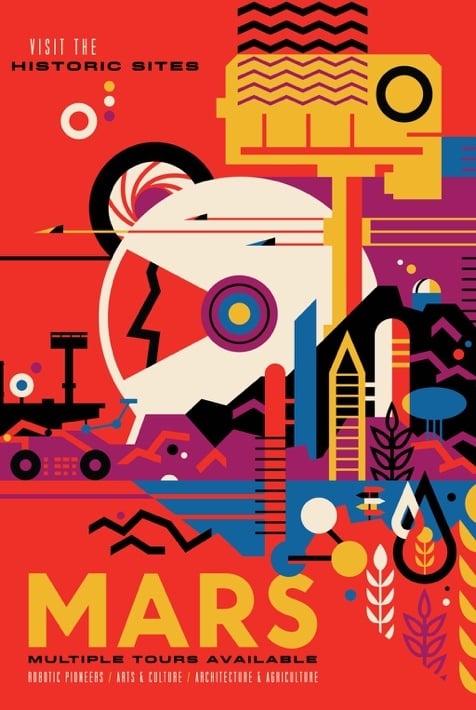
1Image courtesy of NASA/ JPL
Summary
MGST (Mega Global Space Tec) needs your team to create an app for the tricorder that all the astronauts carry on their wrists while on a mission. Think of it as a mobile phone-sized display. The tricorder is connected to the astronaut suit and shows the most important metrics.
Use cases
Checking the suit vitals
An astronaut’s life depends on their suit. The time they can spend in the cold space is limited by several factors, including oxygen level, air quality in the suit, temperature, and suit battery level. During the mission, astronauts might check the tricorder to see the suit metrics for peace of mind or to see if they have the capacity to finish the mission.
In the event of unforeseen circumstances where the suit becomes compromised during the mission, this will most often be signified by a sudden or steady increase in the loss of some parameters. In the event of a breach, it will begin to lose atmosphere and temperature. If the oxygen tank were breached, it would start to lose atmosphere. In the event of a compromised battery, it will begin to discharge rapidly.
Your application should show warnings and identify the cause of the issue. The astronaut will then have to either switch to auxiliary resources or return to safety.
Executing the planned mission
When planning each maintenance or exploration action, mission control and astronauts create a mission – a set of tasks that the astronaut must perform to fulfill the goal, whether it is repairing a space station or upgrading equipment. Apart from the task list, missions have a planned duration, which provides mission control and the astronaut with a perspective on how well the mission is progressing.
To help the astronaut fulfil the mission, the tricorder shall display mission details and allow the astronaut to preview the ordered list of tasks and mark them as completed. It also allows you to start, stop, or pause the mission progress.
Required features
Overview of suit parameters and vitals- Oxygen (O2) Gauge
- Carbon dioxide (CO2) Gauge
- Suit vs External Temperature
- Suit Power Cell Charge Level
Simulation of suit parameters and vitals
- Suit data shall be dynamic
- Data can be simulated within the tricorder or provided from an external source (external communication like socket or MQTT to external application, web service or microcontroller)
Mission planning and execution
- Mission name
- Duration of the mission with start, pause, and stop
- Ordered list of tasks
- Each task can be marked as complete
“Nice to have” (Bonus Features)
Improvements to mission tracking
To keep the mission on track, you may opt to add some of the following features
- Equipment list
- Mission description
- Current Mission projected and maximum allowable duration
- Each task has a description with rich instructions (graphics or videos)
- Each task has a projected duration
- A warning if the projected mission time is higher than the maximum mission duration
Helmet heads-up display
For ease of use, the tricorder shall be connected to the heads-up display found in the astronaut suit helmet. This display has no touch input, but it displays the most relevant information. Imagine it as a separate application that communicates with the tricorder application. Some of the features it might have are
- Simple preview of suit levels
- Warnings
- Current mission
- Next task
Voice communication
To facilitate communication, the tricorder enables interaction with mission control and other astronauts. This can be implemented as voice channel communication and presented by multiple people using the application while they communicate. A proposed set of features includes:
- Direct communication between two tricorders (tight beam)
- Channel broadcast communication with all tricorders (broadcast)
- Voice messages or instructions
- Icon for an unread voice message or active communication in the heads-up display
Expected outcome
A working, scalable application that
- Shows suit vitals
- Demonstrates warnings
- Allows mission tracking
Technical implementation
- Developed in the Qt framework and using Qt Quick and QML
- Deployable cross-platform
- Desktop - Windows, Linux, Mac
- Mobile - Android or iOS phones and tablets
- Demonstrate this by showing the app on at least two platforms
- If Qt has it, use it. APIs, tools, frameworks, helper libraries, and others.
- If you use a non-Qt library or tool, make sure it is open source.
Recommended tech stack
Tools and languages: Qt 6, QML
UI: Figma for design (feel free to try Figma to Qt)
Other: MQTT or socket communication, Qt Multimedia for voice
Overview of Final Grading Criteria
Relevance 40 %
Does the submitted work respond to the challenge it was submitted to?
Creativity 20 %
How novel or creative is the solution?
Technical Accuracy 40 %
Does the solution operate as intended? Is the code clear and written with the best practices?
Questions
If you have any questions or run into issues, you can contact the Qt;Athon team at qtathon@qt.io
Happy Coding!