


IAR Visual Studio Code Extensions

Part of IAR Platform

Develop your IAR Embedded Workbench projects directly from Visual Studio Code with our powerful extensions.

Key Benefits

Enhance embedded development with IAR extensions for Visual Studio Code, streamlining project management, debugging, and code analysis for efficient, high-quality software.

  • Seamless Integration with VS Code
  • Flexible Build and Debugging Workflows
  • Enhanced Productivity and Code Quality
develper with mutlipe screens writting and debugging code

Seamless Integration with VS Code

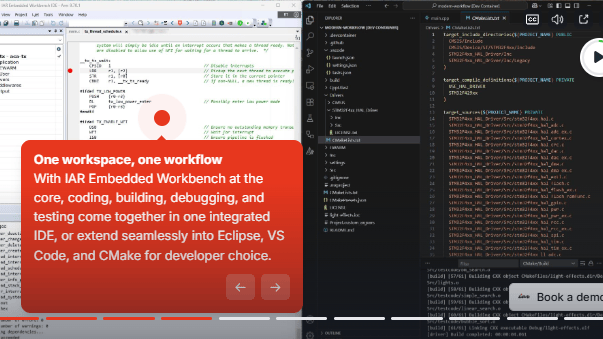
Leverage IAR Embedded Workbench and Build Tools within Visual Studio Code, combining its modern editing features with IAR’s powerful debugging, static analysis, and project management capabilities.

debugging  on vs code with iar debugger

Flexible Build and Debugging Workflows

Compatible with various build systems like CMake and integrates with GitHub and versioning extensions, enabling efficient project management, debugging, and collaboration across teams.

writting code debu developmet team

Enhanced Productivity and Code Quality

Supports C-SPY debugger drivers and probes, enables static code analysis with C-STAT, and provides intelligent code navigation and completion via the C/C++ extension, ensuring optimized and reliable embedded software development.

Features

IAR’s Build and C-SPY Debug extensions bring seamless integration, advanced debugging, and static code analysis to Visual Studio Code, enabling a flexible, efficient, and modern development experience for embedded systems.

IAR Build and C-SPY Debug Extensions

Manage projects, build efficiently, and debug with full access to C-SPY drivers and probes, enabling seamless embedded development in Visual Studio Code.

Static Code Analysis with C-STAT

Generate messages and reports directly within VS Code, improving code quality and compliance with built-in static analysis capabilities.

Advanced Debugging Tools

Utilize C-SPY Listwindows for Registers, Symbolic Memory, Live Watch, Trace, Profiling, Code Coverage and RTOS-awareness, streamlining embedded debugging.

Extensible Build System Support

Can be used with various build systems, including CMake, source control, and GitHub, supporting flexible workflows for modern development, automation, and collaboration.

Supademo screen

TRY OUT IAR'S PLATFORM

Interactive Demo

Experience IAR's platform and get an introduction to how it works.
Get Access to The Extensions

In Visual Studio Code, press "Ctrl + Shift + X", search "@publisher:IAR", and click Install. You can also get the IAR Build and C-SPY Debug Extensions from the VS Code Marketplace or GitHub.

Visual Studio Code Extensions Marketplace

Install directly from the VS Code Marketplace.

Get Access

IAR Build Extension on GitHub

Access source code, updates, and documentation on GitHub.

Get Access

IAR C-SPY Debug Extension on GitHub

Access source code, updates, and documentation on GitHub.

Get Access

Video Thumbnail

IAR C-SPY with Listwindows: Redefining Embedded Debugging for The VS Code Community

Discover how IAR's Listwindows in the C-SPY Debugger for VS Code can revolutionize your embedded debugging process. Dive into powerful features like Registers, Symbolic Memory, Live Watch, ETM/SWO Trace, Functional Profiling, and Code Coverage. Learn how to efficiently visualize and manage critical data, customize your debugging environment, and enhance your productivity. Whether you’re tracking register values, analyzing memory, profiling performance, or ensuring full code execution, this video demonstrates why Listwindows is your ultimate embedded development tool.

Supported Target Architectures

The Visual Studio Code extensions are compatible with the latest versions of IAR Embedded Workbench and IAR Build Tools. The following target architectures are supported.

Target Architecture IAR Build Extension IAR C-SPY Debug Extension
Arm checked checked
RISC-V checked checked
Microchip AVR checked checked
Renesas RL78 checked checked
Renesas RX checked checked
Renesas RH850 checked checked
Texas Instruments MSP430 checked checked
8051 checked un-checked

Supported Devices

Architecture Manufacturer Family Device
Loading…

FAQ

Do I have to modify the generated code?

No. The code generated by IAR Visual State focuses on the control logic of a state machine system. The design is always the only explicit representation of the control logic. The model and the executing code should always stay synchronized. Modifying state machine code by hand carries the risk of introducing hard-to-find errors in the internal bookkeeping of states and conditions.

How can automated code generation reduce development errors while maintaining flexibility?

Automated code generation eliminates human errors, ensures consistency, and accelerates development by producing optimized and validated C/C++ code.

How can automated code generation improve efficiency and reduce engineering overhead?

By eliminating manual coding errors and reducing debugging time, automated code generation increases developer productivity and accelerates product delivery.

How does model-based development help teams scale embedded projects with consistent quality?

A standardized, automated process ensures consistency across projects, allowing teams to reuse proven components and reduce time spent on rework.

Can IAR Visual State integrate with existing development environments?

Yes, it seamlessly integrates with IAR Embedded Workbench and other toolchains, supporting a smooth design-to-code workflow for embedded applications.

Get Access to All

Scale development operations with freedom and flexibility, accelerate innovation with code confidence and simplify compliance while strengthening security.

  • Architecture and device agnostic
  • Cloud-ready, tailored for enterprises
  • Functional safety always included
  • End-to-end embedded security

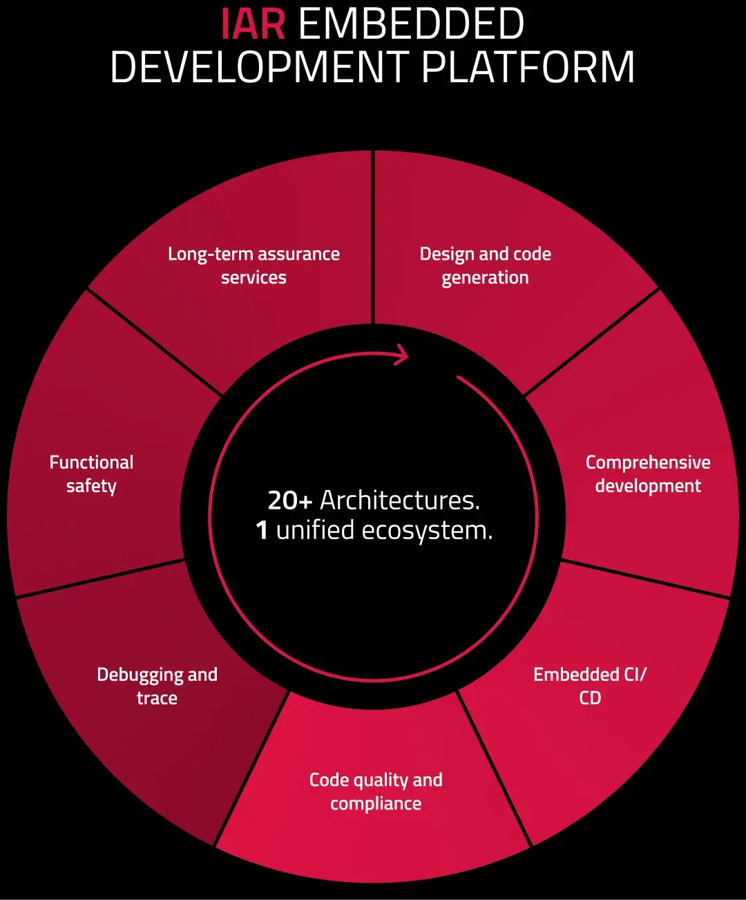
With our platform, you get access to everything.

Explore the Platform

Platform wheel without header bigger canvas


Get started today.
Our worldwide sales team is here to guide you.