Oct 26, 2026
Comments
Qt Quick 3D 6.12 introduces a new SkyMaterial QML type, and in this post we will explain what it is, how to use it and why you'd want to.
SkyMaterial provides a way of writing custom fragment shader code to render a scene's sky, as well as computing image-based lighting (IBL) from it. This means the same sky acts as both the visible background and a light source for the scene. With it you can create a dynamic sky with a moving sun, day/night cycle, clouds, stars etc.
QML properties set on the SkyMaterial type are automatically made available in the custom shader, and whenever a property is updated, the SkyMaterial re-renders itself. This is what makes it possible to have a dynamic sky. Since the rendering is happening on the GPU, the performance cost depends on the complexity of the shader and how often it is updated. It is possible to tweak certain quality and performance properties to fit your performance budget.
To use SkyMaterial in your 3D scene you need to point the SceneEnvironment::skyMaterial property to your SkyMaterial object, and set SceneEnvironment::backgroundMode to SceneEnvironment.SkyMaterial.
A first sky
Let's look at a minimal example of SkyMaterial in action:
And this is how it looks: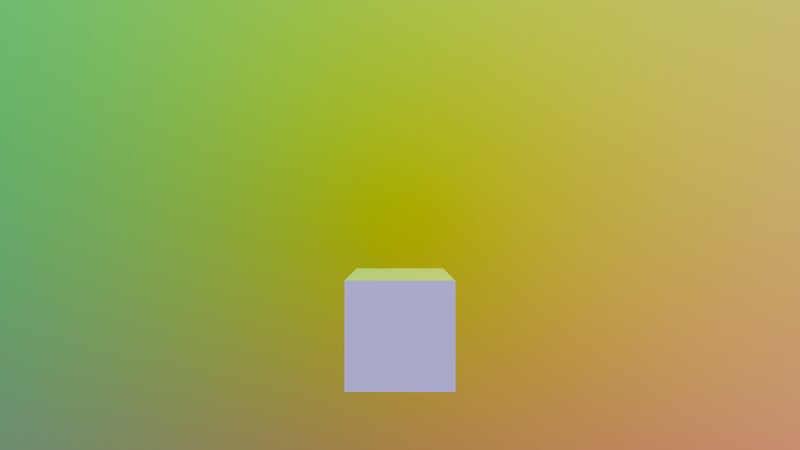
What we have here is a 3D scene with a cube in the middle and a SkyMaterial with the fragmentShaderCode set to an inlined custom fragment shader (use fragmentShader to load the shader from a file). The skyboxMode property is set to SkyMaterial.Cubemap by default which means the sky is rendered into a cubemap with the shader running for each of its six faces. Likewise, the enableIBL property is set to true by default, which also filters the cubemap into radiance and irradiance maps used for IBL. The irradiance map is what lights the cube, so each face takes on the color of the part of the sky it faces.
Let's look at the shader. Firstly, it must define a MAIN() entry point, which is executed for each fragment generated while rendering the cubemap. The shader has access to the built-in variable qt_eyeDir, which provides the non-normalized direction vector from the center of the cubemap towards the fragment being rendered. The final pixel color must be written to FRAGCOLOR, which is the output variable of the fragment shader.
In the example above we color the FRAGCOLOR rgb components from the sampled direction just to verify that the shader is working.
Properties become uniforms
As mentioned earlier, compatible properties set on SkyMaterial will automatically be available in the shader. So let's add a property and tweak our shader so it reacts to it:
What we've added here is a real property angle and a NumberAnimation that acts on it. What this will do is rotate the view direction around the Y axis by angle degrees, so the sky makes a full rotation every six seconds. It looks like this:
Keep in mind that with every change of angle the sky and the IBL cubemap get re-rendered. The higher the resolution of the cubemap, the longer it takes, so tweaking the size using the radianceMapSize property can be useful.
If the sky changes every frame like here and you don't need IBL, you can set enableIBL to false and skyboxMode to SkyMaterial.ScreenSpaceFull, SkyMaterial.ScreenSpaceHalf or SkyMaterial.ScreenSpaceQuarter. Then no cubemap or IBL is rendered, and the sky shader runs directly on screen instead, at full, half or quarter resolution. Note that this happens every frame, even when nothing changes, so for a sky that stays mostly static the default SkyMaterial.Cubemap mode is cheaper. It is rendered once into a cubemap and then just sampled from it.
Besides real, SkyMaterial supports the QML types that have a natural GLSL counterpart, such as int, bool, color, vectors, matrices and textures. See the SkyMaterial documentation for the full list of types and what they map to in GLSL.
A procedural sky
With these types of properties we can implement more advanced shaders, so let's do that. This is how our new SkyMaterial object looks:
The scene now looks like this: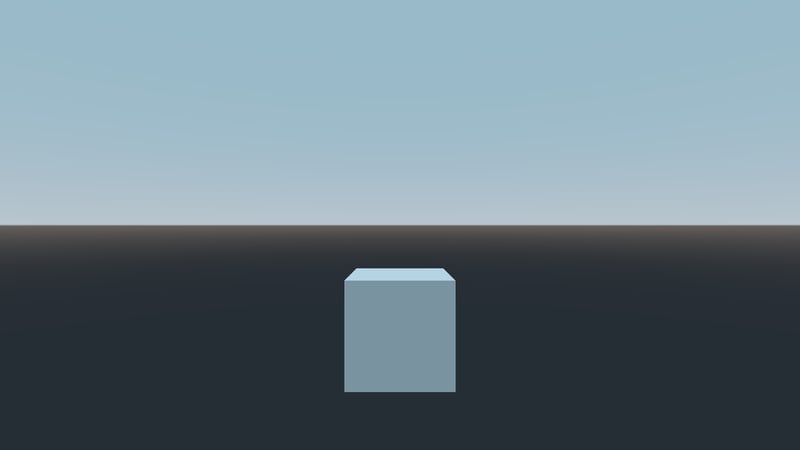
The properties at the top control the colors of the sky and ground, and the position of the sun. The shader has access to all of them, and the sky is re-rendered whenever any of them change. The iblSampleCount property controls the number of samples used in the IBL computation, and by extension the visual quality of the generated radiance map. Since the sky is static here and only computed once we can increase it to get better visual fidelity.
Try it out
With SkyMaterial as the base you can go much further, and for an example of that you can achieve, check out the official Qt Quick 3D - Sky Material Example that comes with Qt 6.12. The example implements physically based atmospheric scattering with ray-marched clouds. It looks like this:
That's it for this introduction to SkyMaterial in Qt 6.12. I hope it inspires you to create your own skies, and I look forward to seeing what you make!
Related Articles
Canvas2D: New QML canvas element using Qt Canvas Painter
In the earlier blog posts about Qt Canvas Painter we have looked at what..
Read Article
Qt Canvas Painter: Accelerated performance using paths
For those who are not yet familiar with the new Qt Canvas Painter, please..
Read Article