Published On
Jan 9, 2026
Read Time
14 mins
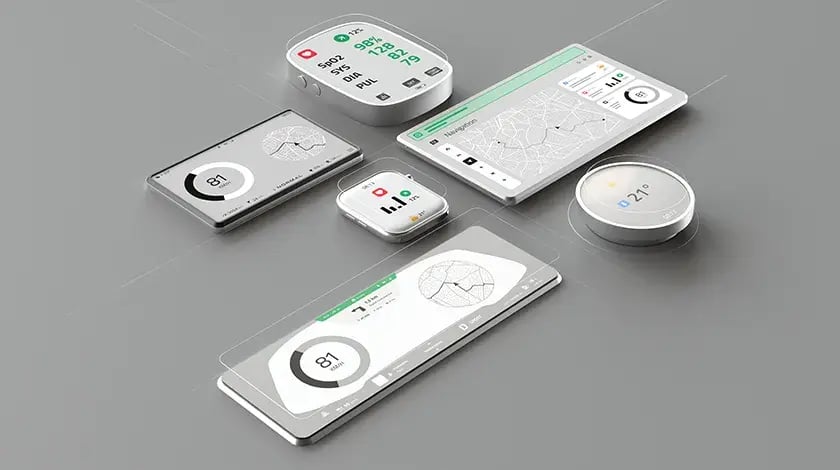
Modern embedded devices are ubiquitous, found in a wide range of applications, including medical equipment, automotive dashboards, and industrial control systems. Yet creating an effective GUI for embedded applications remains one of the most challenging aspects of product development. We recently hosted a webinar featuring four industry veterans with over 60 years of combined experience to discuss the realities of embedded GUI design, what's working, what's still broken, and where the field is headed.
Our panel included:
• Shawn Dorsey - Senior Manager of UI/UX at Qt
• Jason Manns - Senior Technical Artist at Qt
• Dennis Lenard - Founder and Managing Director at Creative Navy
• Sven Heller - CEO at Create Next
Here's what they had to say about the evolution, challenges, and future of GUI design for embedded systems.
The Evolution of Embedded GUI Design
Q: How has embedded GUI design evolved over the past 20 years?
Sven Heller: Fundamentally, nothing has changed because good design is still about clarity, purpose, and making things work for real people. However, the environment around us has changed dramatically. The fields and complexity have become much broader, and the tools are now far more capable. The collaboration between embedded device designers and developers is much stronger than it was 20 years ago. We're still solving the same core problems, but today we can do it with far better methods, technology, and understanding.
Dennis Lenard: The users have really changed. Twenty years ago, designing a GUI for embedded applications was like designing a digital map for people who'd never seen a digital map and didn't know what a digital map was. At some point over the past 20 years, people have learned to form certain expectations.
You don't design for a complete novice anymore, even though with embedded systems, you still can't make too many assumptions. This element of visual language is now more nuanced. You have layers, and that means you can really engage as a designer to create clarity and familiarity. It's a lot more interesting now.
There's also been a shift in ambitions. Twenty years ago, people were asking, "Can we not have an interface at all?" Now, stakeholders come in saying, "We actually want a better interface." That's a big shift, though difficult to quantify.
Shawn Dorsey: For me, I started out in visual effects for film and music videos, then worked in experimental marketing creating motion and visual experiences. Now in embedded design, those emotions and interaction principles matter more than ever, but the stakes are different. It's not about a moment of "wow"; it's about interfaces people rely on every day, sometimes in safety-critical situations. I've always been designing experiences, but the constraints and contexts keep evolving.
Jason Manns: I think that's a key thing to keep in mind. All of us are artists and designers at heart, but what we're creating is something that is very functional. Especially for industries like medical, aerospace, and defense. Those are the people in life-saving roles who are pushing the buttons we created, looking at the little designs we made. There's something kind of validating and satisfying about doing that.
Watch the full webinar: Designing for Modern Devices - Challenges and Trends for Designers of Embedded Applications.
Q: How have tools evolved in your embedded GUI workflow?
Sven Heller: In the early days, tools were sometimes barriers. We were spending more time fighting with Photoshop than solving problems. That was the only professional tool for designing interfaces for embedded devices, and it was painful because there were no components, no elements we could easily reuse. If we had to change one button that appeared 50 times in the design, we would have to manually update all 50 instances. Handover for developers was a JPG, and we wrote notes on the JPG itself.
The next phase involved tools like Sketch or Adobe XD, which enabled somewhat better collaboration with developers and improved prototyping from the outset, to get a feeling of how the product will work. The de facto winner of this phase is Figma, which offers component systems, design systems, and better collaboration.
Now, we are getting into a new era with AI tools that become collaborators. They generate structures, explore options, build variations, and validate things faster. It's all very new, but the progress is incredibly faster.
Jason Manns: The evolution of animation tools has been huge. Being able to prototype microinteractions and see how they'll feel on the actual device before writing a line of code. That's powerful. Tools like Rive are gaining popularity for animation; Qt Design Studio has been transformative for embedded work because it's built specifically for this use case. I'd love to see more embedded-focused features in these tools, such as ways to validate on hardware and test optimizations directly.
Q: What has not changed in that same time period?
Sven Heller: I would like to mention three things that have not changed, and arguably will not change in the future. I will start with the oldest one, which dates back approximately 90 years: the animation principles by Disney Studios. That was the first attempt to make cartoon characters more credible and lifelike. Disney formulated these 12 principles for animation, and it is something that is still used in films, but it is also something we find in user interface design, for example, in interaction design. It's not about creating an animation show on an embedded device screen, but these principles can really help to connect with the user and animate in a way that is attractive.
The second thing is Dieter Rams' 10 principles of good design, which date back 50 years or so. We should still follow these commandments when designing products, and indeed we find them in the products we love, in our smartphones, for example.
And finally, for me at least, something that I always go back to is Steve Krug's book Don't Make Me Think. I use it every time I want to prove if a design is good, because good design creates clarity.
Ultimately, even as technology evolves, principles remain constant and stable. They are anchors in chaotic times.
Dennis Lenard: Another thing that has not changed is the human mind. We now have much more research and studies to help us with rules and frameworks, but fundamentally, the way the human mind works remains the same, even when technology and cultures change.
And this is true on two levels. Both for the users and the people in the teams that develop products. I believe we, as designers, are uniquely positioned to understand others, whether they are end-users or teammates. We can start from that when we need to create a shared understanding, that is so important for embedded GUIs.
Current Challenges in Creating GUIs for Embedded Systems
Q: What are the most significant design challenges you face with embedded GUI development?
Dennis Lenard: The challenge is that every design is unique; there is no method that works for everything. I think this is important to consider, because when you approach a new project with something that appears to be a bias or a preconception, that's when things might begin to become problematic. In a sense, I always try to do the opposite of what I think I should do, and that allows me to keep the options open. The one thing that unlocks progress is probably going to come out of the area where you're completely blindsided.
Q: How does designing a GUI for embedded applications differ from web design?
Sven Heller: The differences are fundamental. Web design tends to be more forgiving of mistakes, while embedded design usually isn't. Hardware constraints are the first big difference. With web design, you're working with responsive layouts that adapt to various screen sizes. With embedded GUI, you have fixed displays with specific resolutions, often with limited color depth or refresh rates.
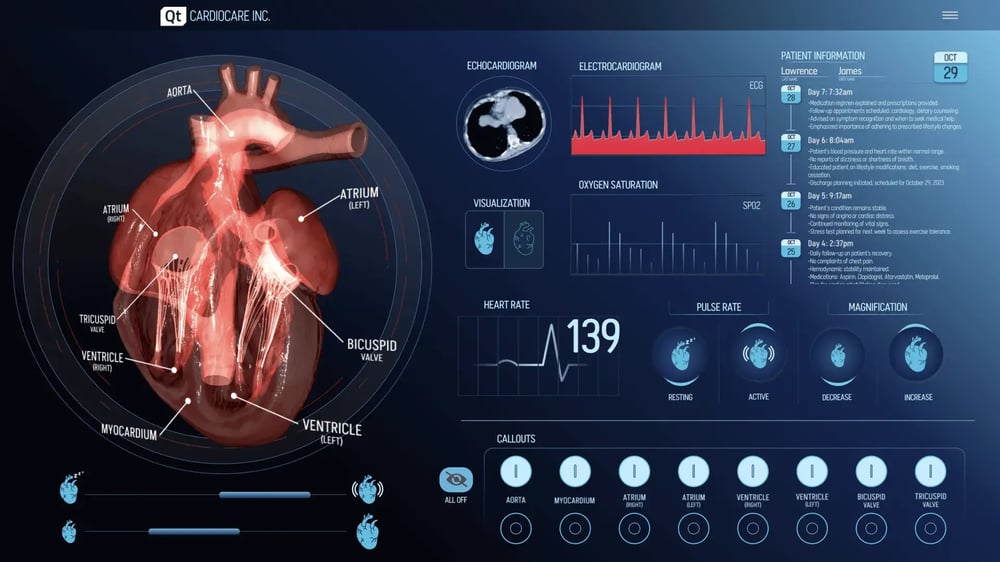
GUIs for embedded applications might be used in stessful or safety-critical circumstance, and need to convey clarity and reliability.
The context also matters enormously. Web interfaces are typically used in offices or at home. Embedded GUIs might be used on a factory floor, in a hospital operating room, or inside a vehicle dashboard. Whether you're relaxed when ordering pizza online or stressed when operating machinery makes a crucial difference in the way you design the experience.
Shawn Dorsey: Safety criticality changes everything. In web design, if something breaks, the page crashes, and the user becomes frustrated. In embedded design, operating errors can have real and potentially dangerous consequences. A mistake in displaying temperature readings or medical conditions could be life-threatening.
The stakes are simply different. The focus is on control, safety, and reliability, not on conversion rates or engagement metrics.
Dennis Lenard: I believe also the expectations are different. With web design, you basically do what others have done before you, and maybe change it a little bit. It's not a matter of your job being easier, it's simply the expectations people have of how a web interface works. With embedded GUIs, things are more complex. There is no shared understanding; that is something the designer needs to take ownership of.
That's also where surprises are more frequent. As a designer, you have probably seen hundreds of websites or mobile apps. But how many medical devices have you interacted with? How many forklift screens? Probably zero.
The Design-Development Collaboration Challenge
Q: How do you bridge the gap between design vision and technical implementation?
Shawn Dorsey: This is where things get really interesting. As designers, we want to create beautiful, engaging experiences. But there's this constant negotiation with development about what's actually feasible. I remember working on a project where we wanted a 3D heart animation that would rotate and show different views. From a design perspective, it was perfect. Visually engaging and informative.
But then, you get into 3D model optimization. Will that heart turn into a pixelated mess on the actual hardware? Development says, "No, it looks fine because it performs," but as a designer, I'm thinking about the visual quality. We ended up collaborating on a 2.5D effect using image sequences. It looked like 3D because it was rendered from 3D models, but performed well because it used image sequences instead of real-time 3D rendering. That's the kind of compromise that makes embedded GUI design both challenging and rewarding.
Q: How do you ensure designs translate correctly into the final product?
Dennis Lenard: Once we were working on a dashboard for a boat, and it had to display lots of information from various sensors. We made the assumption that the stream of information is constant, so that you get updates every few seconds and they're always precise. When it came to testing it in the real world, it turned out that was not the case. It was quite late in the process, and we had to change the interface significantly, making that element less prominent.
This is so typical of embedded GUI design, it's not something you would think of, because you have never encountered it before. That's where the communication with developers becomes important, in terms of what the interface is going to do and how it's going to behave.
Jason Manns: Designers and developers focus on very different things. We focus on visuals, you know, the artistry, making things look pretty. Developers want things to work. I recall a project where we received design requirements from the customer regarding logos, colors, and other brand elements. When we handed off the design to developers, they decided to change the font because it worked better. They did not even think that's something you can't do, that's part of the customer's brand.
Ultimately, there are two different mindsets at work in every project. There needs to be a collaborative space where both perspectives are considered.
Sven Heller: Ideally, you work together with developers from day one, so both sides see the same picture. We often discuss the design handoff to developers, but the process should be a continuous collaboration, not a transfer from one side to the other. In the best cases, it does not feel like a handoff at all.
The Role of AI in Embedded GUI Design
Q: Looking ahead, how do you see AI affecting embedded GUI design?
Jason Manns: I'm very much of the opinion that human beings should be the ones creating art and designing things. AI should fill in the gaps between what we lack. For example, AI is great for prototyping. We're seeing a lot of tools that allow you to create something static, and AI can add basic functionality for prototyping. However, it's not quite there yet where it can build a full application.
In the next 20 years, we'll inevitably get to that point, and designers are going to have to find ways to live alongside AI. I'm generally optimistic, maybe a little pessimistic at times with some of the generative stuff, but I'm hoping to see more embedded-focused tooling in the future: ways to validate on hardware, test optimizations, and more animation and prototype control.
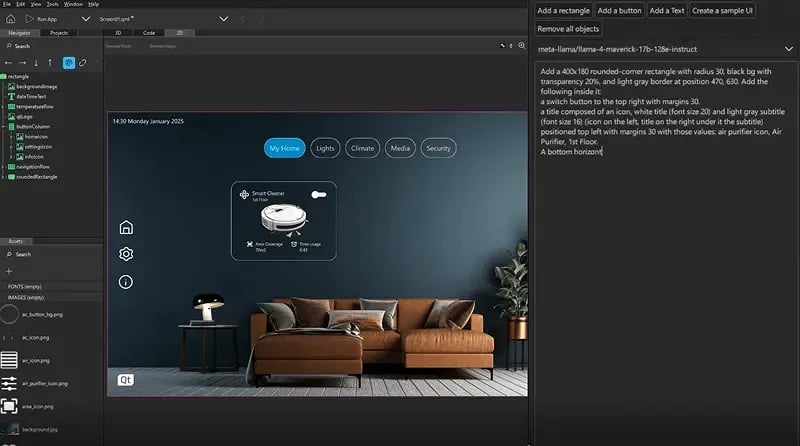
According to our panelists, AI can make things faster when designing GUIs for embedded devices, but it will not replace the artistry of the designer. (Screenshot from Qt Design Studio AI Assistant)
Sven Heller: I'm rather optimistic with a healthy dose of skepticism. AI will relieve us of a lot of work and make things faster, which makes it easier to deal with growing complexity in the embedded and HMI sector. But there's a risk that some will try to replace real designers and engineering work, under the assumption that AI will take care of it. That can be really dangerous because we're still humans and we have to design what is safe, understandable, and responsible.
That's also why good HMI and embedded device designers will become increasingly important in the future, not less. At the end of the day, people decide. AI is a tool, it can accelerate good design, not create it.
Dennis Lenard: I'm also quite optimistic. You have more people entering the field who want to specialize in this area and become exceptionally skilled in it. That means a higher level of responsibility, involvement, and expertise. The tools are evolving with that, so it's a whole culture change, a whole ecosystem shift that makes things better. Over the next six to seven years, I think we'll start to see spectacular results from the next generation of designers using next-generation tools to build next-generation devices.
AI will enable and help with that. But there's a danger too. We need to be asking what we want AI to do, not just what AI will do to us. The danger is getting into a culture shift where suddenly we don't expect to have experts or a certain level of quality because "sufficiently cheap" becomes good enough.
If we get into that spiral, then technology will suffer too. We need to consider our responsibility to improve at this craft, not just to let AI make everything easier.
The following questions were submitted by the audience and could not be addressed during the live webinar because of time constraints. Sven and Shawn have provided answers separately and we publish them below.
Current Visual Trends in GUI for Embedded Applications
Q: What visual trends are you seeing in embedded GUI design right now?
Sven Heller: There are several trends that are defining modern embedded interfaces. To begin with, typography is getting larger and bolder. Better readability is crucial for specific use cases, such as when someone is operating your interface from several feet away. Then, theming has become standard. Dark mode isn't just about aesthetics; it reduces glare and saves energy, which is particularly important in embedded devices with power constraints. Finally, I would mention micro-animations to provide functional feedback, so that when someone presses a button on a GUI for embedded systems, they get immediate visual confirmation that their action has been registered.
More generally speaking, I believe that implementation is becoming increasingly focused, and through appealing design, it effectively communicates product and brand quality. While interfaces are becoming larger, they are also becoming cleaner. Instead of showing everything at once, information is provided in context to avoid stress and fatigue.
Shawn Dorsey: In addition to what Sven has already pointed out, I see an increase in usage of 2.5D and layering effects. Often, projects get stuck in choosing whether to use a 2D or 3D user interface, and the solution might be utilizing shadows and gradients that create a visual hierarchy without requiring heavy 3D rendering. This provides depth and visual interest while remaining performant.
Prototyping Embedded User Interfaces
Q: What's your approach to prototyping GUIs for embedded applications?
Sven Heller: Embedded prototyping is intensive experience prototyping. A purely digital click dummy on your computer is sufficient for testing initial flows in web design, but embedded design is more complex because you have to prototype the environment too, not just the screen.
So, I would say that embedded prototyping is about testing not only interfaces but situations: light, environment, movement, and stress are all elements that change every interaction. What works in the studio can fail completely in the field. That's why we need a combination of UI prototypes, real hardware or hardware mockups, simulated sensor values, and actual usage situations. This is the only way to understand timing, haptics, and context.
Skills and Background for Embedded GUI Designers
Q: What background makes someone successful at designing GUIs for embedded applications?
Sven Heller: Good embedded designers have a strong UX/UI foundation, ideally complemented by basic technical or coding knowledge. Their ability to observe users, understand their behavior, and put them at the center is crucial. It's essential to consider behavior and systems, not just screens. Software engineers with a focus on design can also do this; it's really about the mindset.